

AND Function (Gnumeric)
Combine logical tests with Gnumeric AND, interpreting numeric truth values, ignored range entries and errors without assuming short-circuiting.
Verification status: See the evidence and test scope described in this guide. How formula examples are checked
AND returns TRUE when every included logical test is true, and FALSE when at least one is false. It is useful for a record that must meet several requirements at once. In Gnumeric it is strict about errors: a false condition does not protect another argument from being evaluated.
Syntax and conversion rules
AND(condition1, [condition2], ...)
Supply logical expressions, numerical values, or ranges. Numerical zero is treated as FALSE and other numbers as TRUE. Strings and empty values are ignored. If there are no logical or numerical values to use, the function returns #VALUE!.
These rules mean that text such as "FALSE" should not be treated as equivalent to a real FALSE value. Use actual Boolean values or explicit comparisons for readable validation formulas.
Original worked example
=AND(TRUE(),FALSE())
The result is FALSE because one required condition is false.
Worked worksheet: require two valid inputs
Put 1 in A1 and 10 in B1. =AND(A1>0,B1>=10) returns TRUE: the quantity is positive and the amount meets the minimum. Change one input so that its comparison is false and the conjunction should become FALSE.
Additional native controls show the conversion rules:
| Formula | Result |
|---|---|
=AND(2,-3) |
TRUE |
=AND(1,0) |
FALSE |
=AND(TRUE,"text") |
TRUE |
=AND("text") |
#VALUE! |
The nonzero negative value -3 is true under numerical conversion. The text-only case has no usable logical value; it does not default to TRUE.
Advanced use: strict evaluation and safe guards
=AND(FALSE,1/0) returns #DIV/0! in Gnumeric 1.12.57. The first FALSE does not short-circuit evaluation of the later argument. This matters when an AND formula contains a division, lookup, or other operation that can fail.
Do not rely on a condition such as “divisor is nonzero” inside the same AND call to prevent division by zero in another argument. Structure the formula with a suitable conditional guard around the potentially invalid calculation, and test both branches. AND combines results; it is not an exception-control mechanism.
For a validation table, put intermediate checks in separate columns when that makes failures easier to diagnose. A single FALSE says that at least one requirement failed but does not identify which one. Keep the component tests available for review rather than hiding the reason behind a single status flag.
Errors and troubleshooting
If the result is unexpectedly TRUE, inspect whether text inputs were ignored or nonzero numbers were treated as true. If it is #VALUE!, check whether every input was text or blank. If another error appears, examine the corresponding argument even when an earlier condition is already false.
For “at least one condition,” use OR rather than AND. For a single negation, use NOT. Avoid replacing Boolean logic with display strings such as “yes” and “no” until the presentation step, because those strings do not share the same evaluation contract.
Availability and version history
- Introduced: Documented by Gnumeric 0.27, whose release notes mention fixes; the original introduction is not established.
- Historical source evidence: Supported in Gnumeric 1.12.62, based on the function-specific registration.
- Scope: Desktop; the fn-logical function module must be included and enabled.
- Historical check: October 14, 2026; registration evidence does not certify native execution for 1.12.62.
New verification: Official Gnumeric 1.12.57 source and the displayed bounded engine cases were checked on 17 October 2026 under C.UTF-8. The historical 1.12.62 registration is retained separately without asserting identical behavior. The selected example below is GUI-verified; a last-supported release is not established.
Related functions
Documentation and verification
Native application screenshot
The selected cell C1 contains =AND(A1>0,B1>=10) and displays TRUE. The screenshot preserves the example input positions described above. Only this selected example is GUI-verified; the other checks retain their stated engine-test scope.
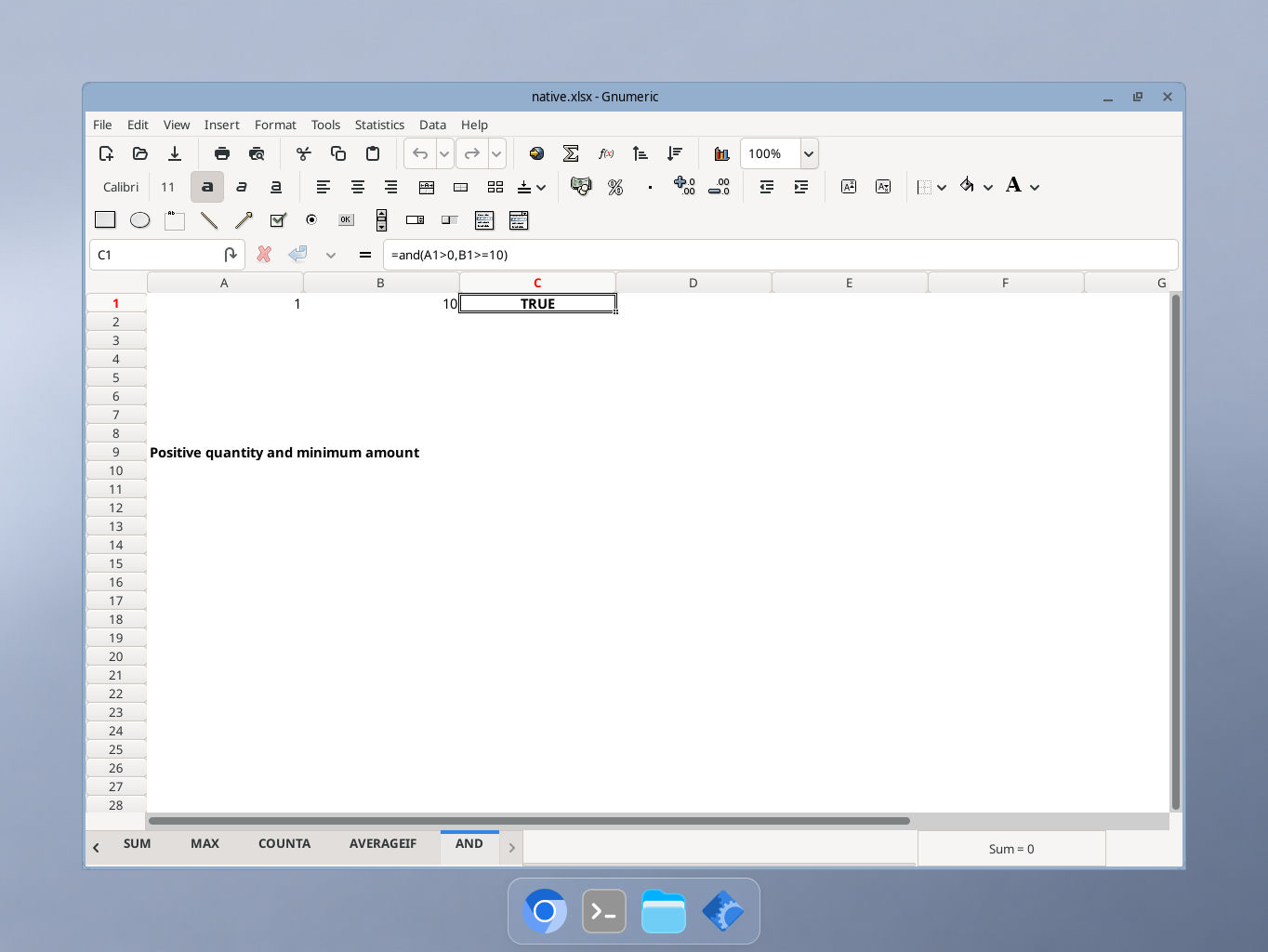
Actual Gnumeric 1.12.57 application, captured 17 October 2026. GUI locale was not independently recorded.