

AREAS Function (Gnumeric)
Count separate reference areas with Gnumeric AREAS, distinguishing a single rectangular range from multiple referenced areas.
Verification status: See the evidence and test scope described in this guide. How formula examples are checked
AREAS counts the separate reference areas described by an expression. A rectangular range is one area even if it contains many cells, blanks, or errors. This makes the function useful when checking whether a selected reference is contiguous before passing it to a calculation that expects one block.
Syntax and the important union distinction
AREAS(reference)
reference is one reference expression. It can be a cell, a rectangular range, a defined name that resolves to a reference, or a parenthesized set of references. Gnumeric inspects the reference expression rather than counting the values in its cells.
The distinction between one union expression and several function arguments matters. In a comma-separator locale, =AREAS((A1,B2,C3)) supplies one parenthesized reference set. =AREAS(A1,B2,C3) supplies three arguments. Although the latter appears in the built-in 1.12.57 help example, the implementation explicitly rejects an argument count other than one. Use the extra parentheses for a reference set and adapt separators to the workbook locale.
Worked example: check a two-block selection
Enter 10 in A1, 20 in A2, 30 in C1, and 40 in C2. Leave the other cells empty. Put the following formulas outside A1:C3:
| Formula | Expected result | Reason |
|---|---|---|
=AREAS(A1) |
1 | One cell is one area |
=AREAS(A1:C3) |
1 | One contiguous rectangle |
=AREAS((A1:A2,C1:C2)) |
2 | Two members in the reference set |
=AREAS((A1,B2,C3)) |
3 | Three separate members |
Changing a number or clearing A2 does not change the area count. AREAS measures the reference structure, not population, shape in pixels, or the number of numeric values.
Advanced use: guard a contiguous-range workflow
A workbook author may define a name, such as InputBlock, for the cells used by an analysis. =AREAS(InputBlock) provides a compact structural check. A result of 1 confirms only that the expression represents one area; it does not establish that the range has the correct number of rows, contains valid data, or excludes headings. Validate those requirements separately.
Overlapping members are counted as members, not geometrically merged. For example, =AREAS((A1:B2,B2:C3)) is expected to return 2 even though B2 belongs to both rectangles. AREAS is consequently unsuitable for computing a deduplicated cell count. Do not multiply its result by a fixed block size when blocks overlap or have different dimensions.
Errors and troubleshooting
=AREAS(42)returns#VALUE!: a number is not a reference.- A quoted address such as
"A1:C3"is text, not a range expression. Resolve it deliberately with INDIRECT if address text is your input. - A wrong argument count returns
#VALUE!; check the parentheses around a multi-area set before blaming the data. - A defined name must resolve to an appropriate reference expression. An arithmetic expression or inactive name does not become a valid range simply because it is named.
- A contiguous reference containing error cells remains one area. This is not an error-checking function.
Reference-returning functions can be useful inside AREAS, but a function returning an ordinary array of values is not automatically a reference. If a complex formula fails, reduce it to a direct range and then restore the intermediate steps one at a time.
Version and verification
The contract here is based on the official Gnumeric 1.12.57 implementation, including its single-argument check. The official release notes identify AREAS as added in Gnumeric 1.1.10. No last-working-version or retirement is inferred. Sources were retrieved on 17 October 2026. The displayed area-count and error cases were recalculated by the actual 1.12.57 engine under C.UTF-8 on that date. These multi-case checks are headless calculation evidence. The selected two-area example was additionally displayed in the actual application, as shown below.
Related guides
Official references
Native application screenshot
This separate screenshot worksheet uses A1 = 10; A2 = 20; C1 = 30; C2 = 40. In B4, =AREAS((A1:A2,C1:C2)) returns 2. The screenshot layout is independent of the cell positions in the earlier tutorial. Only this selected example is GUI-verified; the other checks retain their stated engine-test scope.
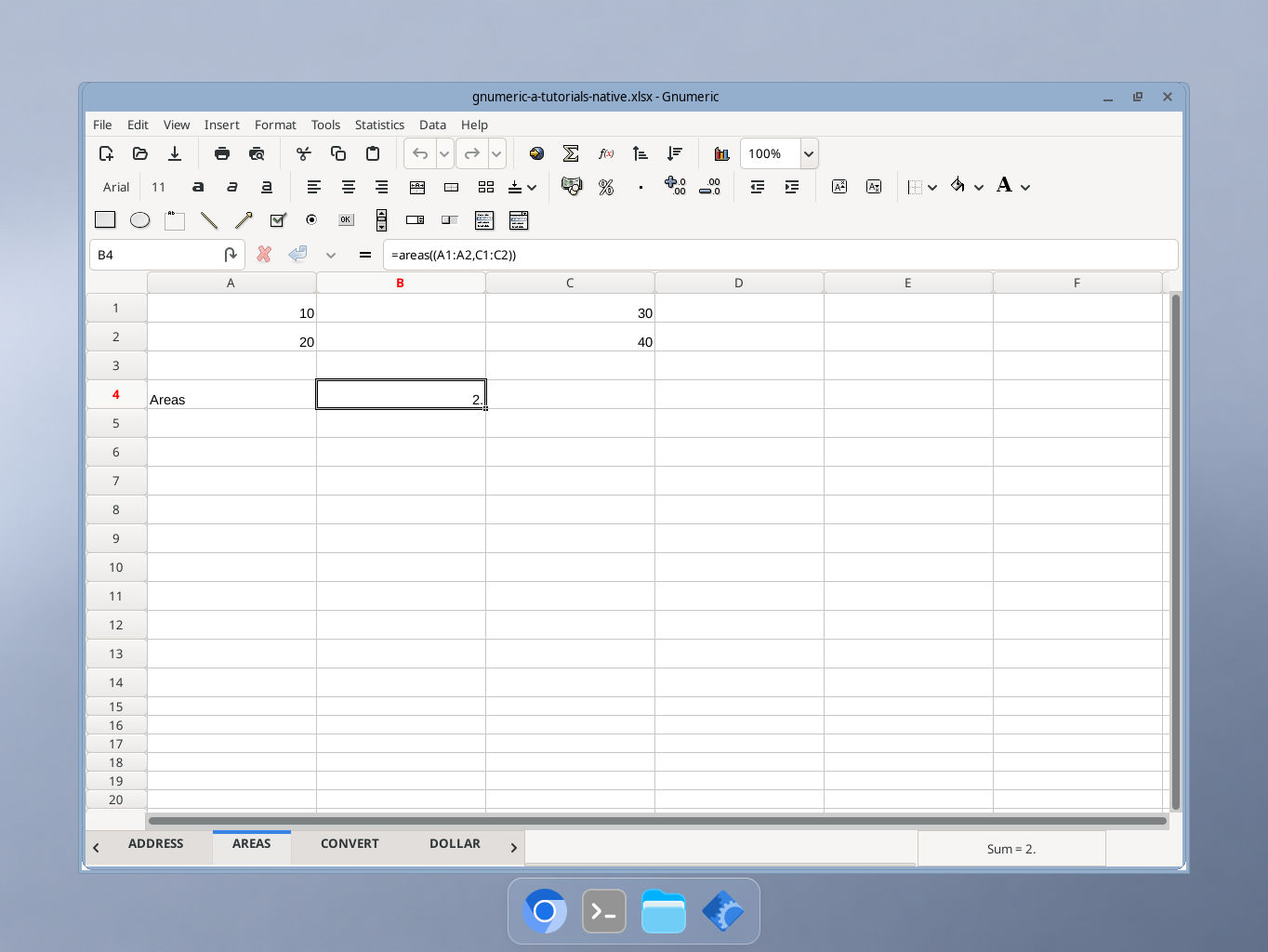
Actual Gnumeric 1.12.57 application, captured 17 October 2026. GUI locale was not independently recorded.