

DAY Function (Gnumeric)
Extract day-of-month numbers in Gnumeric with DAY, leap dates, timestamps and a first-of-month calculation.
Verification status: Fresh bounded Gnumeric 1.12.57 source and ssconvert verification; separate primary-example GUI capture below. How formula examples are checked
Exact syntax
=DAY(date)
DAY returns the day-of-month component of a date as an integer from 1 through 31. Its one required argument is a spreadsheet date value. It does not return the weekday, a count of elapsed days, or the complete date serial.
The preserved formula =DAY(DATE(2025,1,15)) returns 15. Constructing the date with DATE avoids interpreting a regional text format. =DAY(DATE(2024,2,29)) returns 29, demonstrating a real leap-day input. Adding a time of 23:59 to 15 January leaves the returned component at 15; the fractional time does not advance the calendar date.
Advanced application: find the first day of a month
For a date-only value d, subtracting DAY(d)-1 moves back to the first day of its month. The checked formula =DATE(2025,1,15)-DAY(DATE(2025,1,15))+1 returns serial 45658 in the fixture’s default 1900 date system, representing 1 January 2025. Apply a date number format to see the calendar date rather than the serial.
With the date in A2, use =A2-DAY(A2)+1 for the same date-only calculation. If A2 contains a timestamp, that subtraction preserves its time fraction. To construct a midnight month-start value instead, use =DATE(YEAR(A2),MONTH(A2),1). This cell-based variation is a derived application, not an additional recorded fixture. Do not group dates using DAY alone: 15 January and 15 February both produce 15.
Errors and troubleshooting
The non-date text “bad” returned #VALUE! in the native fixture. A number format does not convert arbitrary text into a true date. Check imported data types and use explicit date construction rather than relying on ambiguous strings such as 1/2/2025. DAY itself does not attach a time zone or reinterpret a timestamp as UTC or local time.
The workbook’s date system matters when importing raw serial numbers. The same serial in a different epoch convention can identify another calendar date. A displayed date and its underlying number must therefore be checked together before comparing files. The fixture avoids early-epoch compatibility peculiarities and does not certify every historical date boundary.
Date tip: Dates are internally numeric values; formatting controls their appearance. Compare actual dates rather than text that merely resembles dates.
Recorded native examples
=DAY(DATE(2025,1,15))→ 15=DAY(DATE(2024,2,29))→ 29=DAY(DATE(2025,1,15)+TIME(23,59,0))→ 15=DATE(2025,1,15)-DAY(DATE(2025,1,15))+1→ 45658=DAY("bad")→ #VALUE!
Availability, portability and verification
Original introduction and last functioning release are not established. The exact cases above were freshly recalculated in Gnumeric 1.12.57 on 17 October 2026; the matching official source was retrieved and inspected. Input formulas, output cells and file hashes were independently checked against explicit calendar, time or type expectations. These records are native engine evidence; a separate primary-example GUI capture appears below. No execution of a later Gnumeric version is claimed.
The retained historical registration check documented availability in Gnumeric 1.12.62 on 14 October 2026, for desktop installations with the fn-date module included and enabled. This is registration evidence, not a fresh inspection of 1.12.62 implementation source or an execution of that version. The earlier comparable LibreOffice Calc 25.2 example is historical cross-program context. Ordinary meanings may match across spreadsheets, while date systems, text conversion, locales and edge cases can differ. Confirm the receiving workbook rather than assuming identical behavior solely from a shared function name.
Related functions
Official sources
Native application screenshot
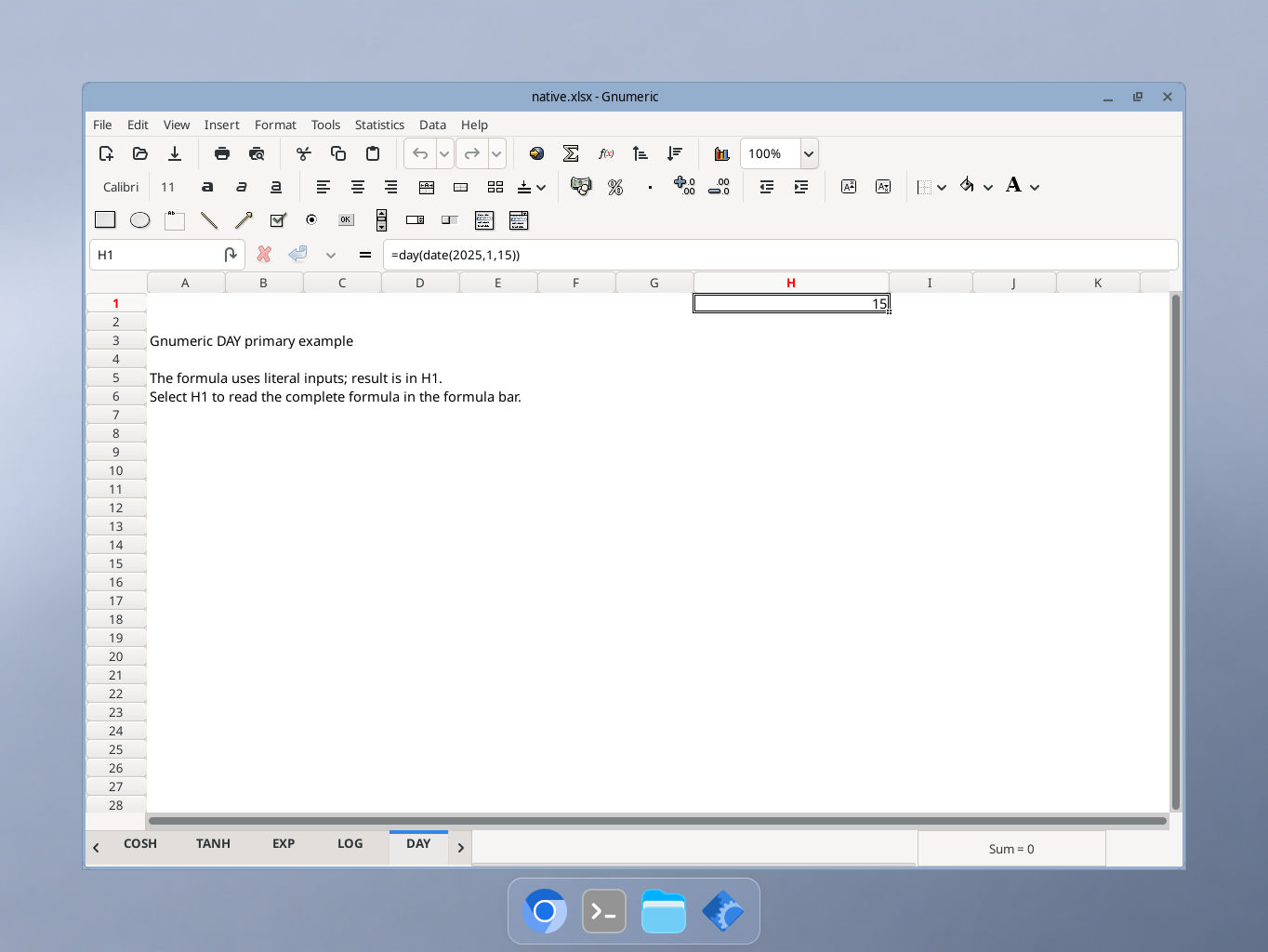
Gnumeric 1.12.57, captured 17 October 2026. The selected H1 cell shows the primary example result, with its formula in the formula bar. The literal inputs are visible in the formula bar. The GUI locale was not independently recorded.