

YEAR Function (Gnumeric)
Extract calendar years in Gnumeric with YEAR, leap dates, year-end timestamps and reliable year-based grouping.
Verification status: Fresh bounded Gnumeric 1.12.57 source and ssconvert verification; separate primary-example GUI capture below. How formula examples are checked
Exact syntax
=YEAR(date)
YEAR returns the calendar year component of one required spreadsheet date argument. Its output is a number such as 2025, not a new date serial, a two-digit display string, a fiscal-year label or an elapsed age.
The original example =YEAR(DATE(2025,1,15)) returns 2025. The leap-day example =YEAR(DATE(2024,2,29)) returns 2024. At 23:59 on 31 December 2024 the result is still 2024. Adding one full day to the date 31 December 2024 produces a year component of 2025; the fixture checks both sides of the calendar boundary.
Advanced application: calendar-year grouping
For a table of actual transaction dates in A2:A20, put =YEAR(A2) in B2 and fill down to create a calendar-year grouping key. Keep the original date column so that records from different days do not lose their identity. This is useful for a pivot or a later conditional aggregation, but YEAR itself performs no grouping or summation.
To build the first day of the input’s calendar year, use =DATE(YEAR(A2),1,1). This is a derived worksheet application rather than a separately executed fixture. Formatting the YEAR result as a date instead would incorrectly treat the year number as a serial day. Leave a year-component column with an ordinary integer number format.
Errors and interpretation pitfalls
The native non-date text “bad” returned #VALUE!. Enter dates through DATE or validated imports; applying a date-looking format to unrecognized text does not make it a date value. A timestamp’s fractional day does not change the year until its serial date crosses midnight into the new calendar year. YEAR performs no time-zone conversion, so normalize timestamps beforehand if their intended calendar date depends on a zone.
Subtracting YEAR(birth_date) from YEAR(today) is not a complete age calculation, because it ignores whether the birthday has occurred. Likewise a fiscal year or ISO week-year can differ from the calendar year near a boundary. Specify those business rules separately rather than treating YEAR as a fiscal-calendar function.
Date tip: Dates are internally numeric values and date formatting controls appearance. Raw serial values transferred between different workbook date systems can refer to different dates. Verify the epoch convention before interpreting a calendar year from an imported serial.
Recorded native examples
=YEAR(DATE(2025,1,15))→ 2025=YEAR(DATE(2024,12,31)+TIME(23,59,0))→ 2024=YEAR(DATE(2024,12,31)+1)→ 2025=YEAR(DATE(2024,2,29))→ 2024=YEAR("bad")→ #VALUE!
Availability, portability and verification
Original introduction and last functioning release are not established. The exact cases above were freshly recalculated in Gnumeric 1.12.57 on 17 October 2026; the matching official source was retrieved and inspected. Input formulas, output cells and file hashes were independently checked against explicit calendar, time or type expectations. These records are native engine evidence; a separate primary-example GUI capture appears below. No execution of a later Gnumeric version is claimed.
The retained historical registration check documented availability in Gnumeric 1.12.62 on 14 October 2026, for desktop installations with the fn-date module included and enabled. This is registration evidence, not a fresh inspection of 1.12.62 implementation source or an execution of that version. The earlier comparable LibreOffice Calc 25.2 example is historical cross-program context. Ordinary meanings may match across spreadsheets, while date systems, text conversion, locales and edge cases can differ. Confirm the receiving workbook rather than assuming identical behavior solely from a shared function name.
Related functions
Official sources
Native application screenshot
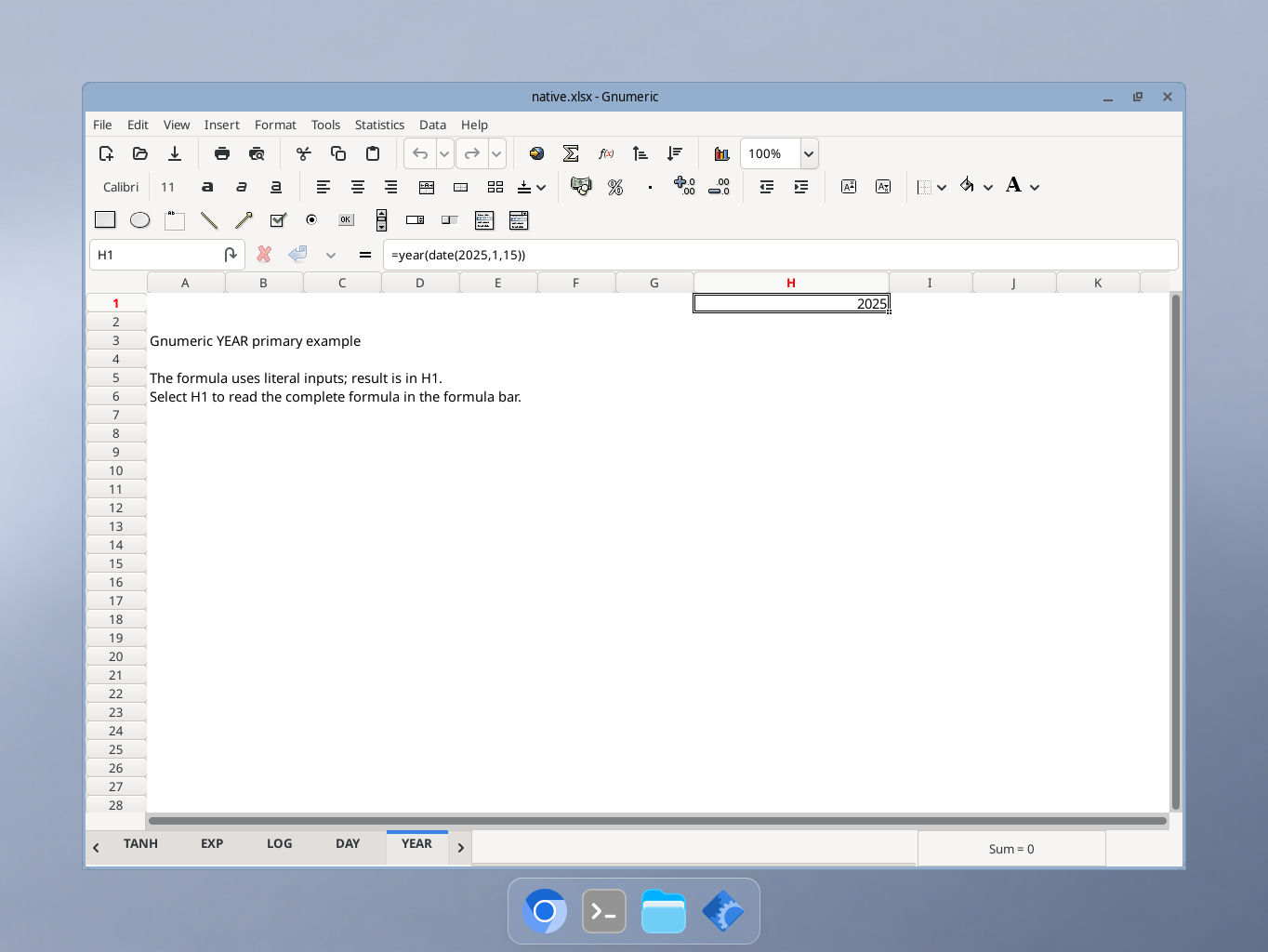
Gnumeric 1.12.57, captured 17 October 2026. The selected H1 cell shows the primary example result, with its formula in the formula bar. The literal inputs are visible in the formula bar. The GUI locale was not independently recorded.