

FTEST Function (Gnumeric)
Compare two independent sample variances in Gnumeric with FTEST, a two-sided p-value, numeric sample checks and normality assumptions.
Verification status: Gnumeric 1.12.57 ssconvert: specified FTEST fixtures and separately captured worked-example GUI. Gnumeric 1.12.62 source inspected separately. How formula examples are checked
FTEST compares the variances of two independent samples and returns a two-sided p-value for the null hypothesis that their population variances are equal. The result is a probability, not the ratio of the sample variances and not the probability that the null hypothesis is true. Use it when a variance comparison is appropriate for the study design; the classical F test assumes independent observations from normal populations and is sensitive to non-normality.
Syntax and arguments
=FTEST(array1,array2)
Both arguments are required sample ranges or arrays. Each needs at least two usable numeric observations. The sample sizes may differ, and the ranges do not have to line up observation by observation. There are no optional tails or confidence-level arguments: FTEST already returns a two-sided result. These examples use English function names and comma separators; adapt separators to your workbook locale.
Gnumeric collects numeric values independently from the two ranges, ignoring text, logical values and empty cells. A number stored as text is consequently not an observation. An error in either sample propagates rather than silently disappearing. Keep labels outside the selected ranges and check numeric counts before comparing groups.
Worked example: compare process variability
Enter this table beginning at A1, without headers:
| Row | A: process A | B: process B |
|---|---|---|
| 1 | 1 | 2 |
| 2 | 2 | 4 |
| 3 | 3 | 6 |
| 4 | 4 | 8 |
| 5 | 5 | 10 |
In D1 enter =FTEST(A1:A5,B1:B5). The expected result is 0.208. Format D1 as a number with at least six decimal places, or as a percentage to display 20.8%.
An independent check is straightforward: the sample variances are 2.5 and 10, so the F ratio is 0.25 with 4 and 4 degrees of freedom. Twice the smaller F-distribution tail is 0.208. Reversing the arguments also gives 0.208 for these nonconstant samples. The result exceeds a preselected 0.05 significance level, so these five-observation samples do not provide sufficient evidence to reject equal population variances. This is not proof that the variances are equal.
Advanced use: retain an auditable decision
Put your chosen significance level, for example 0.05, in D2, and enter =D1<D2 in D3. The expected result is FALSE. Keep the p-value, both sample counts, sample variances and the scientific justification for the test together. Choosing an equal-variance t-test solely because this small preliminary test is nonsignificant can be misleading; choose the mean-comparison method based on the study and its assumptions.
To investigate scale changes, double all five numbers in B. Its sample variance becomes 40 and the F ratio becomes 0.0625. Recompute the test rather than comparing standard deviations directly with a p-value. Scaling both samples by the same nonzero factor leaves their variance ratio, and thus FTEST, unchanged.
Errors and troubleshooting
- Fewer than two numeric observations in either sample produces
#DIV/0!in the examined implementation. CheckCOUNT, not the apparent number of filled cells. - A constant second sample has variance zero and produces
#DIV/0!. Do not divide manually by that variance or interpret the error as a significant test result. - The retained implementation checks the second variance explicitly; a constant first sample with a nonconstant second sample follows the zero-ratio branch instead. This boundary is not a sound reason to use the F test on degenerate data. Check that both variances are positive before interpreting any result.
- Text, TRUE/FALSE and blanks are excluded, while numeric zero is retained. Convert genuinely numeric text intentionally and document any removed observations.
- A displayed zero may be rounding of a very small p-value. Increase displayed precision before reporting it as exactly zero.
Version and verification scope
The function is registered in the official catalog and implemented in the retained Gnumeric 1.12.62 source. Official NEWS lists FTEST among the functions added in Gnumeric 0.27. A last functioning version has not been established; registration does not establish identical behavior in every release. The worked result above was independently computed from the F distribution. See the evidence note below for the narrower native execution scope.
Related functions
Official sources
Native evidence note
On 17 October 2026, Gnumeric 1.12.57 recalculated a synthetic workbook through ssconvert in the C.UTF-8 locale. The 4 recorded FTEST fixture cases matched the independently computed numerical results or the source-predicted error cases within floating-point precision. The cases covered the main example, reversed samples, a constant second sample returning #DIV/0! and a constant first sample returning 0. These records are engine tests; the separately captured worked-example screenshot is scoped below. It does not certify other versions, locales, workbook formats or untested edge cases.
Native application screenshot
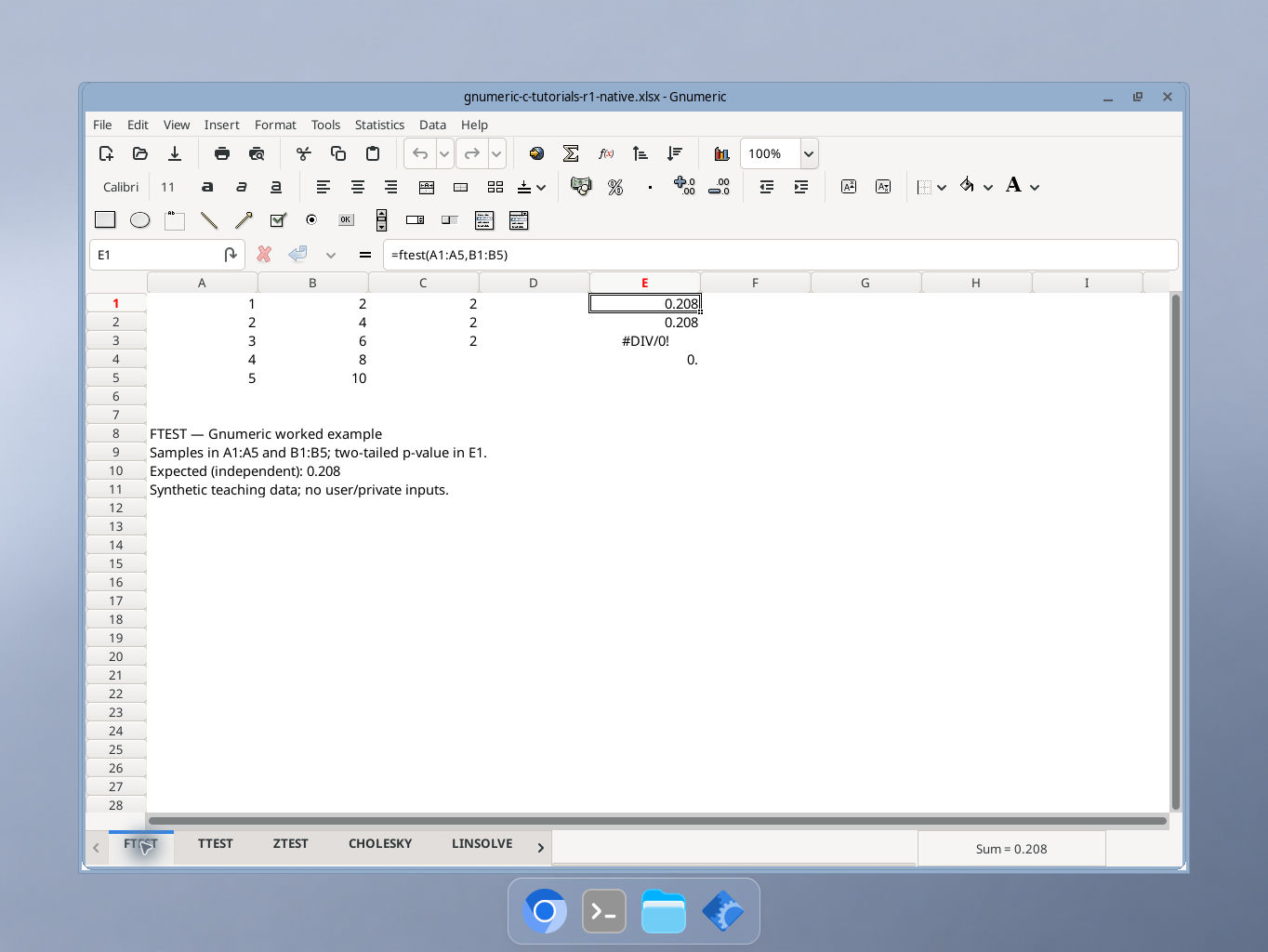
Gnumeric 1.12.57, captured 17 October 2026. Samples in A1:A5 and B1:B5; two-tailed p-value in E1. The selected cell E1 shows the formula in the formula bar. Display precision is shorter than the independent reference values; integer cells may show a trailing decimal point. GUI locale was not independently recorded.