

COUNT Function (Gnumeric)
Count numeric observations in Gnumeric with COUNT, zeros, text-formatted numbers, blanks and build-specific direct arguments.
Verification status: Gnumeric 1.12.57 ssconvert bounded COUNT fixtures, with a separate primary-example GUI capture; pinned/retained 1.12.62 source inspected separately. How formula examples are checked
COUNT counts numeric values. It does not add them and does not count every nonempty cell. It is useful for auditing the sample size available to a calculation, especially when an imported range contains blanks, labels or text-formatted numbers.
Syntax and what is counted
=COUNT(number1[,number2,...])
Supply numeric arguments, references or ranges. There is no condition or mode parameter. In the examined implementation, numeric zero is counted, while text, logical values, blanks and error values are excluded. Formula results that are numeric count; formula results that are empty strings do not.
Direct-argument coercion must not be assumed from another spreadsheet. In native Gnumeric 1.12.57, =COUNT("7",TRUE,NA()) returned 0, and =COUNT("bad") also returned 0. These bounded observations show that the quoted text, Boolean and error were not counted in those direct calls. Newer source inspection is not a substitute for native verification of every release’s collection rules.
Worked example
The original =COUNT(3,5,7) returns 3, not 15. Each numeric argument contributes one to the count, regardless of magnitude.
Build this mixed range:
| Cell | Entered value |
|---|---|
| A1 | numeric 3 |
| A2 | numeric 0 |
| A3 | text 7, entered with a leading apostrophe if needed |
| A4 | TRUE |
| A5 | =1/0 |
| A6 | ="" |
| A7 | leave genuinely blank |
=COUNT(A1:A7) returns 2: only A1 and A2 are numeric. The error in A5 does not stop COUNT; it is excluded. This makes COUNT useful for counting usable numeric cells but insufficient as the only validation check, because errors can remain elsewhere in the range.
Advanced use: numeric completion rate
For seven expected measurements, =COUNT(A1:A7)/7 returns 2/7, approximately 0.285714285714286. Format it as a percentage to show approximately 28.57% numeric completion.
The denominator is the expected number of measurement slots, not the number of filled cells. If the number of expected observations changes, store it in a separate validated cell and reference that value. Do not divide by COUNTA unless every nonempty cell genuinely represents an eligible observation; labels and errors can otherwise distort the rate.
A text date is excluded, while a real spreadsheet date is stored as a numeric serial and counts. Thus a numeric count alone cannot establish that all values are measurements in the intended unit. Combine type checks with range, date and domain checks appropriate to the task.
Troubleshooting
- If the count is lower than the number of visible entries, inspect text-formatted numbers, logical values and error results.
- Zero counts as a measurement. A missing value should not be encoded as zero unless zero truly means missing in your documented data model.
- An empty-string formula is not a numeric observation even though the cell contains a formula.
- An entirely blank range returns zero. That is a valid count, not a division-by-zero error from COUNT itself.
- Overlapping ranges can count the same numeric cell more than once when supplied repeatedly. Check the selected areas before interpreting the total as a unique observation count.
- COUNT ignores input errors in the examined cases. Use an independent error audit if errors must block downstream analysis.
Availability and version history
- Introduced: Documented by 1.12.62; original introduction not established.
- Availability: Supported in Gnumeric 1.12.62, based on the function-specific registration.
- Scope: Desktop; the fn-stat function module must be included and enabled.
- Source evidence: Retained official source reexamined October 17, 2026; fn-logical source freshly retrieved at the same pinned revision. No 1.12.62 native execution.
Related functions
Official sources
Native verification scope
On 17 October 2026, Gnumeric 1.12.57 ssconvert recalculated 6 bounded COUNT fixtures in C.UTF-8. The article reports their actual numerical, logical, text and error outputs. Direct-text/Boolean cases differed from initial source-informed expectations; those expectations were not used as native evidence, and the observed version-specific results are stated above. The original worked examples are included in the native fixtures. Other explanatory formulas are independently checked rather than described as additional runs. These fixture records are engine evidence; the separate primary-example GUI capture below does not certify untested criteria, coercions or other versions.
Native application screenshot
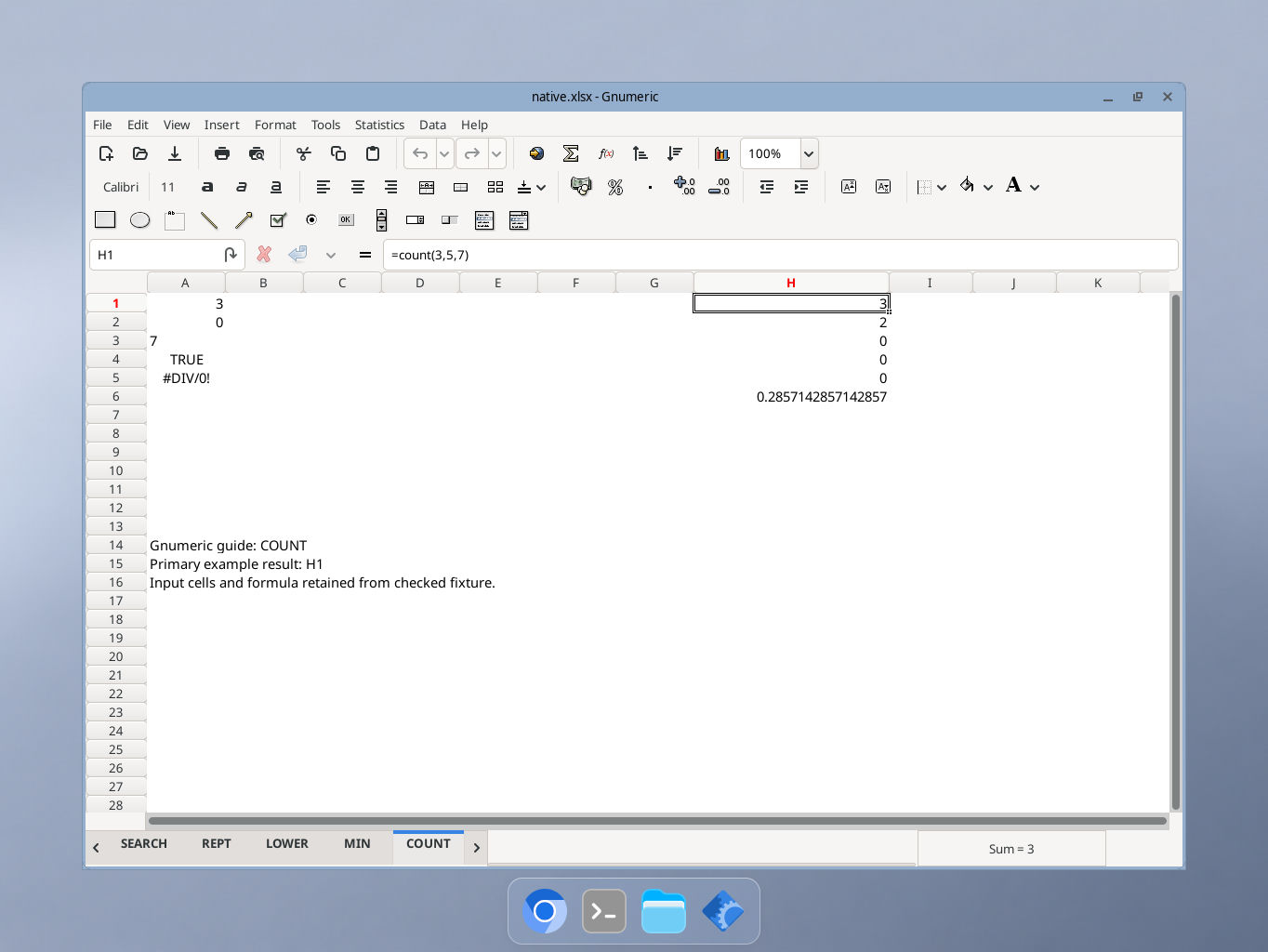
Gnumeric 1.12.57, captured 17 October 2026. The selected H1 cell shows the primary example result, with its formula in the formula bar. Other visible rows are supplemental fixture cases. General number formatting preserves floating-point tails; the GUI locale was not independently recorded.