

MAX Function (Gnumeric)
Find the largest numeric value with Gnumeric MAX, using mixed-range examples and distinguishing a maximum value from its record location.
Verification status: See the evidence and test scope described in this guide. How formula examples are checked
MAX returns the largest included numerical value. It is useful for a peak measurement or highest amount, but it does not return the row, label, or cell address associated with that maximum. Negative values use their ordinary numerical order: -2 is greater than -9.
Syntax and included values
MAX(value1, [value2], ...)
Supply numbers, cell references, or ranges. Gnumeric’s collector ignores text, logical values, and blanks. If no numerical values remain, the pinned implementation returns zero. That fallback is not proof that the source contains an observed zero.
Original worked example
=MAX(9,2,5)
The result is 9, the largest of the three numbers.
Worked examples: negatives and missing numbers
| Formula or setup | Result |
|---|---|
=MAX(-9,-2,-5) |
-2 |
E1=10, E2=-2, E3=text, E4=TRUE, E5 blank; =MAX(E1:E5) |
10 |
=MAX("9",TRUE) |
0 |
H1:H3 entirely blank; =MAX(H1:H3) |
0 |
The direct quoted number "9" does not become a numeric candidate in this Gnumeric check. Imported numeric text needs deliberate conversion if it is intended to participate.
A blank cell is not the same as zero in a range of negatives. Ignoring a blank allows the largest actual negative number to remain the maximum, whereas including an actual zero would make zero the largest value.
Advanced use: pair a maximum with a validity check
For a measurement report, record whether the selected range contains any numeric observations before treating MAX as a measured peak. Otherwise an empty series and a real series whose highest value is zero can look identical.
When you need the record associated with the maximum, use a separate lookup designed for that task and decide how to handle ties. MAX alone cannot distinguish one occurrence from several equal maxima. Avoid assuming the first visible row is the unique record that produced the result.
MAX compares stored numbers, not formatted text labels. A date serial is a number, so the largest numeric date can represent the latest date when the data all use a consistent date system. Mixed units or unrelated numerical fields can also produce a maximum, but that number may have no useful meaning.
Errors and troubleshooting
=MAX(1,1/0) propagates #DIV/0! in the native test. A source error does not disappear merely because another argument is a valid larger number.
If zero appears unexpectedly, check whether all inputs were blank, text, or logical values. If a large-looking value is ignored, inspect whether it is stored as text. If a negative result seems wrong, remember that maximum means greatest on the number line rather than greatest absolute magnitude.
Check range boundaries and units before interpreting a peak. Number formatting can make different stored values look equal, so inspect precision when tie handling matters.
Availability and version history
- Introduced: Original introduction not established in the retained historical evidence.
- Historical source evidence: Supported in Gnumeric 1.12.62, based on the function-specific registration.
- Scope: Desktop; the fn-stat function module must be included and enabled.
- Historical check: October 14, 2026; registration evidence does not certify native execution for 1.12.62.
New verification: Official Gnumeric 1.12.57 source and the displayed bounded engine cases were checked on 17 October 2026 under C.UTF-8. The historical 1.12.62 registration is retained separately without asserting identical behavior. The selected example below is GUI-verified; a last-supported release is not established.
Related functions
Documentation and verification
Native application screenshot
The selected cell F1 contains =MAX(E1:E5) and displays 10. The screenshot preserves the example input positions described above. Only this selected example is GUI-verified; the other checks retain their stated engine-test scope.
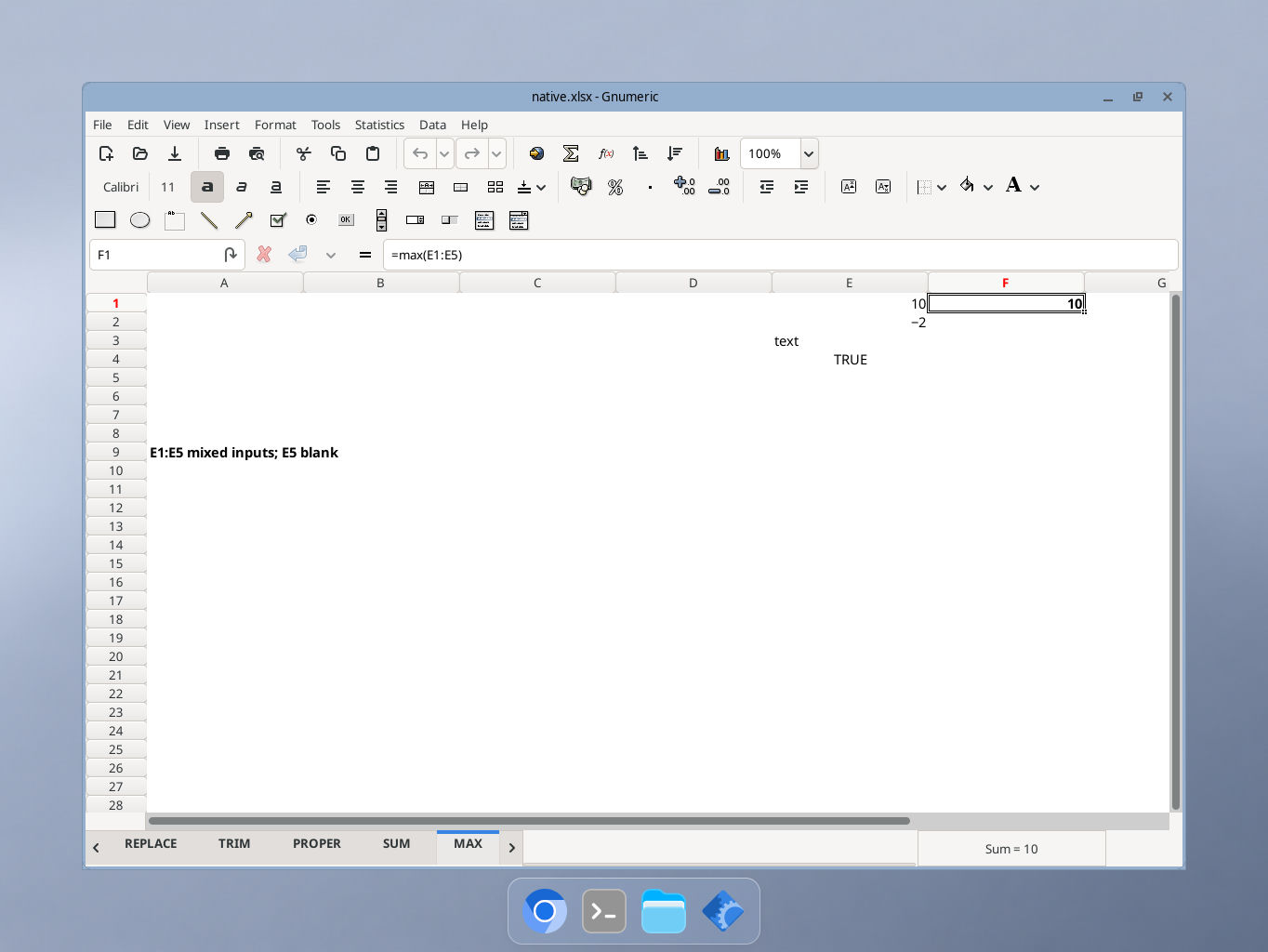
Actual Gnumeric 1.12.57 application, captured 17 October 2026. GUI locale was not independently recorded.