

MINUTE Function (Gnumeric)
Extract minute-of-hour components in Gnumeric with MINUTE, full timestamps and the distinction from elapsed minutes.
Verification status: Fresh bounded Gnumeric 1.12.57 source and ssconvert verification; separate primary-example GUI capture below. How formula examples are checked
Exact syntax
=MINUTE(time)
MINUTE returns the minute component of a spreadsheet time or timestamp, from 0 through 59. Its one required argument is a time value represented as a fraction of a day, optionally with an integer date part. It does not return total elapsed minutes.
The preserved example =MINUTE(TIME(14,30,0)) returns 30. =MINUTE(TIME(1,45,0)) returns 45, not 105. Adding a calendar date to 14:30:45 still gives minute component 30. A numeric input 0.5 means half a day, or noon, so =MINUTE(0.5) returns zero rather than 30.
Advanced application: inspect normalized time values
=MINUTE(TIME(0,90,0)) returns 30 because TIME normalizes 90 minutes into 1 hour and 30 minutes. MINUTE then extracts the minute-of-hour field. That output does not mean only 30 minutes have elapsed. If a numeric duration is stored in spreadsheet days, multiply the duration by 1440 to obtain total minutes instead; the multiplier is 24 hours times 60 minutes.
For a timestamp column A2:A20, use =MINUTE(A2) in B2 and fill down to identify the minute field for quality checks. Retain the original timestamp and its hour: minute 30 can occur in any hour or day. A grouping key that needs the complete hour must be built from the date and hour, not just MINUTE.
Errors, formatting and precision
The literal non-time text “bad” returned #VALUE! in the native test. Ensure imported times are real numeric time values before extracting components. A time-formatted string and a numeric time may look identical while behaving differently. Locale-specific text parsing is deliberately avoided in these examples.
Formatting can hide seconds or a date part without removing them from the value. Conversely, setting an ordinary number’s display to a time format does not establish that it represents the intended duration. MINUTE has no time-zone interpretation; it extracts from the supplied serial value. Subsecond boundary rounding and negative/out-of-range times were not tested here, so do not infer their behavior from these exact whole-second fixtures.
Date tip: Spreadsheet dates and times are numeric values. Formatting controls their appearance; inspect the actual value and workbook date conventions when troubleshooting imported timestamps.
Recorded native examples
=MINUTE(TIME(14,30,0))→ 30=MINUTE(TIME(1,45,0))→ 45=MINUTE(DATE(2025,1,15)+TIME(14,30,45))→ 30=MINUTE(0.5)→ 0=MINUTE(TIME(0,90,0))→ 30=MINUTE("bad")→ #VALUE!
Availability, portability and verification
Original introduction and last functioning release are not established. The exact cases above were freshly recalculated in Gnumeric 1.12.57 on 17 October 2026; the matching official source was retrieved and inspected. Input formulas, output cells and file hashes were independently checked against explicit calendar, time or type expectations. These records are native engine evidence; a separate primary-example GUI capture appears below. No execution of a later Gnumeric version is claimed.
The retained historical registration check documented availability in Gnumeric 1.12.62 on 14 October 2026, for desktop installations with the fn-date module included and enabled. This is registration evidence, not a fresh inspection of 1.12.62 implementation source or an execution of that version. The earlier comparable LibreOffice Calc 25.2 example is historical cross-program context. Ordinary meanings may match across spreadsheets, while date systems, text conversion, locales and edge cases can differ. Confirm the receiving workbook rather than assuming identical behavior solely from a shared function name.
Related functions
Official sources
Native application screenshot
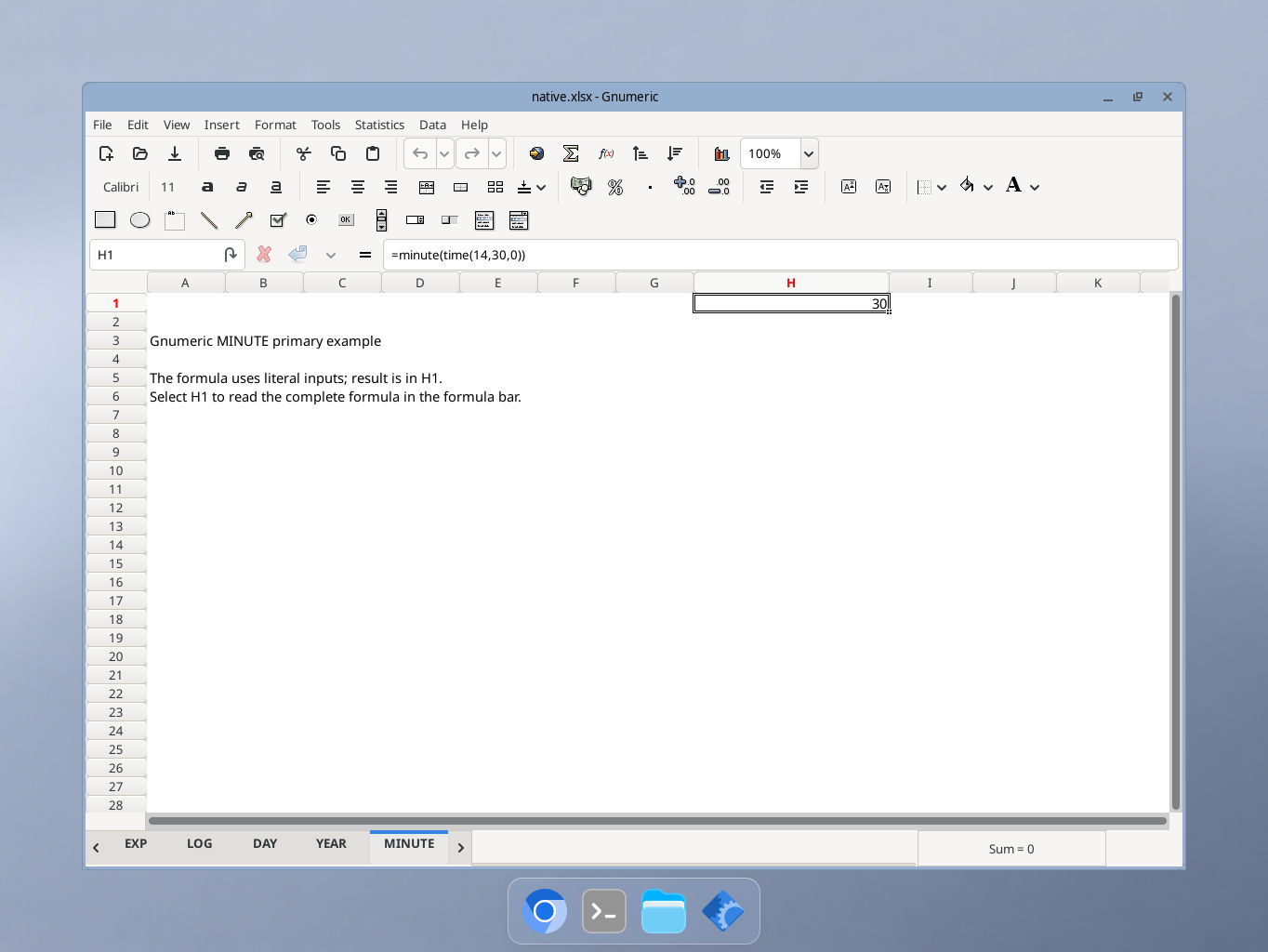
Gnumeric 1.12.57, captured 17 October 2026. The selected H1 cell shows the primary example result, with its formula in the formula bar. The literal inputs are visible in the formula bar. The GUI locale was not independently recorded.