

SECOND Function (Gnumeric)
Extract seconds-of-minute in Gnumeric with SECOND, full timestamps, normalized time inputs and elapsed-duration distinctions.
Verification status: Fresh bounded Gnumeric 1.12.57 source and ssconvert verification; separate primary-example GUI capture below. How formula examples are checked
Exact syntax
=SECOND(time)
SECOND returns the seconds component of one required spreadsheet time or timestamp. For the ordinary whole-second inputs here the result is an integer from 0 through 59. It is a component extractor, not a converter to total elapsed seconds.
The original formula =SECOND(TIME(14,30,45)) returns 45. =SECOND(TIME(0,1,30)) returns 30 even though the time represents 90 seconds after midnight. Adding DATE(2025,1,15) to 14:30:45 still gives 45, because the calendar-day component does not become part of the seconds field.
Advanced application: distinguish normalization from duration
=SECOND(TIME(0,0,90)) returns 30. TIME first normalizes the input into one minute and 30 seconds; SECOND extracts only the residual component. In contrast a duration stored numerically in days can be converted to total seconds by multiplying by 86400, the number of seconds in 24 hours. Choose the operation based on whether the desired answer is a clock field or a duration.
Put actual timestamps in A2:A20 and use =SECOND(A2) in B2 for a seconds-field quality check. Preserve the source column: seconds equal to zero do not identify midnight, and seconds equal to 45 do not identify a particular minute. The checked input 0.5 is noon and returns zero, which demonstrates this distinction.
Errors and display effects
The tested non-time string “bad” returned #VALUE!. Use TIME for reproducible inputs rather than relying on a locale-dependent string. Changing the display format to show only hours and minutes can hide nonzero seconds, so inspect the underlying timestamp when an extracted seconds value is unexpected.
These examples use exact whole-second intentions. Floating-point serial arithmetic and conversion near subsecond boundaries deserve separate tests; this guide does not claim a universal rounding rule for fractional seconds or verify leap-second representation. SECOND does not perform time-zone conversion or measure an interval between two timestamps. If subtracting timestamps, establish their common time convention before converting the resulting duration.
Date tip: Date/time formatting changes appearance, not the underlying numeric value. A raw serial number is meaningful only with its workbook’s date/time conventions and the intended units.
Recorded native examples
=SECOND(TIME(14,30,45))→ 45=SECOND(TIME(0,1,30))→ 30=SECOND(DATE(2025,1,15)+TIME(14,30,45))→ 45=SECOND(TIME(0,0,90))→ 30=SECOND(0.5)→ 0=SECOND("bad")→ #VALUE!
Availability, portability and verification
Original introduction and last functioning release are not established. The exact cases above were freshly recalculated in Gnumeric 1.12.57 on 17 October 2026; the matching official source was retrieved and inspected. Input formulas, output cells and file hashes were independently checked against explicit calendar, time or type expectations. These records are native engine evidence; a separate primary-example GUI capture appears below. No execution of a later Gnumeric version is claimed.
The retained historical registration check documented availability in Gnumeric 1.12.62 on 14 October 2026, for desktop installations with the fn-date module included and enabled. This is registration evidence, not a fresh inspection of 1.12.62 implementation source or an execution of that version. The earlier comparable LibreOffice Calc 25.2 example is historical cross-program context. Ordinary meanings may match across spreadsheets, while date systems, text conversion, locales and edge cases can differ. Confirm the receiving workbook rather than assuming identical behavior solely from a shared function name.
Related functions
Official sources
Native application screenshot
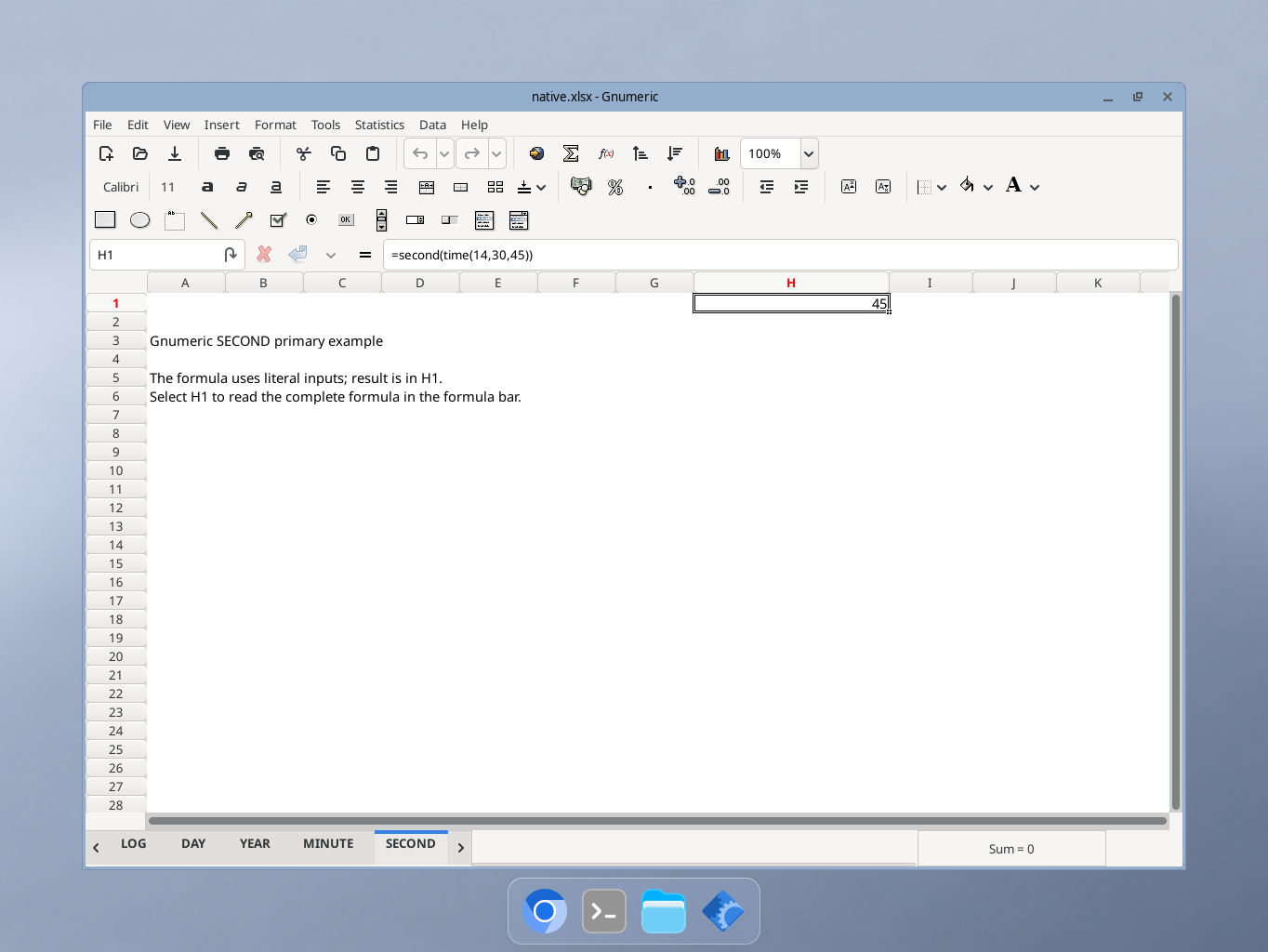
Gnumeric 1.12.57, captured 17 October 2026. The selected H1 cell shows the primary example result, with its formula in the formula bar. The literal inputs are visible in the formula bar. The GUI locale was not independently recorded.