

Gnumeric · File compatibility · Beginner
Open and Save XLSX Safely in Gnumeric
Keep the original XLSX, save an exchange copy, and verify formulas, dates, percentages and identifiers after reopening in Gnumeric.
Bounded XLSX export, reopen and recalculation verified in Gnumeric 1.12.57 · Editorial standards
Gnumeric supports XLSX import and export, but opening and saving a file is not a guarantee that every formula or workbook feature survives unchanged. Keep the original, save an exchange copy, and check both formula expressions and recalculated results.
Scope and choose the right master
The benchmark below was tested on 2026-10-16 in Gnumeric 1.12.57, Debian 13.6 Linux, English interface/C locale: native master, explicit XLSX export, close/reopen in Gnumeric, formula inspection and a reversible recalculation check. Official 1.12.62 plugin definitions were also reviewed; 1.12.62 was not the runtime. This is a Gnumeric-to-XLSX-to-Gnumeric test. Microsoft Excel, other receiving applications and advanced workbook features were not tested.
Gnumeric’s native .gnumeric/.gnm workbook format is XML-based and normally compressed. Keep a native working master when continuing in Gnumeric, alongside the untouched source workbook. The manual lists writable XLS, XLSX, ODS, CSV/TSV, HTML and other formats; availability depends on active plugins. PDF/PostScript use printing.
| Need | Starting format | Important limit |
|---|---|---|
| Continue editing the full workbook | Native Gnumeric | Keep the original exchange file too |
| Exchange editable spreadsheets | XLSX or ODS | Test the receiving application and required features |
| Send a flat data table | CSV/TSV | No multi-sheet workbook, formats or chart backup |
| Share a fixed reading/printing copy | Does not preserve editable spreadsheet logic |
Build a small formula benchmark
Download synthetic inputs (CSV) and import into A1:D3. This is plain input data, not an XLSX or formula-preservation test file.
| Item | Quantity | UnitPrice | TaxRate |
|---|---|---|---|
| Notebook | 2 | 4.50 | 0.10 |
| Pen | 3 | 1.25 | 0.20 |
- Add headings E1
Net, F1Tax, G1Gross, H1Date, I1Code. - Enter E2
=B2*C2, F2=E2*D2, and G2=E2+F2; fill those formulas down to row 3, or enter=B3*C3,=E3*D3and=E3+F3explicitly as in the native run. - Enter
=SUM(E2:E3)in E4,=SUM(F2:F3)in F4, and=SUM(G2:G3)in G4. - Enter
=DATE(2026,10,1)in H2 and=H2+7in H3. Format H2:H3 as dates, D2:D3 as percentages, and the price/result cells to two decimals. Adapt formula separators to the installed locale. The tested date display wasm/d/yy, showing 10/1/26 and 10/8/26; the date values are October 1 and October 8, 2026. ISO display was not tested. - Set I2:I3 to Text before entry, then type
00123and00456. Do not rely on a visual numeric mask to establish that these are text identifiers. Enter=LEN(I2)in J2 and=LEN(I3)in J3; each should return 5. - Save the practice master in Gnumeric format. Separately record the formulas above and the expected values below.
| Check | Expected result |
|---|---|
| Net E2 / E3 / E4 | 9.00 / 3.75 / 12.75 |
| Tax F2 / F3 / F4 | 0.90 / 0.75 / 1.65 |
| Gross G2 / G3 / G4 | 9.90 / 4.50 / 14.40 |
| TaxRate display | 10% / 20% |
| Dates H2 / H3 | 2026-10-01 / 2026-10-08 |
| Codes I2 / I3 | 00123 / 00456, each length 5 |
The native run matched all these mathematical expectations before export and after reopening the XLSX. Dates displayed in the locale format described above rather than literally as ISO text.
Open, save a copy and reopen
- For a real incoming XLSX, retain an untouched copy before opening it through File → Open. Read any import warnings and check the original formulas and key results before making changes.
- Use File → Save As, not Save over the original. Choose a new filename and an XLSX format explicitly. The tested 1.12.57 saver was ECMA 376 1st edition (2006); [MS Excel™ 2007]. The separately reviewed 1.12.62 plugin definitions also describe an ISO/IEC 29500/Excel 2010 variant; that alternate saver was not tested. Those labels describe file formats; they do not certify current Excel feature compatibility.
- If the intended format is missing, inspect the installation’s plugin availability. Do not rename a native file to
.xlsxand call it a conversion. - Read conversion or feature-loss warnings. Cancel if the warning concerns something essential and retain the original rather than proceeding blindly. No conversion warning appeared for this bounded benchmark; that is not evidence that arbitrary workbooks convert without loss.
- Close the exchange copy and reopen that exact
.xlsxin Gnumeric. Check the benchmark formulas in the formula entry area, not just their displayed cached values. Compare the dates, rates, codes and totals as well. - As a reversible recalculation test, change B2 to 4. E2, F2 and G2 should become 18.00, 1.80 and 19.80, and G4 24.30. Restore B2 to 2. A result that never changes may be a copied value rather than a live formula.
- For a complete receiving-application test, open the exchange copy in the actual destination application and repeat the checks there. A Gnumeric-only reopen does not establish that Excel received it correctly.
Native export and reopen evidence
Select a screenshot to open the full-size image.
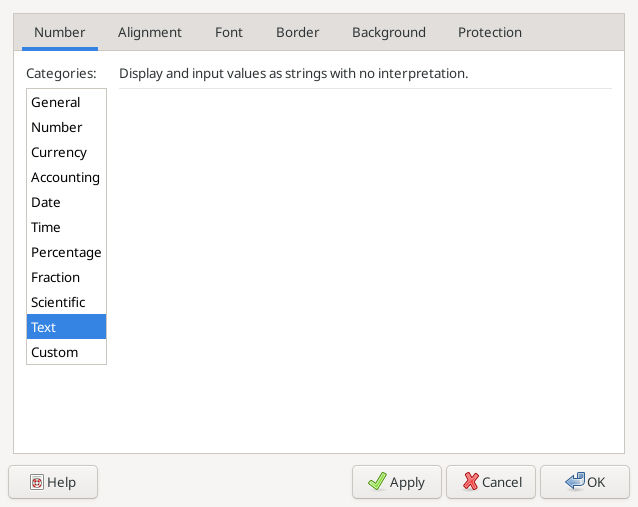
Text format was selected before entry; the reopened codes retained five characters each.
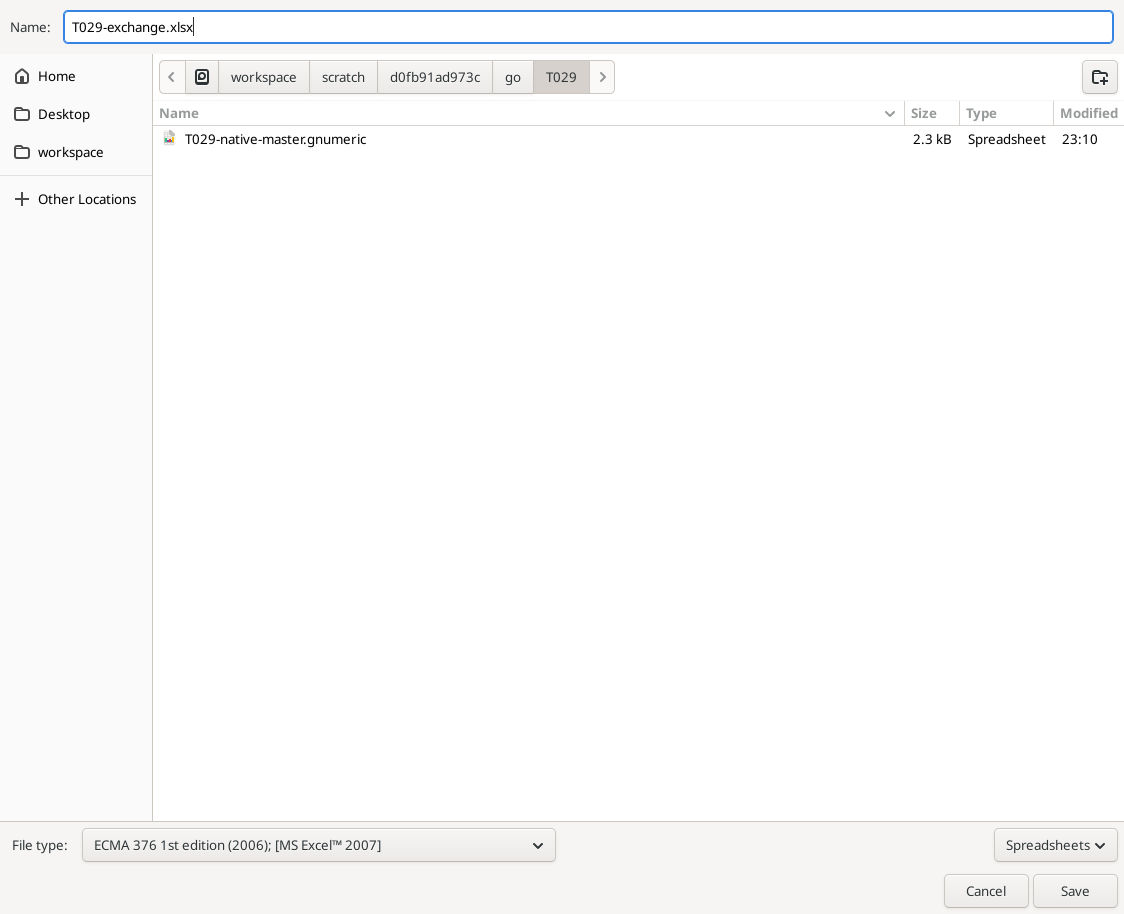
Actual Save As format choice, with the native master retained separately.
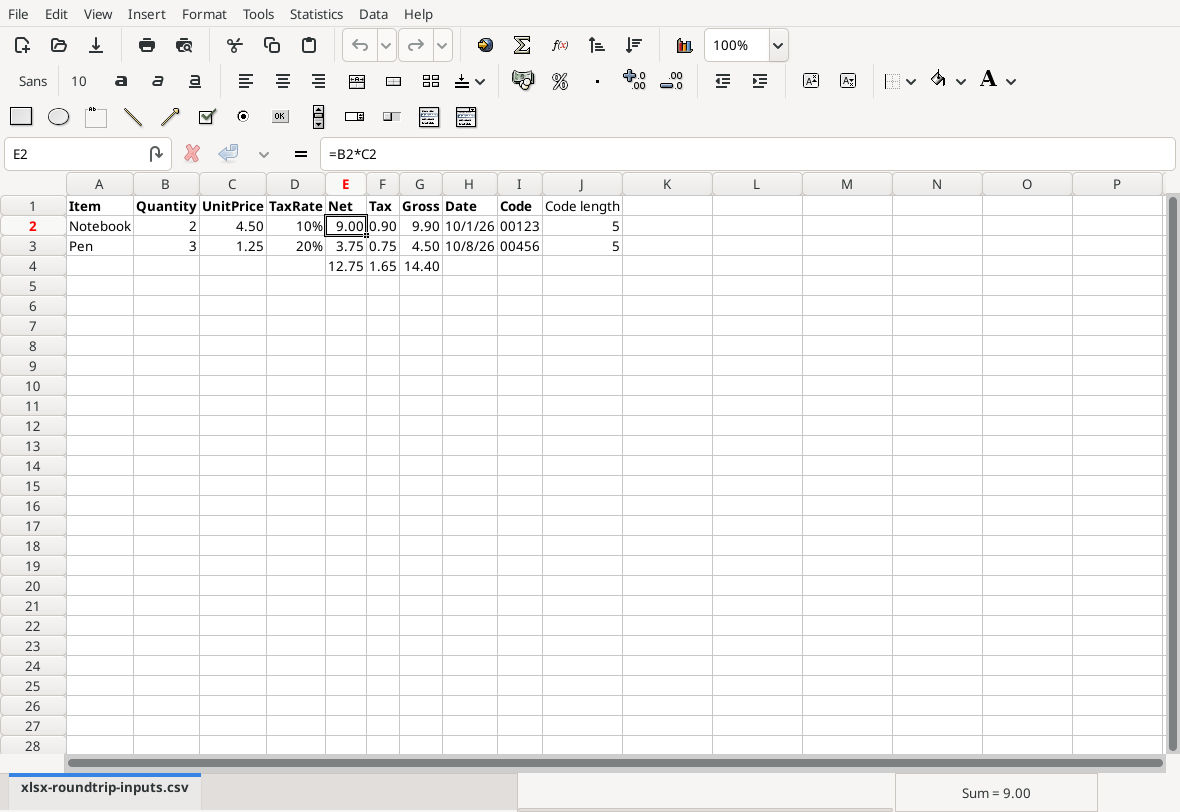
After reopening the exact XLSX, E2’s formula and the expected values are visible. E2:G3, E4:G4, H2:H3 and J2:J3 were individually selected and checked in the formula entry area; function names normalized to lowercase without changing the logic.
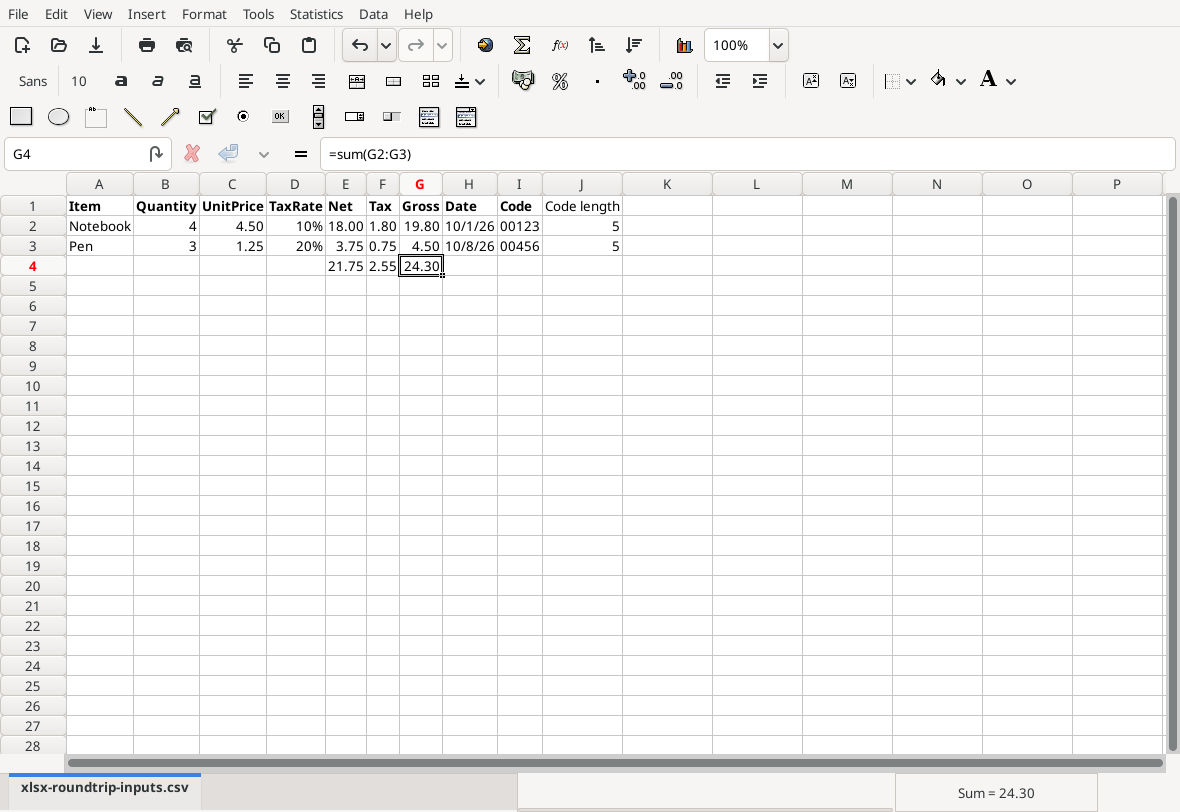
Changing B2 to 4 produced 18.00 net, 1.80 tax, 19.80 gross and 24.30 overall gross. B2 was restored to 2 and the exchange copy saved.
Download the native benchmark master and tested XLSX exchange copy. The exchange file was reopened before the change test; a second reopen after the restored save was not tested. Read-only inspection of the final XLSX confirmed its formulas, restored values, date cells and text identifiers.
What else must survive?
Before exchanging a real workbook, identify formulas, values, multiple sheets, styles, charts, validation, comments, named references, hidden rows/columns, protection, print setup, links and automation/macros that matter. Check representative date/text/less-common functions, currency and thousands formats, conditional formatting, merged cells, tables or pivot-style reports. Do not infer support for these features from this small arithmetic benchmark.
Keep both the source and exchange file until the recipient has confirmed the required behavior. A CSV is not a backup for formulas, formatting, charts or multiple worksheets. Unexpected formula errors, changed references or missing objects are reasons to stop and investigate a copy, not retire the original.
See SUM, DATE and LEN for the checks used here.
Official references
- Gnumeric Saving Files.
- Official Gnumeric 1.12.62 source,
plugins/excel/plugin.xml.in, for XLSX opener/saver registrations and format labels.