

SUM Function (Gnumeric)
Sum numeric inputs with Gnumeric SUM, inspecting mixed ranges and distinguishing ignored text or logical cells from valid amounts.
Verification status: See the evidence and test scope described in this guide. How formula examples are checked
SUM adds numerical values supplied directly or through cell references and ranges. It is useful for totals that must update when source cells change. In Gnumeric, text and logical values are ignored by this aggregation, so a total can look reasonable while excluding numbers imported as text.
Syntax
SUM(value1, [value2], ...)
Each argument may identify a number or an area of cells. The result is numerical. A source error is propagated rather than silently treated as zero. The core implementation collects numerical values while ignoring strings, logical values, and blanks.
Original worked examples
=SUM(2,3,5)
The result is 10.
For a worksheet example, enter 10 in B1, 20 in B2, and 30 in B3. Then enter:
=SUM(B1:B3)
The result is 60, calculated as 10+20+30. Keep the result outside B1:B3 to avoid including the total in its own input range. The range includes both endpoints.
Worked example: mixed imported values
Put 10 in E1, -2 in E2, the text text in E3, TRUE in E4, and leave E5 blank. =SUM(E1:E5) returns 8. The negative number reduces the total; the text, logical value, and blank do not contribute.
The direct-literal control =SUM(2,"3",TRUE) returns 2 in Gnumeric 1.12.57. The quoted digit and TRUE are ignored here too. Do not assume that another application’s direct-argument coercion rules apply.
Advanced use: control the data included in a total
For imported financial or measurement data, validate that intended amounts are genuinely numeric before calculating the total. A text-looking number may be skipped without producing an error, which is different from a visibly broken formula. Keep a count or other validation alongside important totals so that missing observations are easier to detect.
A normal SUM does not express a business condition such as category membership, a unique-record requirement, or a visible-rows-only rule. Select the appropriate conditional or subtotal workflow rather than expecting SUM to infer those constraints from how the sheet looks.
Avoid accidental double counting when ranges overlap or when a subtotal row is included along with its underlying data. A total is only as meaningful as its selected cells. Recheck range endpoints after inserting headings, extra records, or summary rows.
Errors and troubleshooting
=SUM(1,1/0) returns #DIV/0! in the native check. That error points to invalid input, not a value to replace with zero without investigation. If a total is too low, inspect text imports and omitted range endpoints. If it is too high, look for overlapping references or summary rows included twice.
SUM performs arithmetic on stored values, not only on displayed rounded numbers. If visible rows appear to add differently, inspect their full precision before changing the formula. Round according to an explicit policy when the total must be based on rounded inputs.
Availability and version history
- Introduced: Original introduction not established in the retained historical evidence.
- Historical source evidence: Supported in Gnumeric 1.12.62, based on the function-specific registration.
- Scope: Gnumeric desktop; the function is registered in the application core.
- Historical check: October 14, 2026; registration evidence does not certify native execution for 1.12.62.
New verification: Official Gnumeric 1.12.57 source and the displayed bounded engine cases were checked on 17 October 2026 under C.UTF-8. The historical 1.12.62 registration is retained separately without asserting identical behavior. The selected example below is GUI-verified; a last-supported release is not established.
Related functions
Documentation and verification
Native application screenshot
The selected cell F1 contains =SUM(E1:E5) and displays 8. The screenshot preserves the example input positions described above. Only this selected example is GUI-verified; the other checks retain their stated engine-test scope.
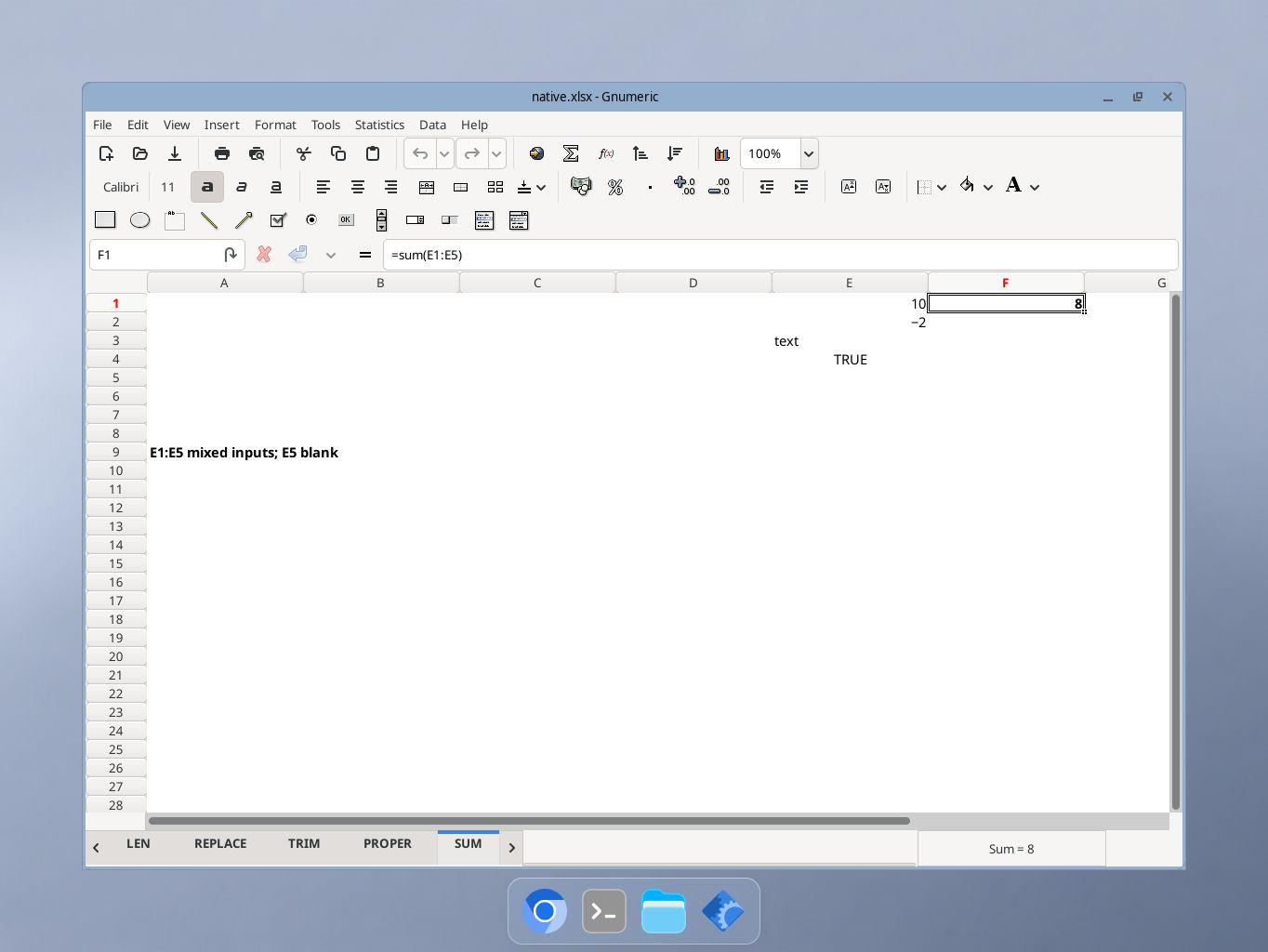
Actual Gnumeric 1.12.57 application, captured 17 October 2026. GUI locale was not independently recorded.