

ROUNDUP Function (Gnumeric)
Round away from zero in Gnumeric with ROUNDUP, optional decimal digits, negative positions and positive/negative examples.
Verification status: Gnumeric 1.12.57 ssconvert bounded ROUNDUP cases, with a separate primary-example GUI capture; retained/pinned 1.12.62 source inspected separately. How formula examples are checked
ROUNDUP rounds away from zero to a chosen decimal position. For positive inputs this increases the number; for negative inputs it makes the number more negative. It therefore does not mean “always move toward positive infinity.” Use it when the magnitude must not be understated at the chosen precision.
Syntax and defaults
=ROUNDUP(x[,d])
x is the required number. d is an optional digit count, defaulting to 0 in Gnumeric. Positive d retains that many decimal places, zero rounds to an integer, and negative d rounds to tens, hundreds and so on. The inspected callback truncates fractional d toward zero, but supplying an integer makes the intention clearer. There is no significance/multiple argument: d = 2 means two decimal places, not a multiple of two.
Worked examples
The original example remains =ROUNDUP(1.21,1), with expected result 1.3. The magnitude 1.21 lies beyond 1.2 at one decimal place, so rounding away from zero selects 1.3.
| Formula | Expected result | Meaning |
|---|---|---|
=ROUNDUP(-1.21,1) |
-1.3 | Away from zero for a negative input |
=ROUNDUP(121,-1) |
130 | Away from zero to tens |
=ROUNDUP(1.21) |
2 | Omitted digit count defaults to zero |
=ROUNDUP(1.21,1.9) |
1.3 | Fractional digit count is truncated |
=ROUNDUP(0) |
0 | Zero remains zero |
Formatting a cell to one decimal place is not equivalent to ROUNDUP. Number formatting changes how the value is displayed; the function returns a new numeric value that later calculations use.
Advanced example: whole packages
Put a required quantity of 101 in B1 and a package capacity of 24 in B2. In C1 enter =ROUNDUP(B1/B2,0). The expected result is 5 packages. Four packages hold 96 units, which is insufficient, while five hold 120. In C2 enter =C1*B2-B1 to calculate 19 spare units.
The formula assumes B1 is nonnegative and B2 is strictly positive. If a negative quantity represents a return or correction in your system, decide its business meaning before applying this formula. Rounding a negative ratio away from zero may not represent the desired packaging decision.
For a price calculation, distinguish rounding each line from rounding the grand total. Applying ROUNDUP repeatedly can accumulate more upward adjustment than rounding the sum once. Choose the rule required by the task, and keep the unrounded calculation available for audit.
Errors and troubleshooting
- A denominator of zero in the packaging formula produces an error before a meaningful package count exists. Fix or validate capacity instead of hiding that error as zero packages.
- Negative d rounds on the left of the decimal separator; it does not request negative precision in cell formatting.
- An already exact value at the chosen precision should not gain another increment. Avoid replacing the function with a formula that blindly adds one unit.
- Binary floating-point arithmetic can affect values extremely close to a decimal boundary. The native checks here cover ordinary bounded examples, not every representational extreme.
- Use numeric inputs and locale-appropriate separators. Quotes around numeric-looking data can hide an import problem.
Availability and version history
- Introduced: Documented by 1.12.62; original introduction not established.
- Availability: Supported in Gnumeric 1.12.62, based on the function-specific registration.
- Scope: Desktop; the fn-math function module must be included and enabled.
- Source provenance: Official source retained on October 13–14 and examined again October 17, 2026; core PRODUCT source freshly retrieved at the same pinned revision. No new 1.12.62 native execution.
Related functions
Official evidence
Native verification scope
On 17 October 2026, Gnumeric 1.12.57 ssconvert recalculated 7 bounded ROUNDUP cases in C.UTF-8, including the original worked example and the specific additional formulas covered above. Numerical differences from exact arithmetic are limited here to floating-point rounding. These fixture records are engine evidence; the separate primary-example GUI capture below does not certify other versions or extreme inputs. Any additional explanatory arithmetic is independently checked, rather than represented as another native run.
Additional retained documentation
Native application screenshot
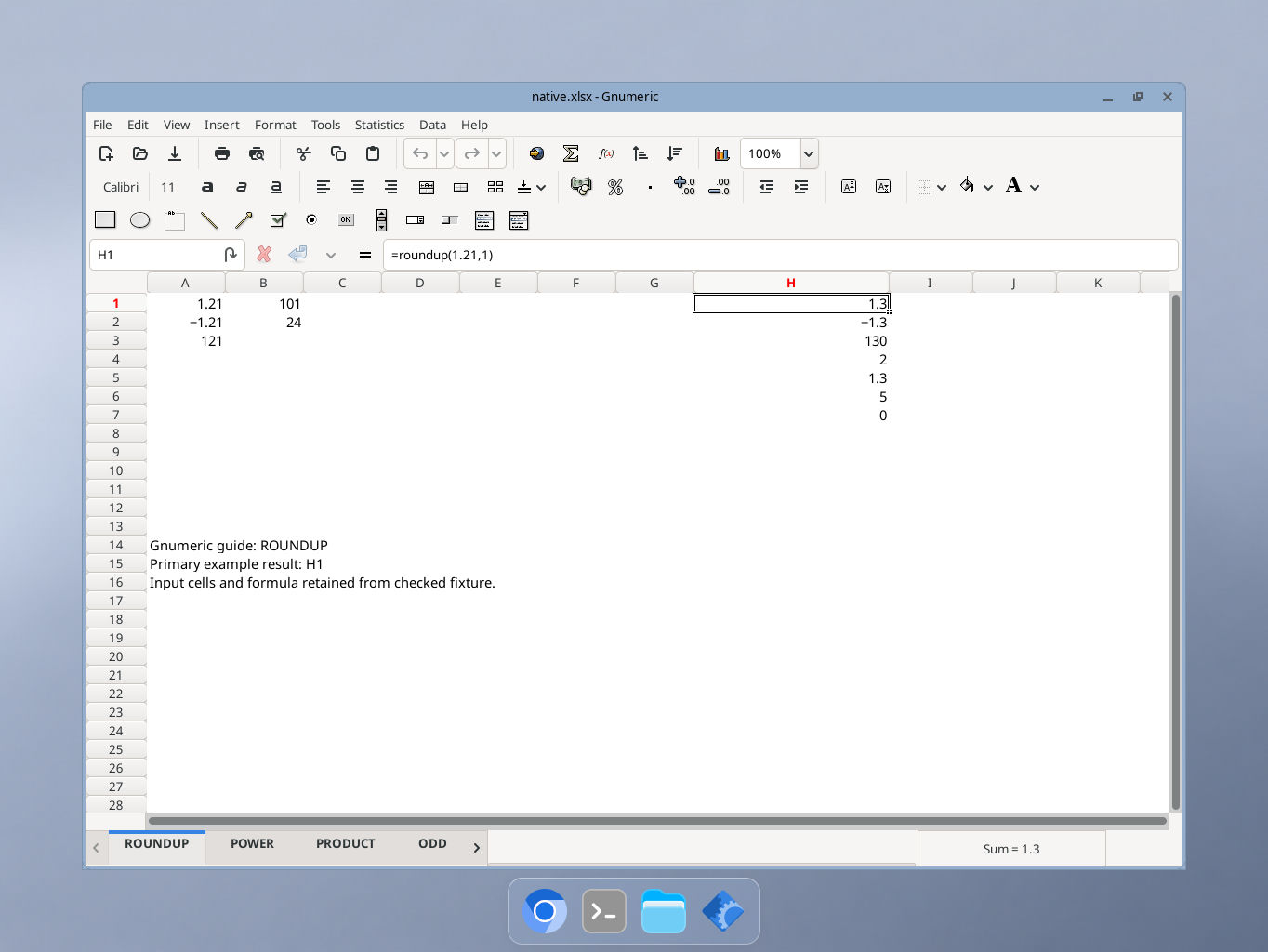
Gnumeric 1.12.57, captured 17 October 2026. The selected H1 cell shows the primary example result, with its formula in the formula bar. Other visible rows are supplemental fixture cases. General number formatting preserves floating-point tails; the GUI locale was not independently recorded.