

ABS Function (Gnumeric)
Calculate absolute magnitudes with Gnumeric ABS, distinguish signed differences from error sizes and reproduce a native worksheet example.
Verification status: See the evidence and test scope described in this guide. How formula examples are checked
ABS returns a number’s magnitude without its sign. It turns a negative variance into a positive distance from zero while leaving zero and positive values unchanged. Use it when the size of a deviation matters, and retain the signed deviation separately when direction is important.
Syntax and arguments
ABS(x)
x is one numeric value or a cell/expression producing a number. The result is nonnegative and has the same units as the input. ABS does not round, convert units, or take the absolute values of every cell in an arbitrary range automatically.
Original worked example
=ABS(-9)
The result is 9: the magnitude of -9 is 9. The additional controls =ABS(0) and =ABS(9) both preserve their inputs, returning 0 and 9 respectively.
Worked worksheet: compare actuals with a target
Enter the following small dataset:
| Cell | Value | Meaning |
|---|---|---|
| A1 | 88 | First actual |
| B1 | 100 | First target |
| A2 | 108 | Second actual |
| B2 | 100 | Second target |
In C1 enter =A1-B1, and in D1 enter =ABS(A1-B1). Copy both formulas down one row. The signed differences are -12 and 8; the absolute differences are 12 and 8. The first record missed the target by more, even though its signed difference is numerically smaller.
A report that shows only absolute differences loses whether an actual was above or below target. Keep C alongside D if that distinction affects the interpretation. In particular, an undershoot and an overshoot of equal size produce the same ABS result.
Advanced use: choose the correct aggregation order
Taking an absolute value after summing signed errors is different from summing their absolute values. For the two deviations above, the net error is -4, whose magnitude is 4. Their total absolute deviation is 20. The first measure allows opposite errors to cancel; the second records their total size.
Choose the formula order that matches the question. For a tolerance check, compare an absolute difference with a tolerance in the same units. For percentages, distinguish the raw percentage-point difference from a relative percentage error before applying ABS.
Errors and troubleshooting
=ABS("bad") produces #VALUE! in the bounded native test. A text label is not a valid numerical magnitude. A source error is not repaired: =ABS(1/0) propagates #DIV/0!.
If a negative result appears to survive ABS, inspect the actual formula and formatting rather than assuming that ABS changed a different cell. If a result displays as zero, increase displayed precision before concluding that the input was exactly zero. Number formatting may hide a small nonzero magnitude.
Do not use ABS to conceal an invalid sign in a model. For example, changing a negative quantity to positive may remove evidence of a bad input rather than correct it. Validate the source rule first.
Availability and version history
- Introduced: Original introduction not established in the retained historical review.
- Historical source evidence: Supported in Gnumeric 1.12.62, based on the function-specific registration.
- Scope: Desktop; the fn-math function module must be included and enabled.
- Historical check: October 14, 2026. The retained 1.12.62 registration check is not a native execution claim for that release.
New verification: Official Gnumeric 1.12.57 source and bounded native engine cases were checked on 17 October 2026 under C.UTF-8. This guide’s worked results refer to that release; the historical 1.12.62 registration is retained separately and does not establish identical behavior. The selected example below is GUI-verified; a last-working release is not established.
Related functions
Documentation and verification
Native application screenshot
The selected cell D1 contains =ABS(A1-B1) and displays 12. The screenshot preserves the example input positions described above. Only this selected example is GUI-verified; the other checks retain their stated engine-test scope.
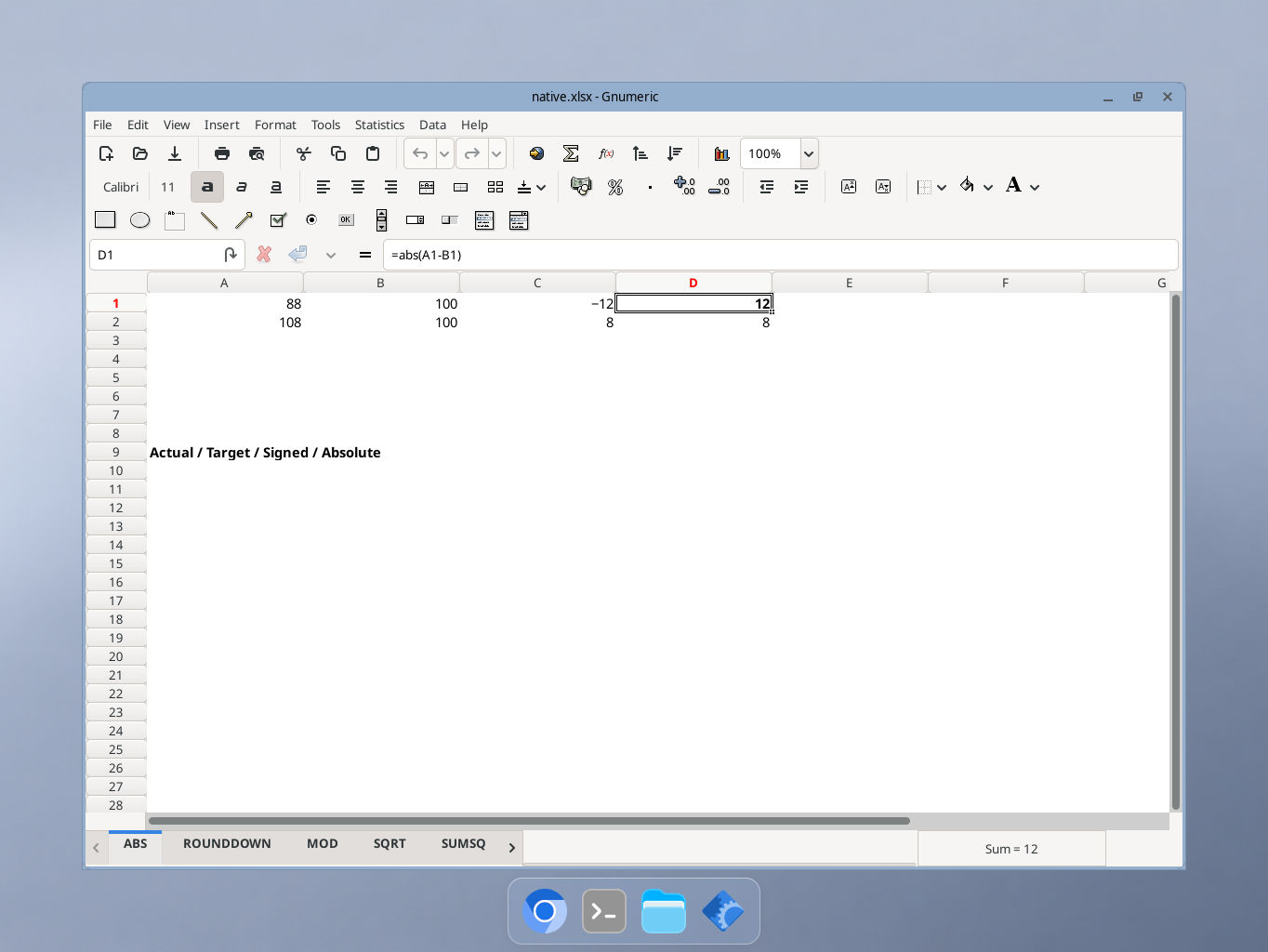
Actual Gnumeric 1.12.57 application, captured 17 October 2026. GUI locale was not independently recorded.