

Google Sheets DOLLARDE: Decode Quotes in Thirty-Seconds
Convert a fractional quote in thirty-seconds to a decimal with DOLLARDE. Work through two examples and avoid subtracting encoded quotes directly.
Verification status: See the evidence and test scope described in this guide. How formula examples are checked
Quick answer: For a quote expressed in thirty-seconds, =DOLLARDE(84.12,32) is expected to return 84.375: the suffix 12 represents 12/32, not twelve hundredths. Google documents the conversion direction and denominator argument in its DOLLARDE reference.
Verification: Reviewed October 21, 2026. These positive, whole-thirty-second examples were checked with exact rational arithmetic outside Google Sheets. No native Google Sheets execution, screenshot or Google Sheets XLSX import test is claimed. Other denominator encodings, truncation and exact error behavior remain unverified here.
Syntax and scope
=DOLLARDE(fractional_price, unit)
The first argument is the encoded quote; the second identifies its fraction denominator. Both arguments are required. This guide uses 32 throughout. Store that denominator alongside imported quotes rather than inferring it from the column’s appearance.
Google’s example maps 100.01 with denominator 32 to 100.03125. Its documentation also discusses eighths, but this guide does not extrapolate a universal digit-width rule or establish eighths behavior. The worked fixtures below use two suffix digits, from 00 through 31.
Example 1: decode one quote before arithmetic
Enter 84.12 in A2 and 32 in B2. In C2, enter:
=DOLLARDE(A2,B2)
Expected C2: 84.375. The independent check is 84 + 12/32 = 84 + 0.375. A2 is an encoding of a mixed fraction, not the ordinary decimal amount 84.12. Keep A2 intact so you can trace the conversion back to its source.
A useful reasonableness check is that this fixture must fall between 84 and 85. That bound alone cannot prove the conversion is correct; checking the numerator and denominator is still necessary.
Example 2: compare two encoded values
Use this separate practice range:
| Cell | Entry |
|---|---|
| E2 | 97.07 |
| E3 | 97.19 |
| F2 | =DOLLARDE(E2,32) |
| F3 | =DOLLARDE(E3,32) |
| G2 | =F3-F2 |
Expected F2 is 97.21875, F3 is 97.59375, and G2 is 0.375. Independently, the numerator difference is 19 − 7 = 12, so the amount difference is 12/32 = 0.375.
Subtracting E2 directly from E3 instead gives 0.12. That is the difference between the encodings, not between their decoded amounts. Perform comparisons and arithmetic on F2:F3 after conversion.
Practice download
Download the shared thirty-second quote workbook (.xlsx). On the Thirty-seconds sheet, B8:B10 hold encoded quotes, D8:D10 decode them, and D12 subtracts the decoded comparison amounts. Change B10 from 97.19 to 98.00: D10 should become 98.00000 and D12 should become 0.78125. Restore 97.19 afterward. Keep every denominator at 32 and edit only the yellow cells.
The workbook uses live formulas and local input warnings. Its baseline and input-change fixtures were checked with artifact-tool, exact rational arithmetic and LibreOfficeDev 26.8.0.0.alpha0 headless (build 2c87e51eeaa2b413ff4ae097b2705eea1995d8e5). This does not verify Google Sheets execution or XLSX import. Blank inputs and the tested zero/off-grid cases are handled by the workbook’s own formulas, not by a claimed Google Sheets error contract.
View the artifact-rendered workbook preview (PNG, not an application screenshot).
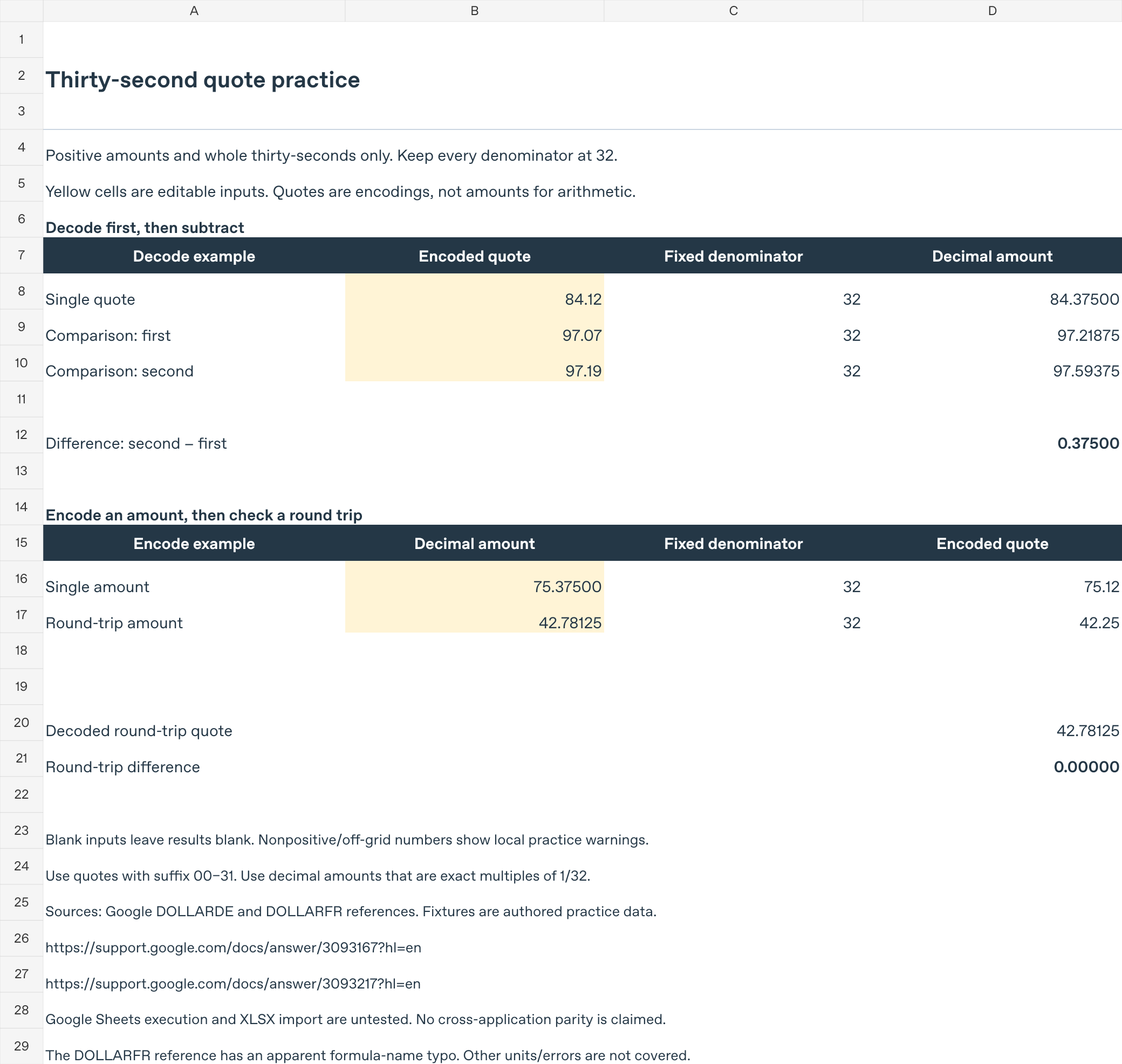
The warnings cover the specified numeric practice inputs, not arbitrary text or edits to fixed denominator cells. Keep B9 at its original 97.07 while trying the B10 change above.
Troubleshooting
- The answer differs from ordinary decimal arithmetic: Confirm that the input really uses a fractional quotation convention. An ordinary decimal amount does not need decoding.
- The source contains a dash or slash: Do not guess that a text value such as “97-19” has already become the numeric encoding 97.19. Establish the source format before constructing a conversion.
- The denominator is blank, fractional, zero or negative: Correct the input contract first. The reviewed Google page does not specify truncation or error tokens for these cases; this guide makes no such promises.
- Fewer decimal places are visible: Compare the underlying amount, not just a rounded display. The expected results above retain enough digits to expose the fractions.
Platform and related guides
Scope: the rolling Google Sheets web service, including ordinary free-account use; no paid edition or fixed desktop version was tested. This is spreadsheet-mechanics practice, not investment advice. Export behavior and other spreadsheet products are outside the verification scope.
For the opposite direction, see DOLLARFR: encode decimal amounts. Keep both directions’ denominator conventions consistent. Browse the Google Sheets function reference for other functions.