

ACOS Function (Gnumeric)
Recover a principal angle with Gnumeric ACOS, convert radians to degrees and diagnose inputs outside the closed cosine domain.
Verification status: See the evidence and test scope described in this guide. How formula examples are checked
ACOS returns the principal angle whose cosine is x. The input is a dimensionless ratio between -1 and 1 inclusive; the result is an angle in radians between zero and PI(). The function cannot reconstruct a direction or a number of complete turns from a cosine alone.
Supply one numerical value. The Gnumeric callback explicitly rejects values outside the closed interval. Converting the result with DEGREES changes its angular unit; applying RADIANS to the input instead would change the cosine ratio and answer a different question.
Angle tip: Trigonometric functions generally use radians. Convert degree angles before taking SIN or COS, and convert an ACOS result with DEGREES when degrees are required.
Syntax
ACOS(x)
Worked examples
The original =ACOS(1) returns 0. Put 0.5 in A2, enter =ACOS(A2) in B2 and =DEGREES(B2) in C2. B2 is approximately 1.04719755119660 radians and C2 is approximately 60 degrees. The retained composite native control DEGREES(ACOS(0.5)) confirms the same result.
ACOS(0) gives PI()/2 and ACOS(-1) gives PI(). These endpoints illustrate the principal-angle convention. Cosine is periodic and even, so this answer does not uniquely determine an oriented angle in a full turn.
| Formula | Expected output |
|---|---|
=ACOS(1) |
0 |
=ACOS(0) |
1.5707963267948966 |
=ACOS(-1) |
3.141592653589793 |
=DEGREES(ACOS(0.5)) |
60 |
=ACOS(1.01) |
#NUM! |
=ACOS("bad") |
#VALUE! |
Advanced use
For nonzero vectors, the dot product divided by the product of their lengths provides a cosine ratio. Check both lengths and units first, and keep the ratio in a separate cell so a domain error remains diagnosable. A theoretically valid ratio can drift slightly outside the interval through rounding. Investigate the size and origin before clamping it: a tiny understood excess and a materially invalid input require different responses.
Errors and troubleshooting
ACOS(1.01) returns #NUM!; ACOS(“bad”) returns #VALUE!. Neither error should be replaced automatically with zero, which is a valid angle. Near the interval endpoints, small input changes can cause relatively large angle changes. Displayed precision is not evidence of measurement accuracy.
Availability and verification
- Introduced: Documented by 1.12.62; original introduction not established.
- Historical source availability: Supported in Gnumeric 1.12.62, based on the function-specific registration.
- Scope: Desktop; the fn-math function module must be included and enabled.
- Historical check: October 14, 2026. Documentation/source check; no new native test in Gnumeric 1.12.62.
The selected examples and error cases were recalculated with the actual Gnumeric 1.12.57 engine under C.UTF-8 on 17 October 2026. Native workbooks and observed outputs are retained. Historical 1.12.62 registration is a separate source check, not a native runtime test. The selected example below is GUI-verified; retirement and the last functioning release remain unverified.
Related functions
Native application screenshot
The selected cell B2 contains =ACOS(A2) and displays 1.0471975511965979. The selected example uses the tutorial inputs described above. Floating-point display tails are retained rather than rounded in the image. Only this selected example is GUI-verified; the other checks retain their stated engine-test scope.
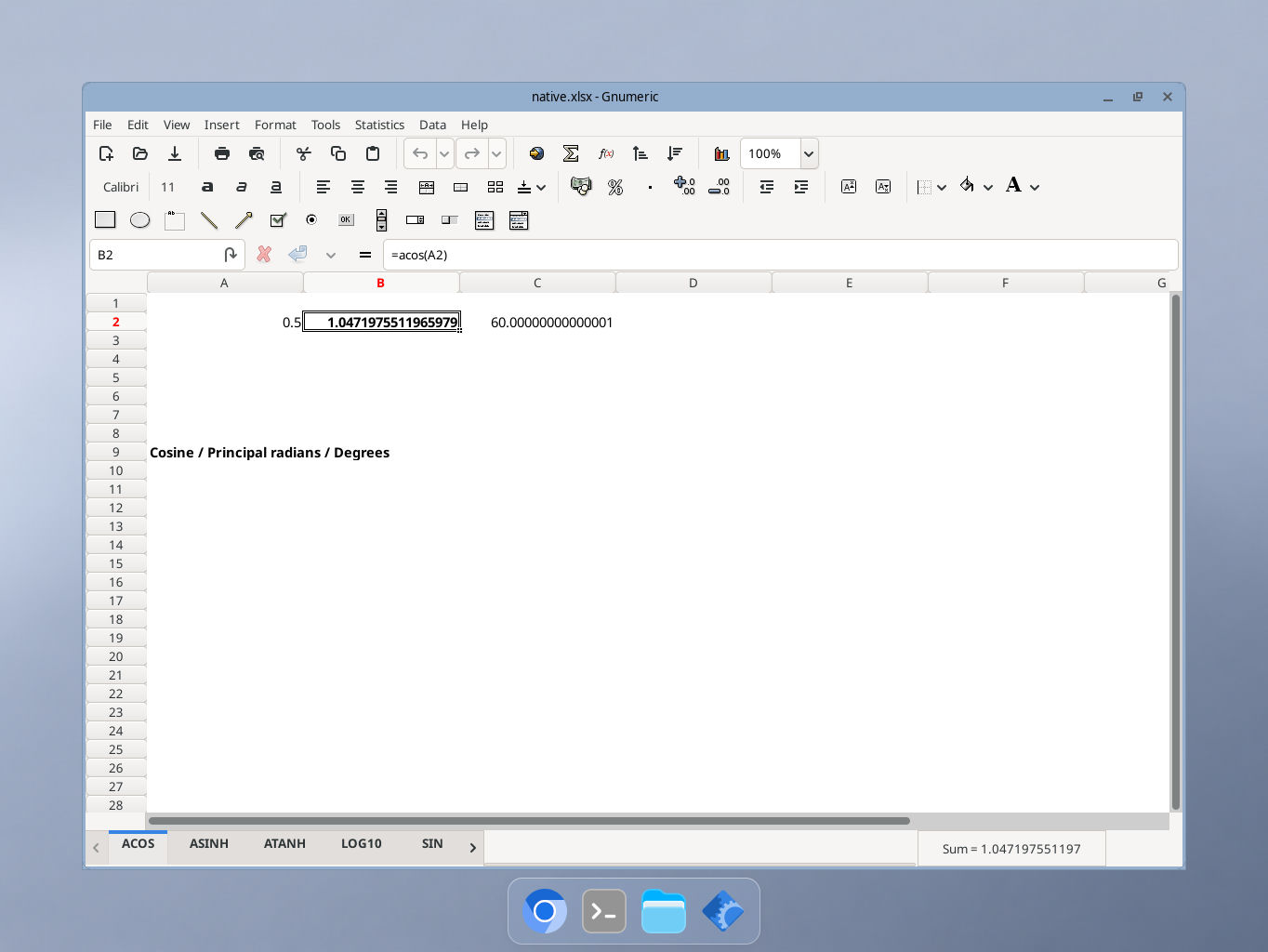
Actual Gnumeric 1.12.57 application, captured 17 October 2026. GUI locale was not independently recorded.