

ASINH Function (Gnumeric)
Use Gnumeric ASINH for signed inverse-hyperbolic transformations, with SINH inverse checks and reproducible numeric examples.
Verification status: See the evidence and test scope described in this guide. How formula examples are checked
ASINH returns the inverse hyperbolic sine. It accepts positive, zero and negative real inputs. If y=ASINH(x), SINH(y) recovers x within floating-point precision. Unlike an ordinary logarithm, it does not require a positive input.
The one numerical argument has no base or angle-unit selector. ASINH differs from the circular inverse sine ASIN and is not restricted to the interval from -1 to 1. Its result is not an ordinary geometric angle requiring conversion to degrees.
Syntax
ASINH(x)
Worked examples
The original =ASINH(0) returns 0. Put -1, 0 and 1 in A2:A4, enter =ASINH(A2) in B2 and fill down. Outputs are approximately -0.881373587019543, 0 and 0.881373587019543. In C2, =SINH(B2) checks the inverse relationship; fill down to recover the original observations.
The native control =SINH(ASINH(3)) returns approximately 3. At x=1, LN(1+SQRT(2)) independently explains the expected result. That identity is a mathematical check for moderate values, not a claim that a handwritten expression has the numerical stability of the implementation at extremes.
| Formula | Expected output |
|---|---|
=ASINH(0) |
0 |
=ASINH(1) |
0.881373587019543 |
=ASINH(-1) |
-0.881373587019543 |
=SINH(ASINH(3)) |
3 |
=ASINH("bad") |
#VALUE! |
Advanced use
For a quantity with units, choose a positive reference scale in E1 and use ASINH(A2/$E$1). The transformed value is dimensionless, and multiplying SINH of that result by E1 reverses the scaling. Preserve the original observations and scale.
The transformation is approximately linear near zero and compresses large magnitudes while retaining sign. It does not remove outliers, establish normality or validate a statistical model. Document why the chosen scale serves the analysis.
Errors and troubleshooting
ASINH(“bad”) returns #VALUE!. A negative numeric argument is valid, even though LOG10 would reject it. Check inverse relationships using a tolerance rather than exact displayed-string equality. These examples cover moderate finite values and do not establish extreme floating-point accuracy.
Availability and verification
- Introduced: Documented by 1.12.62; original introduction not established.
- Historical source availability: Supported in Gnumeric 1.12.62, based on the function-specific registration.
- Scope: Desktop; the fn-math function module must be included and enabled.
- Historical check: October 14, 2026. Documentation/source check; no new native test in Gnumeric 1.12.62.
The selected examples and error cases were recalculated with the actual Gnumeric 1.12.57 engine under C.UTF-8 on 17 October 2026. Native workbooks and observed outputs are retained. Historical 1.12.62 registration is a separate source check, not a native runtime test. The selected example below is GUI-verified; retirement and the last functioning release remain unverified.
Related functions
Native application screenshot
The selected cell B2 contains =ASINH(A2) and displays -0.881373587019543. The selected example uses the tutorial inputs described above. Floating-point display tails are retained rather than rounded in the image. Only this selected example is GUI-verified; the other checks retain their stated engine-test scope.
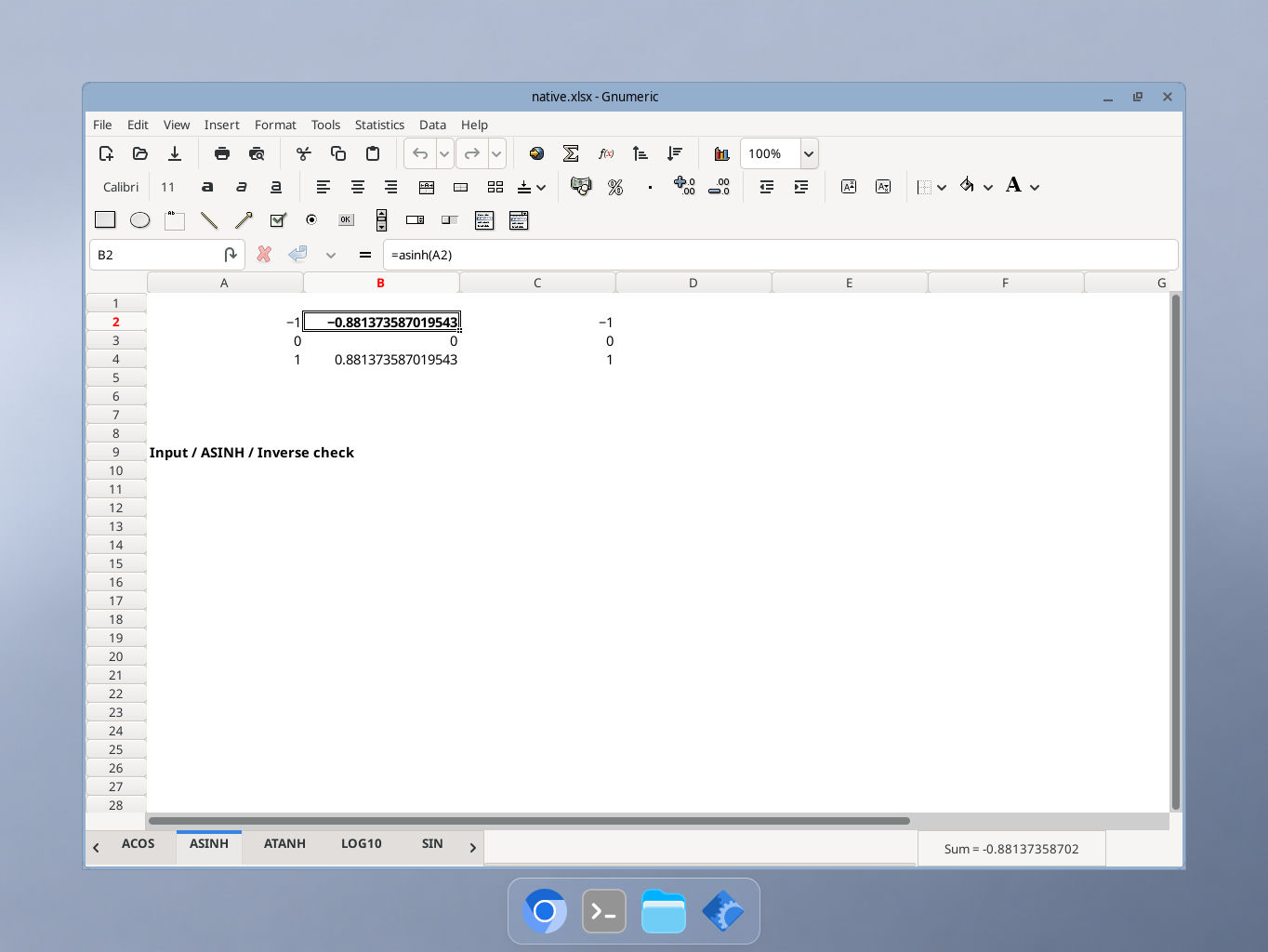
Actual Gnumeric 1.12.57 application, captured 17 October 2026. GUI locale was not independently recorded.