

ATAN2 Function (Gnumeric)
Find quadrant-aware angles in Gnumeric with ATAN2, spreadsheet x/y order, radian output and normalized degree bearings.
Verification status: Fresh bounded Gnumeric 1.12.57 source and native engine verification; separate primary-example GUI capture below. How formula examples are checked
Exact syntax and meaning
=ATAN2(x,y)
ATAN2 returns the direction of a point (x,y) relative to the positive x-axis. Both numeric coordinates are required. Gnumeric takes x first and y second. Many programming-language atan2 routines take y first; copying that order into the worksheet rotates or reflects the intended interpretation.
The result is in radians on the principal angular branch, conventionally greater than -pi and at most pi. The preserved formula =ATAN2(1,0) returns 0 for the positive x-axis. =ATAN2(0,1) returns pi/2 for the positive y-axis. The checked quadrant examples (-1,1), (-1,-1) and (1,-1) return 3pi/4, -3pi/4 and -pi/4 respectively. Unlike ATAN(y/x), ATAN2 uses both coordinate signs and can handle a zero x coordinate when y is nonzero.
Advanced application: direction in degrees
For coordinates x=1,y=-1, =MOD(DEGREES(ATAN2(1,-1)),360) returns 315. This expresses the direction on a zero-to-360 degree scale, measured counterclockwise from positive x. It is not automatically a compass bearing measured clockwise from north; define the coordinate and angle convention before changing formulas.
Put x in A2 and y in B2, then use =DEGREES(ATAN2(A2,B2)) for a signed degree angle or wrap it with MOD(…,360) for the normalized form. Coordinate units must be compatible. Scaling both coordinates by the same positive factor preserves the mathematical direction; changing only one scale changes it.
Errors and branch boundaries
The point (0,0) has no direction and returns #DIV/0! in the recorded fixture. Handle that case according to the application rather than replacing it with an arbitrary zero-degree direction. Near the negative x-axis, adjacent directions may appear near +180 and -180 degrees because of the principal-branch cut; an ordinary arithmetic mean can then be misleading. Signed-zero boundary details were not exercised here.
Angle tip: The raw result is in radians. Use DEGREES for a degree result. Do not run RADIANS on the input coordinates: they are positions or vector components, not angular measurements.
Recorded native examples
=ATAN2(1,0)→ 0=ATAN2(0,1)→ 1.5707963267948966=ATAN2(-1,1)→ 2.356194490192345=ATAN2(-1,-1)→ -2.356194490192345=ATAN2(1,-1)→ -0.7853981633974483=ATAN2(0,0)→ #DIV/0!=MOD(DEGREES(ATAN2(1,-1)),360)→ 315
Version and verification scope
Original introduction and last functioning release are not established. The retained historical registration check documented availability in Gnumeric 1.12.62 on 14 October 2026, on desktop installations with fn-math included and enabled. That registration evidence is separate from the fresh Gnumeric 1.12.57 source inspection and bounded ssconvert run on 17 October 2026. No 1.12.62 execution is claimed.
Input formulas, saved results and evidence-file hashes were independently verified. Numeric results match elementary arithmetic or Python mathematical references to absolute/relative tolerance 1e-12; logical and error outputs match exactly. These records are engine evidence; the separate primary-example GUI capture below is not an extreme-input guarantee. Earlier comparable LibreOffice Calc 25.2 checks are historical context rather than Gnumeric native evidence. Shared function names do not establish identical coercion, rounding, numerical range or errors in other programs.
Related functions
First-party sources
Native application screenshot
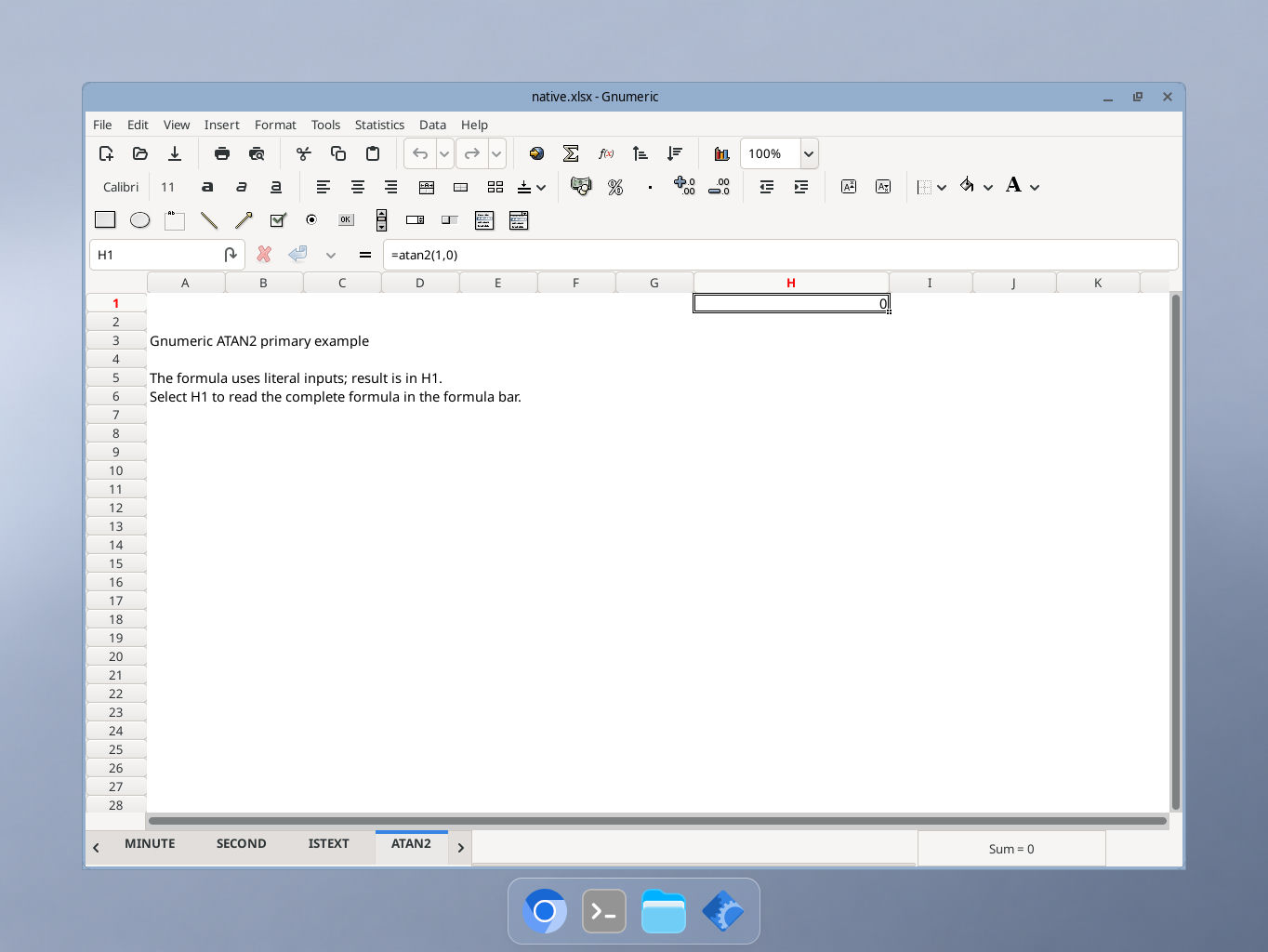
Gnumeric 1.12.57, captured 17 October 2026. The selected H1 cell shows the primary example result, with its formula in the formula bar. The literal inputs are visible in the formula bar. The GUI locale was not independently recorded.