

ATANH Function (Gnumeric)
Use Gnumeric ATANH inside its strict open domain, verify endpoint errors and check the inverse transformation with TANH.
Verification status: See the evidence and test scope described in this guide. How formula examples are checked
ATANH is the inverse hyperbolic tangent. Its finite real domain is strictly between -1 and 1. The Gnumeric implementation explicitly rejects both endpoints, even though the short help note mentions only absolute values greater than one.
Supply one numerical argument with -1<x<1. Inside this interval, the identity 0.5*LN((1+x)/(1-x)) explains the result. ATANH is distinct from ATAN, the circular inverse tangent; it does not return an ordinary geometric angle.
Syntax
ATANH(x)
Worked examples
The original =ATANH(0) returns 0. Put -0.5, 0 and 0.5 in A2:A4 and enter =ATANH(A2) in B2, filling down. Outputs are approximately -0.549306144334055, 0 and 0.549306144334055. TANH of each output recovers the input within precision.
For x=0.5, half of LN(3) independently gives the same answer. The native endpoint controls ATANH(1) and ATANH(-1) return #NUM!, as does ATANH(1.01). Endpoints are not accepted as ordinary finite special cases.
| Formula | Expected output |
|---|---|
=ATANH(0) |
0 |
=ATANH(0.5) |
0.5493061443340548 |
=ATANH(-0.5) |
-0.5493061443340548 |
=ATANH(1) |
#NUM! |
=ATANH(-1) |
#NUM! |
=ATANH(1.01) |
#NUM! |
=TANH(ATANH(0.5)) |
0.5 |
Advanced use
A model ratio strictly inside the interval can be mapped to an unbounded scale and recovered using TANH. Record its normalization and endpoint treatment. A cell displaying 1 may store exactly 1 or a nearby smaller number; inspecting stored precision helps explain a large result versus an error.
Do not silently replace all endpoints with an arbitrary interior value. Such adjustment changes the model and should be justified explicitly. Input differences are amplified near either boundary, so output precision must be interpreted alongside input uncertainty.
Errors and troubleshooting
Check strict inequalities before investigating formatting. An invalid argument may reveal an upstream normalization error. Zero is a valid output and should not be used indiscriminately to conceal domain errors. The selected tests do not establish extreme near-boundary accuracy or validate a statistical inference procedure.
Availability and verification
- Introduced: Documented by 1.12.62; original introduction not established.
- Historical source availability: Supported in Gnumeric 1.12.62, based on the function-specific registration.
- Scope: Desktop; the fn-math function module must be included and enabled.
- Historical check: October 14, 2026. Documentation/source check; no new native test in Gnumeric 1.12.62.
The selected examples and error cases were recalculated with the actual Gnumeric 1.12.57 engine under C.UTF-8 on 17 October 2026. Native workbooks and observed outputs are retained. Historical 1.12.62 registration is a separate source check, not a native runtime test. The selected example below is GUI-verified; retirement and the last functioning release remain unverified.
Related functions
Native application screenshot
The selected cell B2 contains =ATANH(A2) and displays -0.5493061443340548. The selected example uses the tutorial inputs described above. Floating-point display tails are retained rather than rounded in the image. Only this selected example is GUI-verified; the other checks retain their stated engine-test scope.
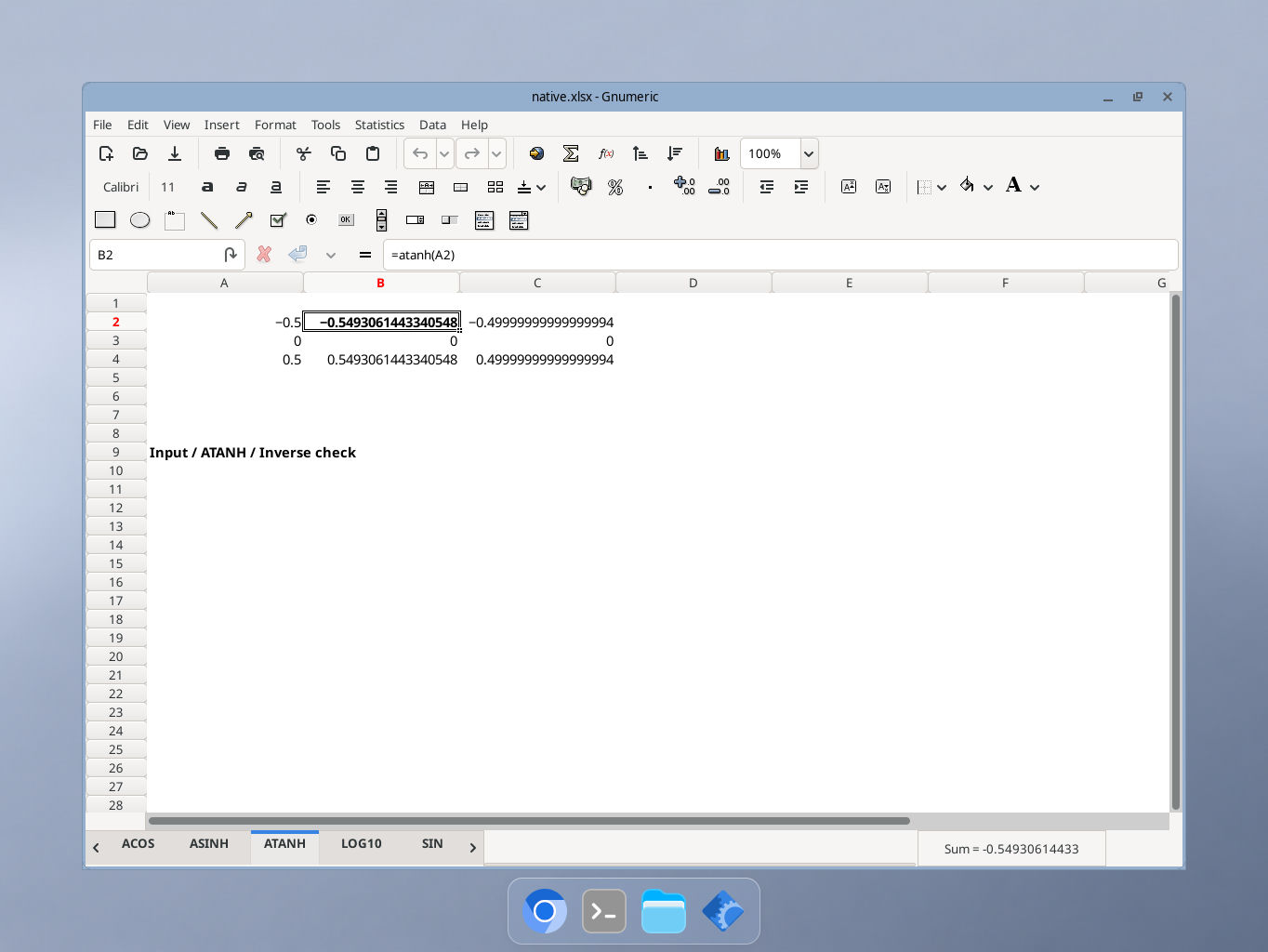
Actual Gnumeric 1.12.57 application, captured 17 October 2026. GUI locale was not independently recorded.