

AVERAGEIF Function (Gnumeric)
Average values selected by one criterion with Gnumeric AVERAGEIF, keeping criteria and value ranges aligned and checking no-match errors.
Verification status: See the evidence and test scope described in this guide. How formula examples are checked
AVERAGEIF averages numerical values whose corresponding cells satisfy one criterion. It separates the cells being tested from the numbers being averaged, making it useful for a category-level mean or a threshold-filtered measurement.
Syntax and alignment
AVERAGEIF(range, criteria, [actual_range])
range supplies the values tested by the condition. criteria specifies the condition, such as "apple" or ">2". actual_range supplies the corresponding values to average; when omitted, the tested range is also the averaged range.
Keep the two ranges aligned and the same size in ordinary workbooks. A matching category row must correspond to the intended numerical amount. Do not infer that an unaligned range is safe merely because a formula returns a number.
Original worked worksheet
Use the following exact dataset:
| Row | A (Quantity) | B (Amount) | C (Category) |
|---|---|---|---|
| 1 | 1 | 10 | apple |
| 2 | 2 | 20 | pear |
| 3 | 3 | 30 | apple |
| 4 | 4 | 40 | pear |
| 5 | 5 | 50 | apple |
=AVERAGEIF(C1:C5,"apple",B1:B5)
The result is 30: the matching amounts are 10, 30, and 50, whose sum 90 is divided by three numerical observations. Rows labeled pear do not contribute.
=AVERAGEIF(A1:A5,">2") returns 4, averaging the selected quantities 3, 4, and 5. Here the third argument is omitted because the tested and averaged values are the same cells.
Advanced use: matching is not the denominator
A row can satisfy the criterion without supplying a numerical amount. Gnumeric’s averaging collector ignores text, blanks, and logical values in the selected actual values. The denominator is therefore the number of included numerical amounts, not simply the number of matched labels.
For a control, put 10 in E1, -2 in E2, text in E3, TRUE in E4, and leave E5 blank. =AVERAGEIF(C1:C5,"apple",E1:E5) returns 10: the apple rows select E1, E3, and E5, but only E1 is numerical.
The native checks also show "APPLE" matching the example apple labels and "a*" matching them through a wildcard. Test criteria carefully when literal punctuation or mixed data types are involved; do not generalize one text example into a complete pattern-language specification.
Errors and troubleshooting
=AVERAGEIF(C1:C5,"plum",B1:B5) returns #DIV/0! because no numerical observations are included. This is different from a valid average of zero. An explicit fallback should communicate missing data rather than quietly invent a zero average.
If the answer is unexpectedly high or low, inspect the selected numerical values, not just the number of matching rows. Check imported numeric text and ensure the averaging range is aligned with the criterion range. Quote comparison criteria such as ">2"; an unquoted operator is not the same argument.
For multiple simultaneous conditions, use a function designed for that purpose rather than trying to put several independent conditions into this one-criterion contract. Retain a small hand-checkable subset when validating a more complex report.
Availability and version history
- Introduced: Gnumeric 1.9.11, according to its official release notes.
- Historical source evidence: Supported in Gnumeric 1.12.62, based on the function-specific registration.
- Scope: Desktop; the fn-math function module must be included and enabled.
- Historical check: October 14, 2026; registration evidence does not certify native execution for 1.12.62.
New verification: Official Gnumeric 1.12.57 source and the displayed bounded engine cases were checked on 17 October 2026 under C.UTF-8. The historical 1.12.62 registration is retained separately without asserting identical behavior. The selected example below is GUI-verified; a last-supported release is not established.
Related functions
Documentation and verification
Native application screenshot
The selected cell D1 contains =AVERAGEIF(C1:C5,"apple",B1:B5) and displays 30. The screenshot preserves the example input positions described above. Only this selected example is GUI-verified; the other checks retain their stated engine-test scope.
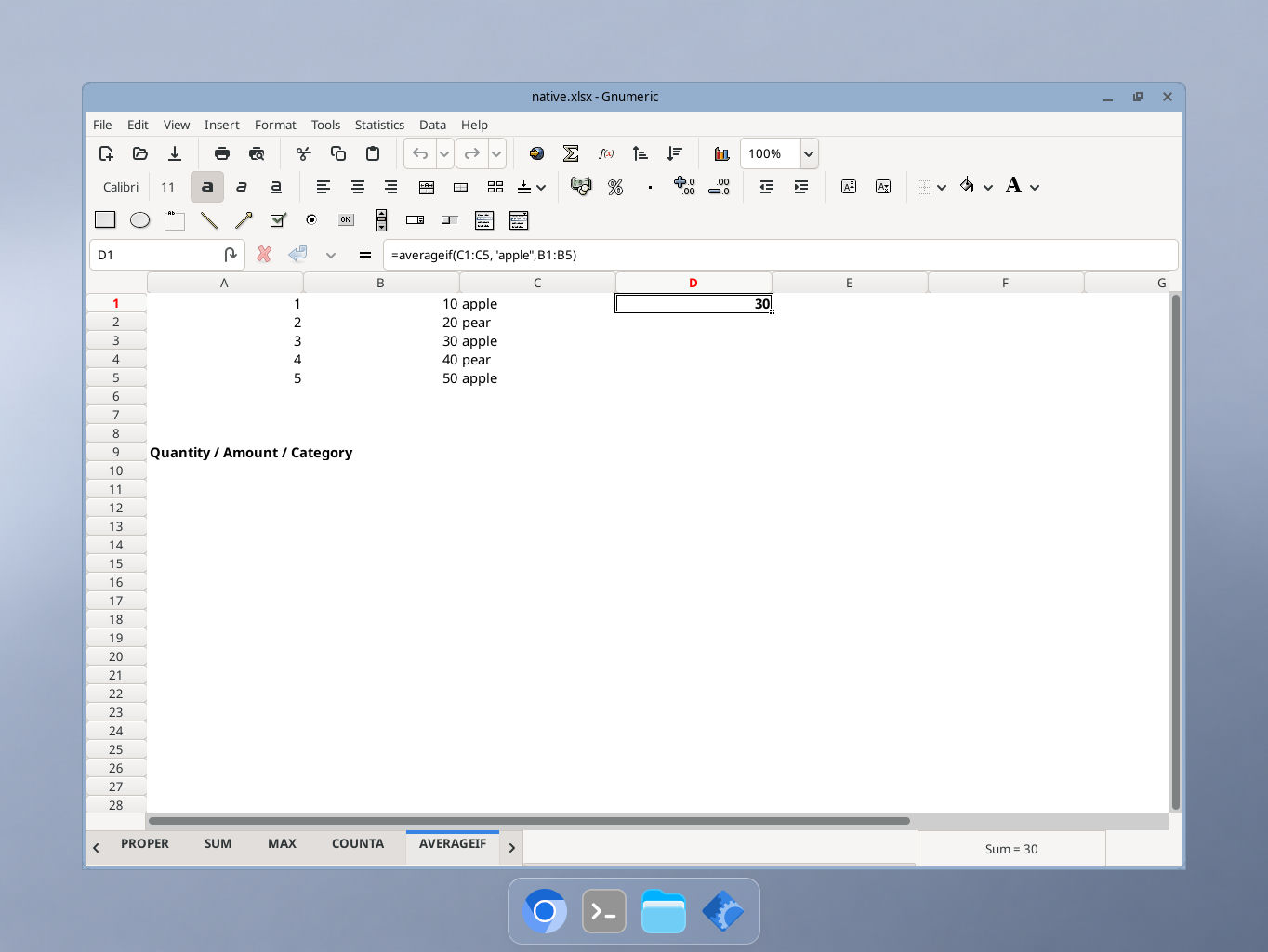
Actual Gnumeric 1.12.57 application, captured 17 October 2026. GUI locale was not independently recorded.