

BIN2DEC Function (Gnumeric)
Decode Gnumeric binary strings with BIN2DEC, the signed 10-bit convention, leading zeros and invalid-digit checks.
Verification status: Fresh bounded Gnumeric 1.12.57 source and native engine verification; separate primary-example GUI capture below. How formula examples are checked
Exact syntax and meaning
=BIN2DEC(number)
BIN2DEC converts a binary digit sequence into a decimal number. It takes one required argument, conventionally quoted text containing zeros and ones. Gnumeric’s engineering-function convention supports at most ten binary digits and uses a fixed ten-bit two’s-complement interpretation for negative values. It is not an arbitrary-width unsigned binary decoder.
The preserved example =BIN2DEC("1010") returns 10 because 18+04+12+01=10. The numeric-looking argument =BIN2DEC(1010) also returns 10 in the tested version, but quoted text is clearer and preserves leading zeros. =BIN2DEC("0000001010") also returns 10.
Signed-width examples
Nine ones, “111111111”, represent 511. Ten ones, “1111111111”, represent -1 under the ten-bit signed convention. The sequence “1000000000” represents -512. For a ten-bit pattern whose leading bit is one, decode its ordinary unsigned value and subtract 1024; 1023-1024=-1 and 512-1024=-512 independently explain the outputs.
A leading one does not make every shorter string negative: the sign position is the ten-bit position. This is why the nine-one and ten-one cases differ so sharply. Do not prepend arbitrary bits or assume the function understands a word size chosen elsewhere in the workbook.
Advanced application: validate imported status words
Store device bit patterns as text in A2:A20 and use =BIN2DEC(A2) only after confirming the producer’s encoding matches this signed-width convention. Retain the original bit string alongside the decoded value so that leading zeros and the source format remain auditable. If the producer sends an unsigned ten-bit number, this function’s negative interpretation of high-bit patterns may be inappropriate; use an explicitly unsigned method instead of silently relabeling the result.
Errors and empty inputs
The tested string “102” and an eleven-digit string of ones return #NUM!. The empty string returns 0 in Gnumeric 1.12.57. That permissive empty-string behavior is not proof of a valid measurement, so missing values should be validated separately. This guide does not certify prefixed forms, whitespace handling or other untested text coercions. A numeric display format cannot restore zeros already lost during import.
Recorded native examples
=BIN2DEC("1010")→ 10=BIN2DEC(1010)→ 10=BIN2DEC("0000001010")→ 10=BIN2DEC("111111111")→ 511=BIN2DEC("1111111111")→ -1=BIN2DEC("1000000000")→ -512=BIN2DEC("102")→ #NUM!=BIN2DEC("11111111111")→ #NUM!=BIN2DEC("")→ 0
Version and verification scope
Original introduction and last functioning release are not established. The retained historical registration check documented availability in Gnumeric 1.12.62 on 14 October 2026, on desktop installations with fn-eng included and enabled. That registration evidence is separate from the fresh Gnumeric 1.12.57 source inspection and bounded ssconvert run on 17 October 2026. No 1.12.62 execution is claimed.
Input formulas, saved results and evidence-file hashes were independently verified. Numeric results match elementary arithmetic or Python mathematical references to absolute/relative tolerance 1e-12; logical and error outputs match exactly. These records are engine evidence; the separate primary-example GUI capture below is not an extreme-input guarantee. Earlier comparable LibreOffice Calc 25.2 checks are historical context rather than Gnumeric native evidence. Shared function names do not establish identical coercion, rounding, numerical range or errors in other programs.
Related functions
First-party sources
Native application screenshot
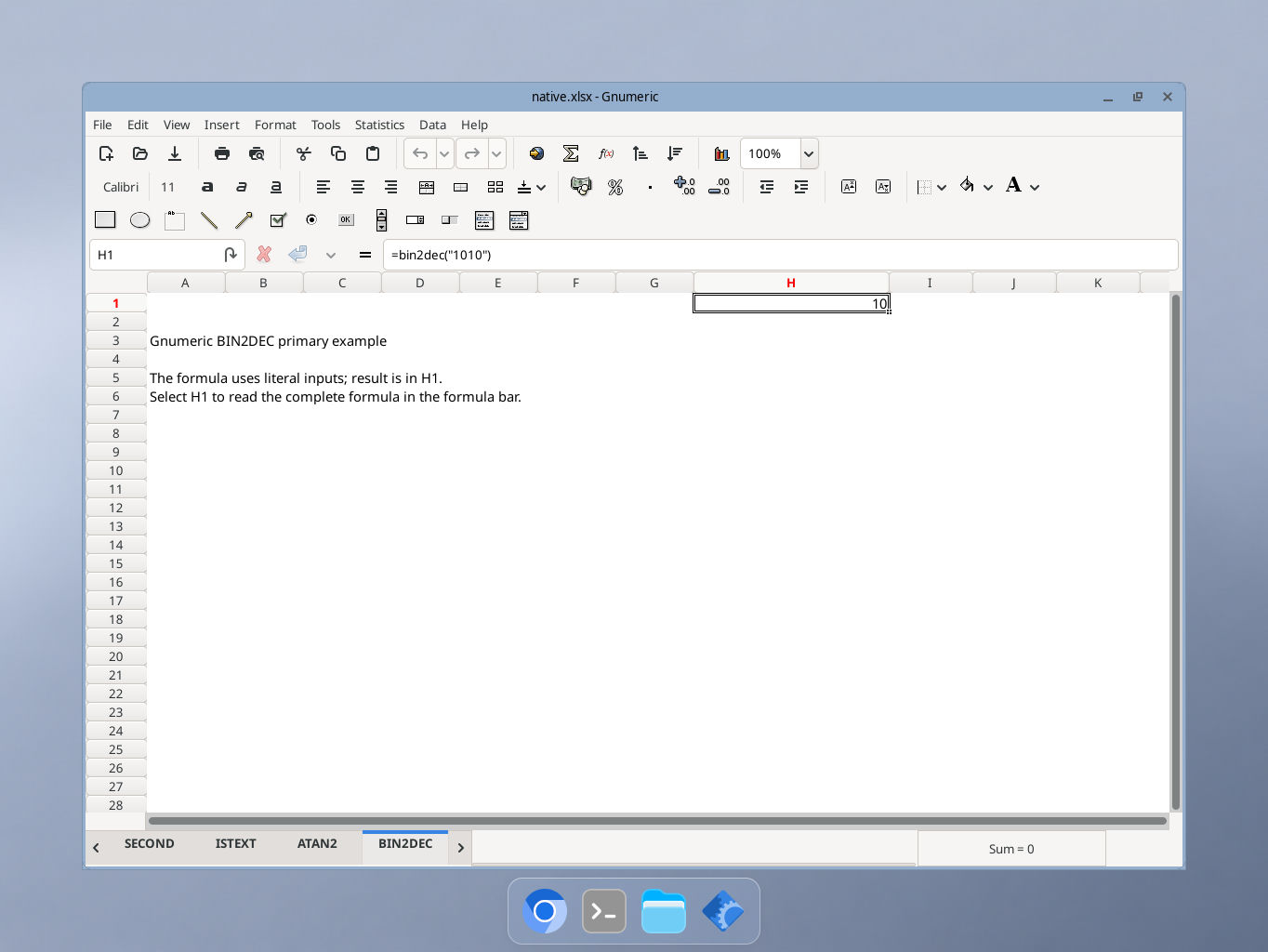
Gnumeric 1.12.57, captured 17 October 2026. The selected H1 cell shows the primary example result, with its formula in the formula bar. The literal inputs are visible in the formula bar. The GUI locale was not independently recorded.