

COMBIN Function (Gnumeric)
Count unordered selections in Gnumeric with COMBIN, no-repetition assumptions, fractional coercion and small-set checks.
Verification status: Fresh bounded Gnumeric 1.12.57 source and native engine verification; separate primary-example GUI capture below. How formula examples are checked
Exact syntax and meaning
=COMBIN(n,k)
COMBIN returns the binomial coefficient n choose k: the number of ways to choose k distinct elements from a set of n distinct elements when order does not matter and elements cannot be reused. Both arguments are required. The intended inputs are nonnegative integers with k no larger than n.
The preserved example =COMBIN(5,2) returns 10. For items A,B,C,D,E the ten pairs are AB,AC,AD,AE,BC,BD,BE,CD,CE,DE. Reversing AB to BA does not create a new combination. This explicit enumeration independently checks the count without relying on another implementation.
=COMBIN(5,3) also returns 10, reflecting the symmetry between choosing the included elements and choosing the excluded ones. Both =COMBIN(5,0) and =COMBIN(0,0) return 1: there is one empty selection, not zero selections.
Advanced application: small committee counts
Choosing three people from eight gives =COMBIN(8,3) = 56. Independently, the ordered count is 876=336 and each unordered group has 321=6 orderings, so 336/6=56. Put the available count in A2 and group size in B2, then use =COMBIN(A2,B2) for a worksheet input table. This assumes every group is allowed. Eligibility rules, assigned roles or repeated selection require a different counting model.
For probability calculations, a count of combinations is not itself a probability. Establish an equiprobable sample space and the correct numerator and denominator before using the count in a ratio. COMBIN does not enumerate the selected groups or enforce a business constraint.
Coercion, errors and precision
The inspected callback floors each argument before validating the relationship. The positive fractional example =COMBIN(5.9,2.9) returns 10, as if n=5,k=2. Treat this as implementation behavior, not permission to enter fractional people or objects; validate integer inputs explicitly if accidental fractions should be rejected.
The fixtures n=2,k=3 and n=-1,k=0 return #NUM!. Very large combinatorial counts can exceed exact floating-point integer precision or numerical range. Even when a result is displayed without decimals, it may not be an exact integer representation at extreme sizes. Those extremes were not executed; keep independent small-set examples as control checks.
Recorded native examples
=COMBIN(5,2)→ 10=COMBIN(5,3)→ 10=COMBIN(5,0)→ 1=COMBIN(0,0)→ 1=COMBIN(5.9,2.9)→ 10=COMBIN(2,3)→ #NUM!=COMBIN(-1,0)→ #NUM!=COMBIN(8,3)→ 56
Version and verification scope
Official NEWS identifies COMBIN as implemented in Gnumeric 0.19. The last functioning release is not established. The retained historical registration check documented availability in Gnumeric 1.12.62 on 14 October 2026, on desktop installations with fn-math included and enabled. That registration evidence is separate from the fresh Gnumeric 1.12.57 source inspection and bounded ssconvert run on 17 October 2026. No 1.12.62 execution is claimed.
Input formulas, saved results and evidence-file hashes were independently verified. Numeric results match elementary arithmetic or Python mathematical references to absolute/relative tolerance 1e-12; logical and error outputs match exactly. These records are engine evidence; the separate primary-example GUI capture below is not an extreme-input guarantee. Earlier comparable LibreOffice Calc 25.2 checks are historical context rather than Gnumeric native evidence. Shared function names do not establish identical coercion, rounding, numerical range or errors in other programs.
Related functions
First-party sources
Native application screenshot
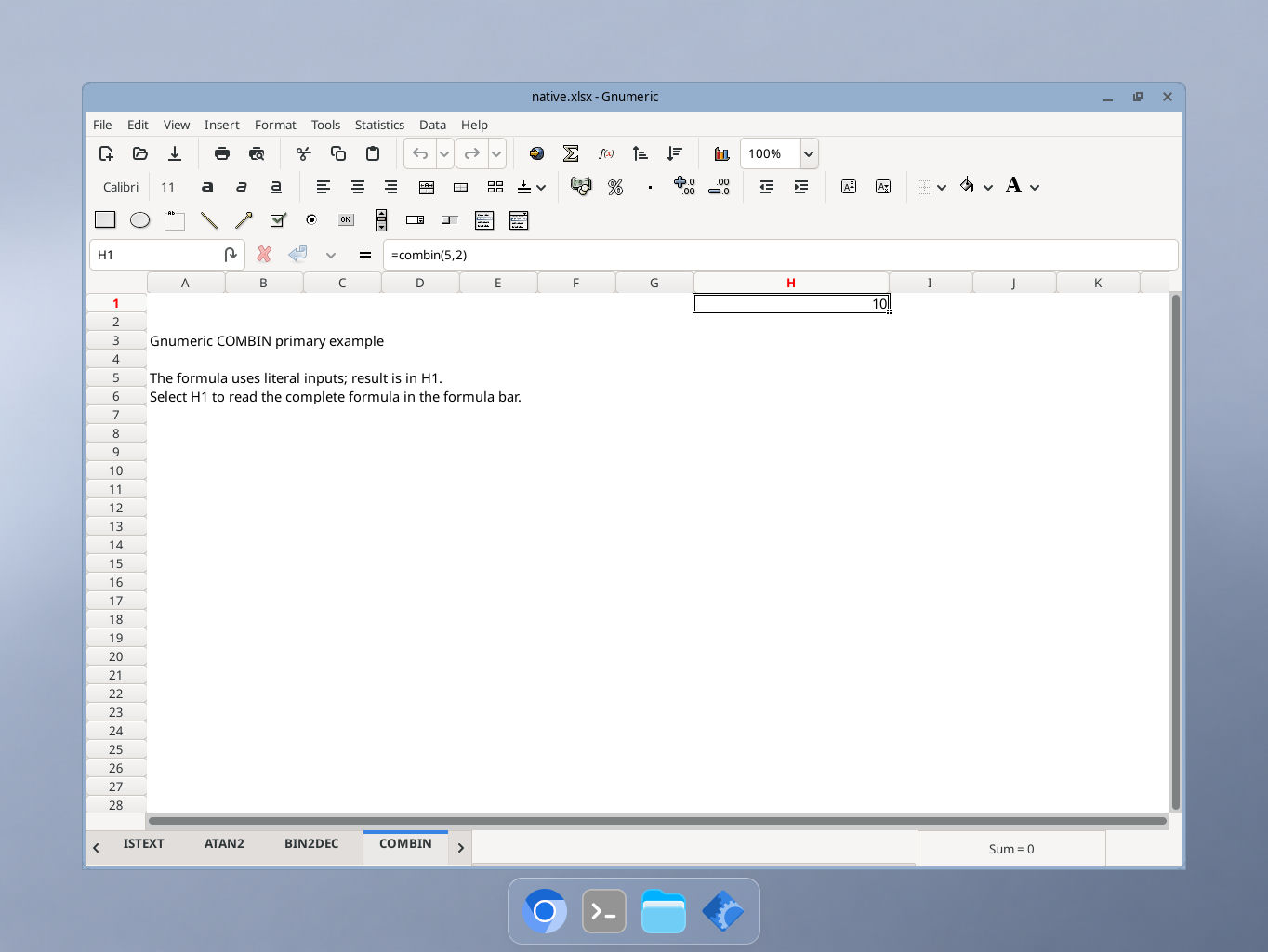
Gnumeric 1.12.57, captured 17 October 2026. The selected H1 cell shows the primary example result, with its formula in the formula bar. The literal inputs are visible in the formula bar. The GUI locale was not independently recorded.