

GCD Function (Gnumeric)
Find a greatest common divisor in Gnumeric, with fractional truncation, mixed ranges and the all-zero error explained.
Verification status: See the evidence and test scope described in this guide. How formula examples are checked
GCD returns the greatest positive integer dividing all included numbers without remainder. It can reduce a ratio or establish an equal-grouping constraint. Zero with a positive input is accepted, but an all-zero collection is an error in Gnumeric 1.12.57.
Supply numerical arguments or ranges. Ordinary positive fractions are truncated. The collector ignores text, logical values and blanks, including the direct quoted-text control below. Use nonnegative integer counts with at least one positive value after truncation. This is floating-point arithmetic with implementation limits, not arbitrary-precision integer computation.
Syntax
GCD(number1, [number2], ...)
Worked examples
The original =GCD(12,18) returns 6. Put 12 in A1 and 18 in A2; GCD(A1:A2) supplies six as the common divisor, reducing the ratio to 2:3.
Add text in A3, TRUE in A4 and leave A5 empty. GCD(A1:A5) still returns six. GCD(12.9,18.9) also gives six after truncation. GCD(0,12) returns twelve. GCD(0,0) and GCD(-2,4) return #NUM!. GCD(“12”,TRUE) also returns #NUM! because the ignored inputs leave no usable numbers.
| Formula | Expected output |
|---|---|
=GCD(12,18) |
6 |
=GCD(12.9,18.9) |
6 |
=GCD(0,12) |
12 |
=GCD(0,0) |
#NUM! |
=GCD(-2,4) |
#NUM! |
=GCD(A1:A5) |
6 |
=GCD("12",TRUE) |
#NUM! |
Advanced use
For inventories of 12 and 18 indivisible items, six identical allocations can contain two and three items respectively. Clarify whether the common divisor represents a group count or group size in the model.
Validate integer counts before aggregation. Fractional measurements should not silently be truncated as if they were whole items. If there is a known smallest unit, convert all observations to integer counts of that same unit and retain the original measurements. Check divisibility manually on a small example.
Errors and troubleshooting
An all-zero collection does not return zero in the tested version. Negative inputs and an empty numeric collection fail as well. Do not invent a divisor to conceal an error. Numeric text can be ignored and thereby change the intended problem. GCD is not a tolerance-based similarity measure for measured decimal quantities.
Availability and verification
- Introduced: Documented by 1.12.62; original introduction not established.
- Historical source availability: Supported in Gnumeric 1.12.62, based on the function-specific registration.
- Scope: Desktop; the fn-math function module must be included and enabled.
- Historical check: October 14, 2026. Documentation/source check; no new native test in Gnumeric 1.12.62.
The selected examples and error cases were recalculated with the actual Gnumeric 1.12.57 engine under C.UTF-8 on 17 October 2026. Native workbooks and observed outputs are retained. Historical 1.12.62 registration is a separate source check, not a native runtime test. The selected example below is GUI-verified; retirement and the last functioning release remain unverified.
Related functions
Native application screenshot
The selected cell B1 contains =GCD(A1:A5) and displays 6. The selected example uses the tutorial inputs described above. The documented mixed range occupies A1:A5, with A5 left truly blank; the result is shown in B1. Only this selected example is GUI-verified; the other checks retain their stated engine-test scope.
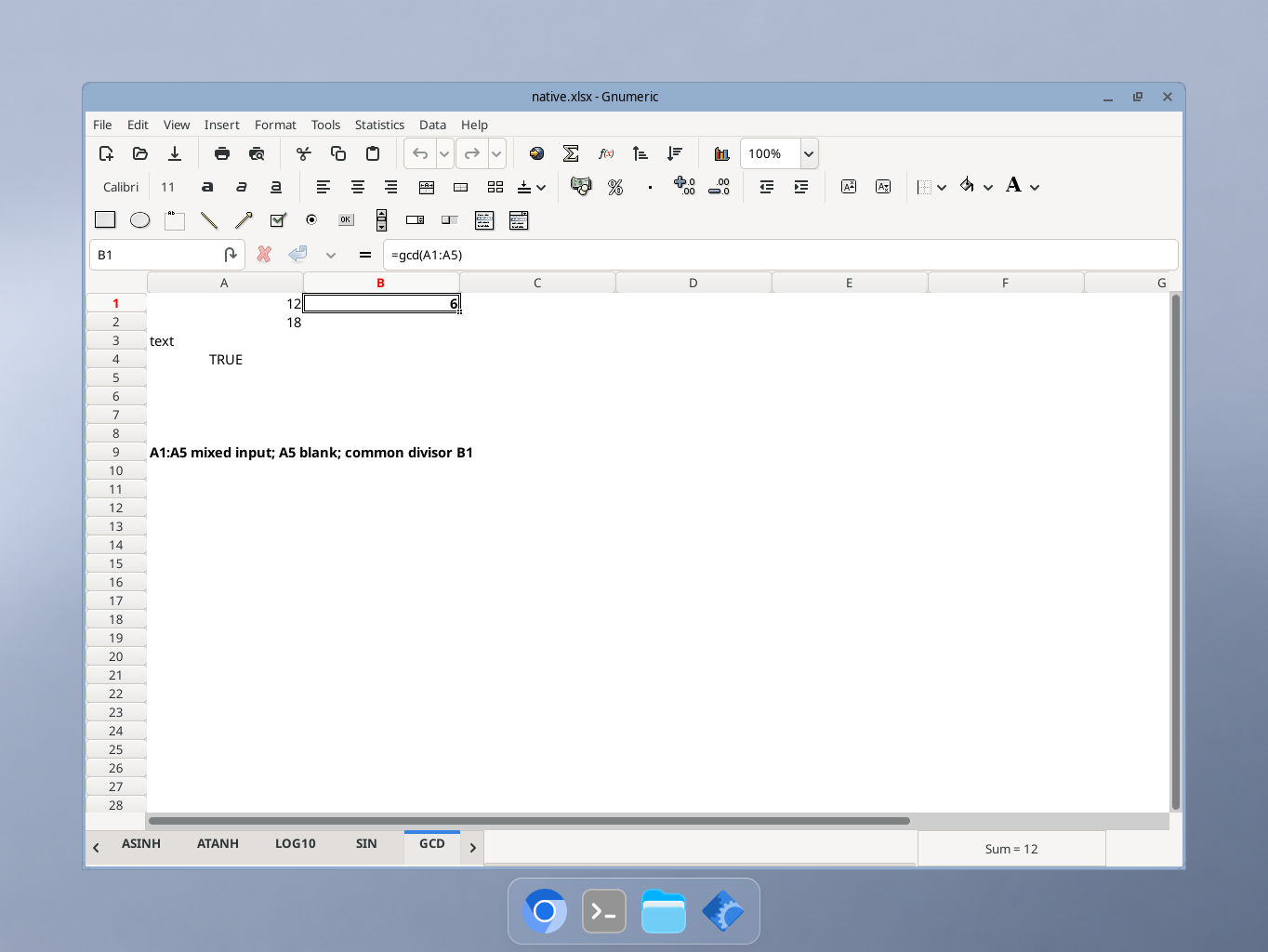
Actual Gnumeric 1.12.57 application, captured 17 October 2026. GUI locale was not independently recorded.