

REPLACE Function (Gnumeric)
Replace text by character position with Gnumeric REPLACE, using an identifier example and distinguishing position-based edits from search.
Verification status: See the evidence and test scope described in this guide. How formula examples are checked
REPLACE substitutes text at a specified character position and length. Use it when a field’s structure tells you where the edited portion begins. It does not search for matching words; choose a search/substitution workflow when the position is unknown or variable.
Syntax and positions
REPLACE(old, start, num, new)
old is the original text. start is the one-based position of the first character to replace; num is how many characters to remove; new is the replacement string. A start below 1 or a negative removal count returns #VALUE!.
The replacement need not have the same length as the removed section. A removal count of zero inserts text, and an empty replacement deletes text. Use integer positions and counts to make the intended edit explicit.
Original worked example
=REPLACE("abcdef",2,3,"XYZ")
The result is aXYZef. Characters 2–4, bcd, are removed and replaced with XYZ; the prefix a and suffix ef remain.
Worked worksheet: change a fixed-width suffix
Put INV-0042 in A1. =REPLACE(A1,5,4,"0099") returns INV-0099. Position 5 is the first digit after the hyphen, and four characters are replaced. Keeping the replacement in quotes preserves its leading zeros as text.
Additional controls show insertion, deletion, and a beyond-end start:
| Formula | Expected result |
|---|---|
=REPLACE("abcd",3,0,"-") |
ab-cd |
=REPLACE("abcd",2,2,"") |
ad |
=REPLACE("abcd",9,2,"!") |
abcd! |
=REPLACE("abcd",0,1,"X") |
#VALUE! |
=REPLACE("Lévy",2,1,"e") |
Levy |
A start beyond the existing length appends the replacement; Gnumeric does not add padding to reach the requested position. A removal count extending beyond the end removes only the available suffix.
Advanced use: safe fixed-position transformations
Create a helper column with the REPLACE result while retaining the original field. Check a small set of records with different lengths before applying the transformation broadly. A fixed position that works on one example may cut the wrong characters when a prefix varies or unexpected whitespace is present.
Positions are based on Unicode characters rather than raw UTF-8 bytes. This protects the encoding of a precomposed accented character, but combining sequences can still be split semantically. Do not assume that one visible glyph always occupies one character position.
REPLACE edits strings, not source-cell formatting, hyperlink metadata, or the workbook itself. The formula result changes only the text value it returns. If a later process writes that result back into a master data field, review that separate action deliberately.
Errors and troubleshooting
For an off-by-one result, remember that the first character is position 1. If zeros disappear, inspect whether the replacement was entered as a number instead of text. If the output is longer or shorter, compare the removal count with the replacement length; equal lengths are not required.
Do not use REPLACE as if it were a global “find and replace.” It performs one positional edit. Repeated or variable occurrences need a function and formula designed around matching content.
Availability and version history
- Introduced: Gnumeric 0.19; its official release notes list REPLACE among newly implemented functions.
- Historical source evidence: Supported in Gnumeric 1.12.62, based on the function-specific registration.
- Scope: Desktop; the fn-string function module must be included and enabled.
- Historical check: October 14, 2026; the 1.12.62 registration evidence is not a native execution claim for that release.
New verification: The worked cases were recalculated with Gnumeric 1.12.57 under C.UTF-8 on 17 October 2026 and reconciled against its official source. The historical 1.12.62 registration is retained separately; no identical-behavior or native-test claim is made for that newer version. The selected example below is GUI-verified; a last-supported release is not established.
Related functions
Documentation and verification
Native application screenshot
The selected cell B1 contains =REPLACE(A1,5,4,"0099") and displays INV-0099. The screenshot preserves the example input positions described above. Only this selected example is GUI-verified; the other checks retain their stated engine-test scope.
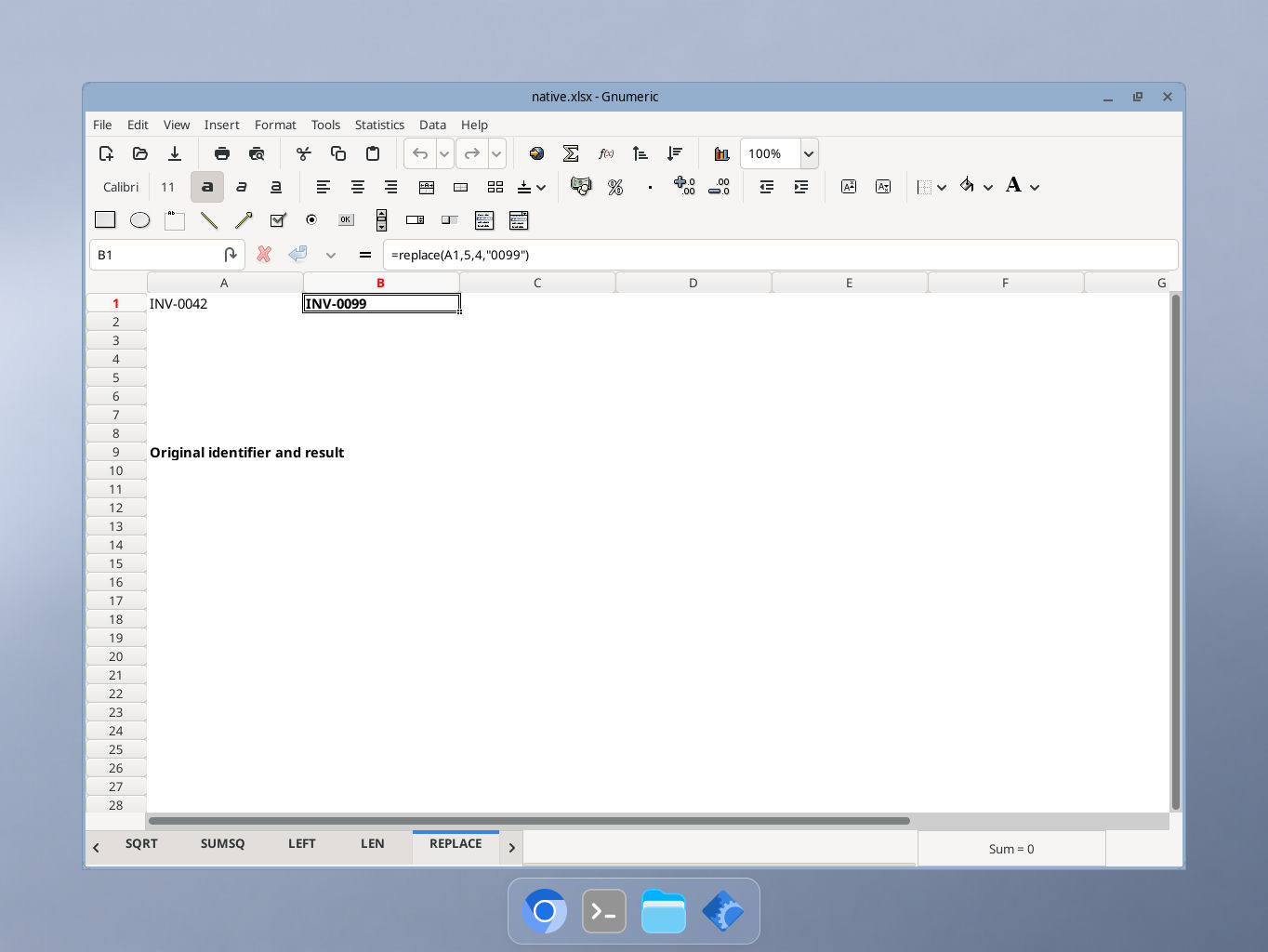
Actual Gnumeric 1.12.57 application, captured 17 October 2026. GUI locale was not independently recorded.