

SIN Function (Gnumeric)
Calculate sine in Gnumeric using radians, convert degree inputs and recognize floating-point residue at mathematical zeros.
Verification status: See the evidence and test scope described in this guide. How formula examples are checked
SIN returns the sine of an angle in radians. The result is a dimensionless value between -1 and 1 for ordinary real inputs. A full turn is 2*PI() radians. Gnumeric does not infer degree units from familiar values such as 30 or 90.
There is one numerical argument. Angle tip: Convert degree inputs with RADIANS when needed; number formatting cannot change the argument’s angular unit. A negative output identifies the sine’s sign at that phase and is not itself an error.
Syntax
SIN(x)
Worked examples
The original =SIN(0) returns 0. Put 30 degrees in A2, use =RADIANS(A2) in B2 and =SIN(B2) in C2. B2 is approximately 0.523598775598299 radians and C2 is approximately 0.5.
By contrast, SIN(30) is approximately -0.988031624092862 because the input is 30 radians. Native controls SIN(PI()/2) and SIN(-PI()/2) produce 1 and -1. SIN(PI()) is approximately zero and can retain a tiny floating-point residue rather than an exact zero.
| Formula | Expected output |
|---|---|
=SIN(0) |
0 |
=SIN(PI()/2) |
1 |
=SIN(RADIANS(30)) |
0.5 |
=SIN(30) |
-0.9880316240928618 |
=SIN(-PI()/2) |
-1 |
=SIN(PI()) |
0 |
=SIN("bad") |
#VALUE! |
Advanced use
A synthetic wave can use amplitudeSIN(2PI()frequencytime+phase), where frequency is cycles per unit time and phase is radians. Time and frequency must use compatible units. At one cycle per second and time 0.25 seconds with zero phase, the sine argument is PI()/2 and its value is one.
If frequency is already angular frequency in radians per second, multiplying by 2*PI() again is incorrect. Sampling intervals also matter: a coarse time step can hide oscillations in a chart. Keep units and phase in separate labeled cells.
Errors and troubleshooting
SIN(“bad”) returns #VALUE!. For mathematical zeros use a sensible tolerance instead of demanding exact equality. Very large arguments require numerical argument reduction and are outside these bounded tests. Check radians, phase and input precision before suppressing an unexpected value.
Availability and verification
- Introduced: Documented by 1.12.62; original introduction not established.
- Historical source availability: Supported in Gnumeric 1.12.62, based on the function-specific registration.
- Scope: Desktop; the fn-math function module must be included and enabled.
- Historical check: October 14, 2026. Documentation/source check; no new native test in Gnumeric 1.12.62.
The selected examples and error cases were recalculated with the actual Gnumeric 1.12.57 engine under C.UTF-8 on 17 October 2026. Native workbooks and observed outputs are retained. Historical 1.12.62 registration is a separate source check, not a native runtime test. The selected example below is GUI-verified; retirement and the last functioning release remain unverified.
Related functions
Native application screenshot
The selected cell C2 contains =SIN(B2) and displays 0.49999999999999994. The selected example uses the tutorial inputs described above. Floating-point display tails are retained rather than rounded in the image. Only this selected example is GUI-verified; the other checks retain their stated engine-test scope.
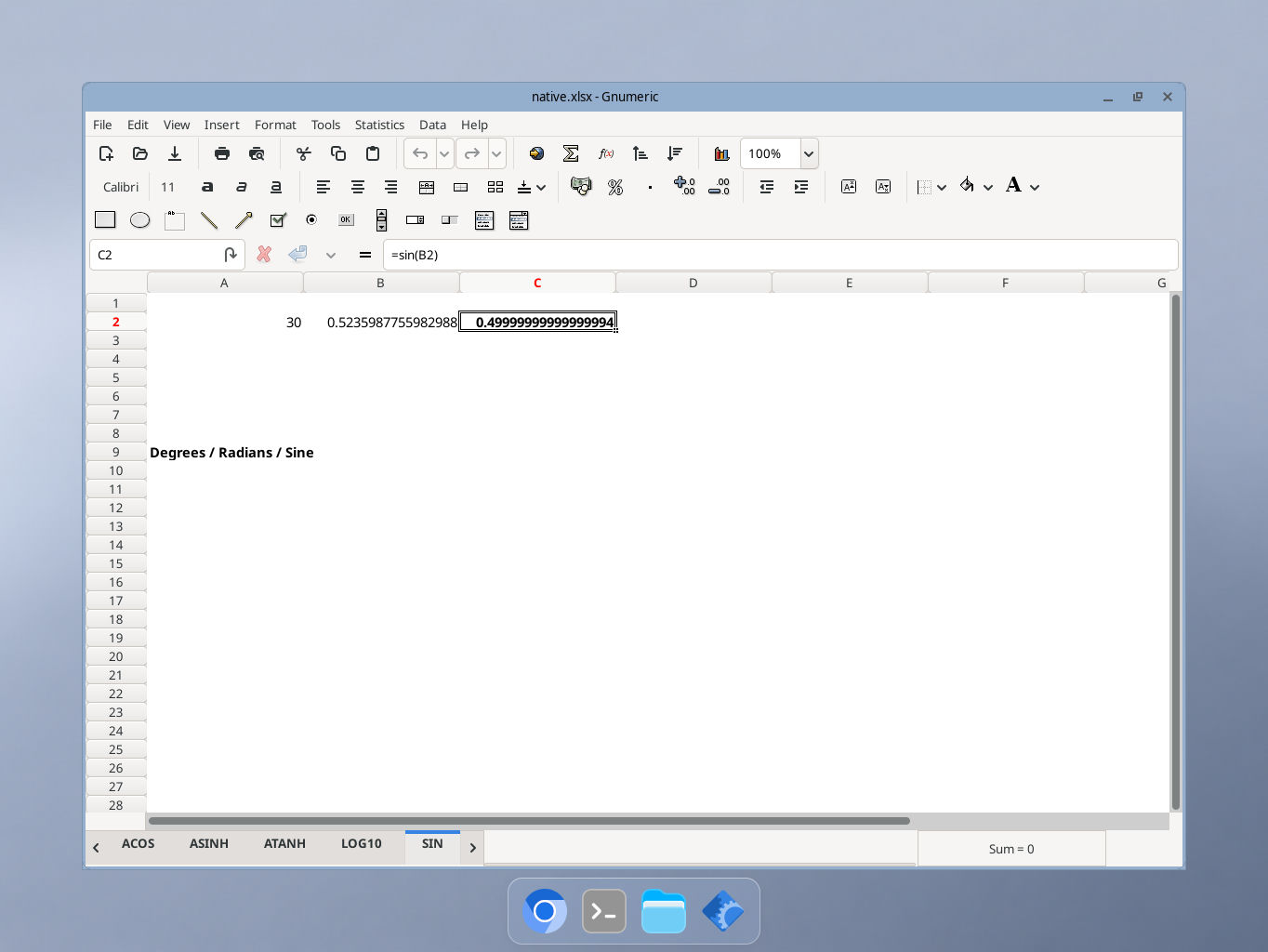
Actual Gnumeric 1.12.57 application, captured 17 October 2026. GUI locale was not independently recorded.