

ASIN Function (Gnumeric)
Find principal inverse-sine angles in Gnumeric with ASIN, valid ratios, radian-to-degree conversion and right-triangle examples.
Verification status: Fresh bounded Gnumeric 1.12.57 ssconvert tests; cached 1.12.62 source inspected separately; separate primary-example GUI capture below. How formula examples are checked
Exact syntax and meaning
=ASIN(x)
ASIN returns the principal angle whose sine equals x. It has one required numeric argument: a dimensionless ratio from -1 through 1 inclusive. The result is in radians, between -pi/2 and pi/2. It does not return every angle with that sine, and it does not interpret x as an angle in degrees.
The preserved basic example =ASIN(0) returns 0. For a right triangle with opposite side 3 and hypotenuse 5, =ASIN(3/5) gives the acute angle in radians; =DEGREES(ASIN(3/5)) gives approximately 36.869897645844 degrees. Keep the side lengths in the same units before taking their ratio.
Advanced application: reconstruct an angle safely
Put opposite length 3 in A2 and hypotenuse 5 in B2. In C2 use =DEGREES(ASIN(A2/B2)). This is the same checked arithmetic expressed with cell references. Validate B2 as positive and the ratio within [-1,1] before filling down. When both horizontal and vertical components and their signs are known, a quadrant-aware angle function is more appropriate than ASIN alone: the sine ratio cannot distinguish supplementary angles.
Domain errors and numerical care
The recorded value 1.01 returns #NUM!, while text “bad” returns #VALUE!. Endpoints are valid: ASIN(-1) returns -pi/2. If a computed ratio is just beyond an endpoint, first investigate inconsistent measurements or rounding. Automatically clipping every input to [-1,1] can conceal invalid data; only apply a documented tolerance justified by the measurement process. Close to the endpoints, a small ratio error can produce a comparatively large angle change.
Angle tip: Trigonometric functions use radians. Use RADIANS when preparing degree angles for SIN; use DEGREES on ASIN’s output when a degree result is required. Neither conversion belongs on the dimensionless input ratio itself.
Native examples and expected results
=ASIN(0)→ 0=ASIN(0.5)→ 0.5235987755982989=ASIN(-1)→ -1.5707963267948966=DEGREES(ASIN(3/5))→ 36.86989764584402=ASIN(1.01)→ #NUM!=ASIN("bad")→ #VALUE!
Availability, portability and evidence
The original introduction and last functioning release are not established. These examples were freshly recalculated in Gnumeric 1.12.57 on 17 October 2026. Retained 1.12.62 source, originally obtained on 13/14 October, was inspected separately; no execution of 1.12.62 is claimed. The desktop fn-math module must be available. Native output cells and formulas were independently read back and compared with Python mathematical identities to absolute/relative tolerance 1e-12. These fixture records are engine verification; a separate primary-example GUI capture appears below.
Ordinary real-number formulas have similar meanings in other spreadsheets, but identical names do not guarantee the same coercion, numerical range or error handling. The earlier comparable LibreOffice Calc 25.2 check is historical cross-program context; it is not evidence of Gnumeric execution. The fresh Gnumeric tests above supersede the earlier no-native-test status for these exact cases.
Related functions
First-party sources
Native application screenshot
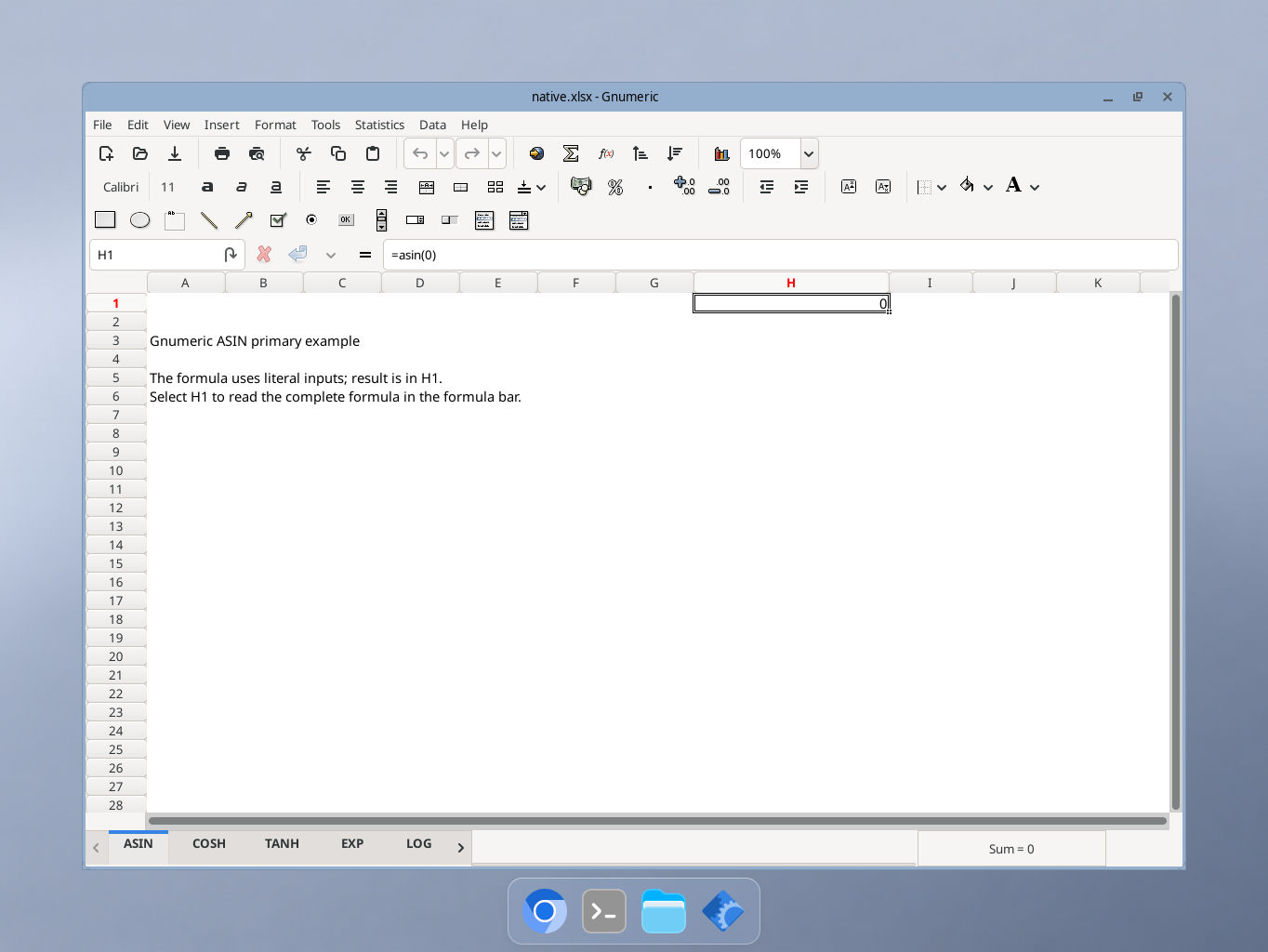
Gnumeric 1.12.57, captured 17 October 2026. The selected H1 cell shows the primary example result, with its formula in the formula bar. The literal inputs are visible in the formula bar. The GUI locale was not independently recorded.