

CEILING Function (Gnumeric)
Round to multiples with Gnumeric CEILING, including negative values, significance signs and omitted defaults.
Verification status: See the evidence and test scope described in this guide. How formula examples are checked
CEILING rounds to a multiple of significance. Positive x with positive significance rounds upward. For negative x, positive significance can move toward zero and negative significance moves away from zero. The short help’s blanket absolute-value description does not describe both accepted sign combinations accurately.
Significance is a step size, not a number of decimal places. Omission defaults to one for positive x and minus one for negative x. The implementation computes the ceiling of x/significance and multiplies back. Positive x with negative significance is an error; zero x or zero significance yields zero.
Syntax
CEILING(x, [significance])
Worked examples
The original =CEILING(13,5) returns 15. CEILING(-13,5) returns -10, while CEILING(-13,-5) returns -15. CEILING(13,-5) returns #NUM!.
For -13 divided by five, the quotient -2.6 has ceiling -2, giving -10. Using minus five instead gives quotient 2.6 and ceiling 3, producing -15. CEILING(-2.43) returns -3 because the omitted significance is -1. CEILING(13,0) and CEILING(0,5) both return zero.
| Formula | Expected output |
|---|---|
=CEILING(13,5) |
15 |
=CEILING(-13,5) |
-10 |
=CEILING(-13,-5) |
-15 |
=CEILING(13,-5) |
#NUM! |
=CEILING(-2.43) |
-3 |
=CEILING(13,0) |
0 |
=CEILING(0,5) |
0 |
Advanced use
For a positive-quantity worksheet, put the requested quantity in A2, pack size in B2 and CEILING(A2,B2) in C2. C2/B2 gives the pack count for valid integer pack sizes. Require a strictly positive pack size separately: the function’s zero-significance result is not a meaningful purchasing plan.
Convert quantities to a shared unit before rounding. If negative amounts are permitted, explicitly decide their rounding rule instead of extending the positive-only interpretation. A practical input policy can be stricter than the function’s numerical domain.
Errors and troubleshooting
Check both signs and omitted defaults when comparing applications. Decimal step sizes involve floating-point arithmetic; inspect stored values before treating a display difference as a changed rule. Zero can be a legitimate output and should not conceal errors. NEWS 0.19 explicitly lists CEILING among newly written functions; detailed sign behavior here is scoped to 1.12.57.
Availability and verification
- Introduced: Gnumeric 0.19, explicitly listed as new in official NEWS.
- Historical source availability: Supported in Gnumeric 1.12.62, based on the function-specific registration.
- Scope: Desktop; the fn-math function module must be included and enabled.
- Historical check: October 14, 2026. Documentation/source check; no new native test in Gnumeric 1.12.62.
The selected examples and error cases were recalculated with the actual Gnumeric 1.12.57 engine under C.UTF-8 on 17 October 2026. Native workbooks and observed outputs are retained. Historical 1.12.62 registration is a separate source check, not a native runtime test. The selected example below is GUI-verified; retirement and the last functioning release remain unverified.
Related functions
Native application screenshot
The selected cell C2 contains =CEILING(A2,B2) and displays 15. The selected example uses the tutorial inputs described above. Only this selected example is GUI-verified; the other checks retain their stated engine-test scope.
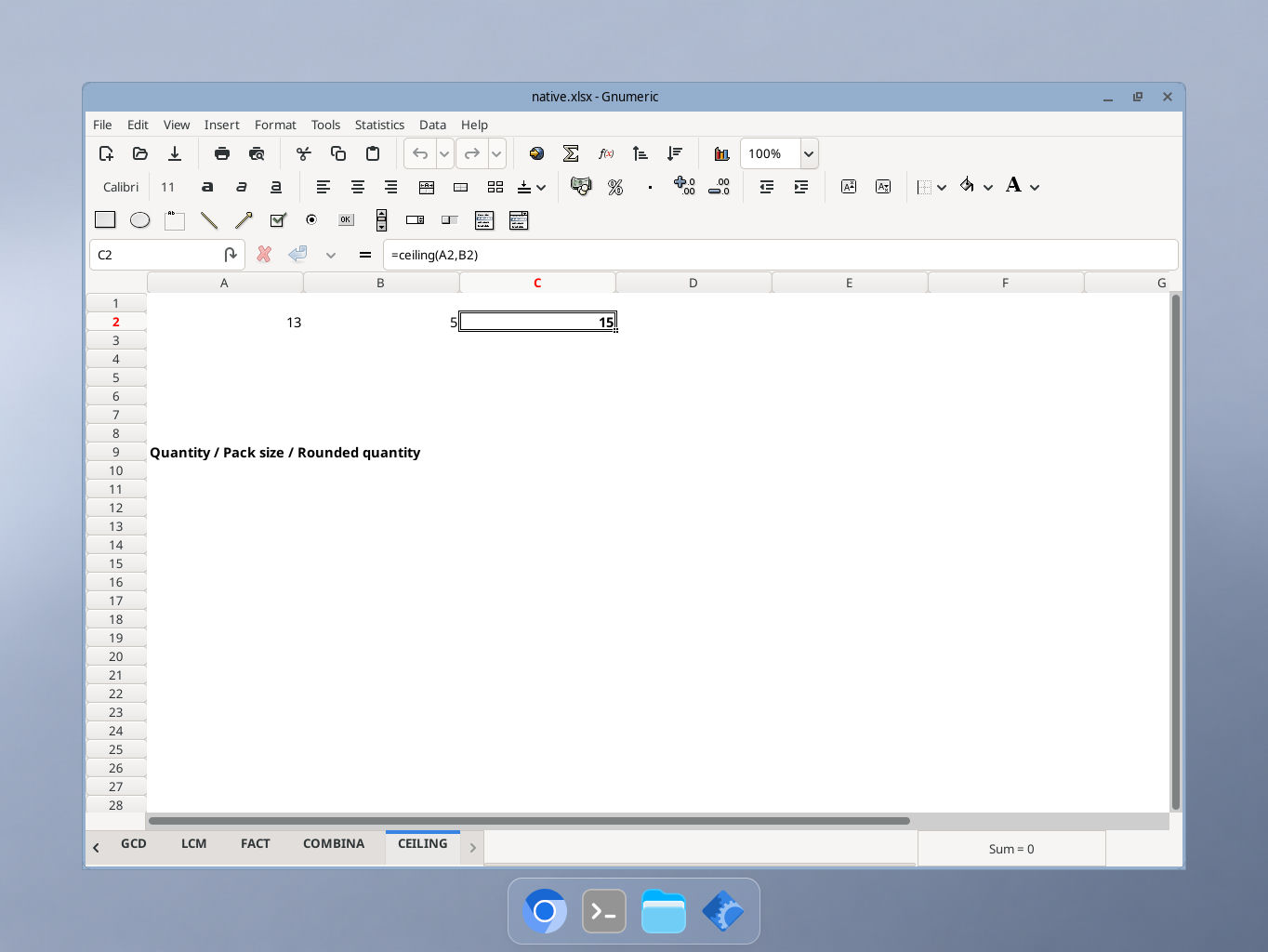
Actual Gnumeric 1.12.57 application, captured 17 October 2026. GUI locale was not independently recorded.