

FLOOR Function (Gnumeric)
Round to multiples in Gnumeric with FLOOR, optional sign-dependent defaults and explicit negative-number behavior.
Verification status: Fresh bounded Gnumeric 1.12.57 source and native engine verification; separate primary-example GUI capture below. How formula examples are checked
Exact syntax and meaning
=FLOOR(x[,significance])
FLOOR rounds a numeric x to a multiple of significance. X is required; significance is optional. In the inspected Gnumeric implementation it defaults to 1 for positive x and -1 for negative x. For nonzero inputs, the operative rule is floor(x/significance) multiplied by significance, with a floating-point-aware floor helper. The sign combination matters.
The preserved example =FLOOR(13,5) returns 10. For a negative input and positive step, =FLOOR(-13,5) returns -15. With both negative, =FLOOR(-13,-5) returns -10. Positive x with negative significance, as in FLOOR(13,-5), returns #NUM!.
The general help phrase describing a result with absolute value at most ABS(x) is not valid for every sign combination: -15 has greater magnitude than -13. The native negative-input/positive-step example and the implementation rule above make that exception explicit. Do not replace the sign-sensitive contract with a blanket claim that FLOOR always rounds toward zero.
Optional argument and zero cases
With significance omitted, the inspected callback defaults to -1 for negative x and 1 for positive x, implying -1 for FLOOR(-1.2) and 1 for FLOOR(1.2). The saved XLSX input uses those one-argument formulas, but the native importer rewrote them to ROUNDDOWN(x,0); the recorded outputs therefore verify that import path, not direct execution of the omitted-significance FLOOR callback. This is different from applying mathematical floor to every real x with a fixed positive unit step. If the intended rule is downward rounding on the number line, make a positive significance explicit.
For x=5 and significance=0, the fixture returns #DIV/0!. For x=0 and significance=0 it returns 0 because the callback handles zero x first. Do not infer a single zero-step rule without considering this tested ordering.
Advanced application: positive price increments
For a positive amount 12.37 and increment 0.05, =FLOOR(12.37,0.05) gives approximately 12.35. The stored native value is 12.350000000000001, a normal binary floating-point representation effect. A two-decimal display is appropriate for viewing this example, but formatting does not change the underlying value.
Put the amount in A2 and a strictly positive increment in B2, then use =FLOOR(A2,B2). Decide separately whether negative adjustments should move toward minus infinity or toward zero before extending the model to credits or refunds. Repeated per-line rounding and rounding only a total can produce different totals; preserve unrounded values for reconciliation.
Portability caution
Related FLOOR variants and other spreadsheet programs may use different optional parameters and negative-number conventions. The examples here verify this exact Gnumeric function, not every similarly named rounding function. Test exchanged files using all relevant sign combinations, especially when an omitted argument hides the intended step.
Recorded native examples
=FLOOR(13,5)→ 10=FLOOR(-13,5)→ -15=FLOOR(-13,-5)→ -10=FLOOR(13,-5)→ #NUM!=FLOOR(-1.2)→ -1=FLOOR(1.2)→ 1=FLOOR(5,0)→ #DIV/0!=FLOOR(0,0)→ 0=FLOOR(12.37,0.05)→ 12.350000000000001
Version and verification scope
Original introduction and last functioning release are not established. The retained historical registration check documented availability in Gnumeric 1.12.62 on 14 October 2026, on desktop installations with fn-math included and enabled. That registration evidence is separate from the fresh Gnumeric 1.12.57 source inspection and bounded ssconvert run on 17 October 2026. No 1.12.62 execution is claimed.
Input formulas, saved results and evidence-file hashes were independently verified. For the two omitted-significance FLOOR inputs, both native XLSX and native XML serialize ROUNDDOWN(x,0); explicit two-argument FLOOR cases retain FLOOR and are unaffected. Numeric results match elementary arithmetic or Python mathematical references to absolute/relative tolerance 1e-12; logical and error outputs match exactly. These records are engine evidence; the separate primary-example GUI capture below is not an extreme-input guarantee. Earlier comparable LibreOffice Calc 25.2 checks are historical context rather than Gnumeric native evidence. Shared function names do not establish identical coercion, rounding, numerical range or errors in other programs.
Related functions
First-party sources
Native application screenshot
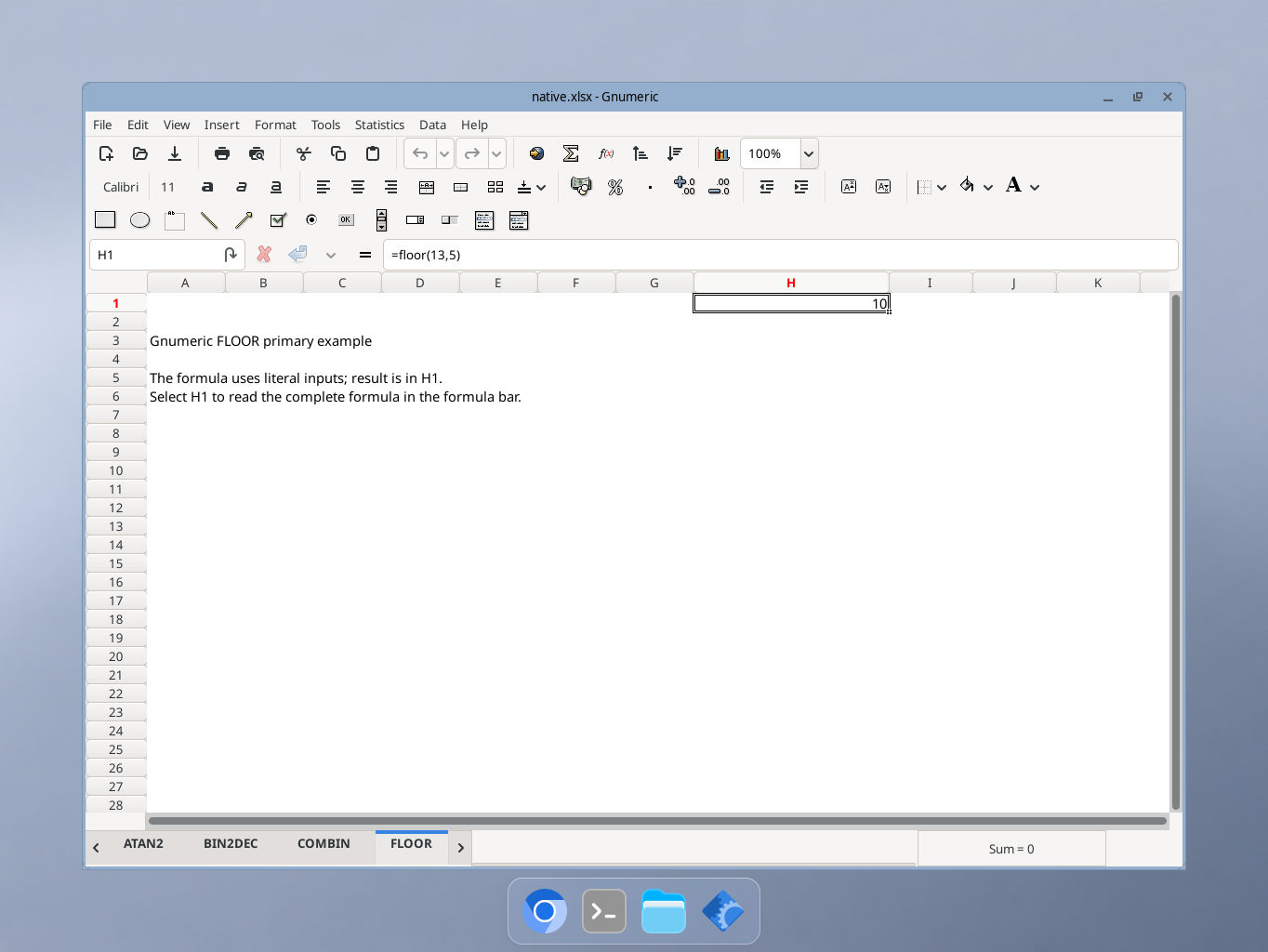
Gnumeric 1.12.57, captured 17 October 2026. The selected H1 cell shows the primary example result, with its formula in the formula bar. The literal inputs are visible in the formula bar. The GUI locale was not independently recorded.