

COMBINA Function (Gnumeric)
Count unordered selections with repetition using Gnumeric COMBINA, with enumeration, flooring and domain checks.
Verification status: See the evidence and test scope described in this guide. How formula examples are checked
COMBINA counts unordered selections of k items from n types when repetition is allowed. Reversing the order of the selected types does not create another combination. It returns the count, not a list of selections.
Use a positive integer n and nonnegative integer k for the ordinary contract demonstrated here. The callback floors numeric inputs and evaluates the combination of n+k-1 objects taken k at a time. Negative floored inputs return an error. The degenerate n=0 boundary is not validated by these examples.
Syntax
COMBINA(n, k)
Worked examples
The original =COMBINA(3,2) returns six. With types A, B and C, the selections are AA, AB, AC, BB, BC and CC. AB and BA represent the same selection, while AA is permitted.
COMBINA(5,3) returns 35. COMBINA(3.9,2.9) returns six after flooring, and COMBINA(3,0) returns one for the empty selection. Put n in A2, k in B2 and use =COMBINA(A2,B2) in C2. Label the assumptions “repetition allowed, order ignored” alongside the inputs.
| Formula | Expected output |
|---|---|
=COMBINA(3,2) |
6 |
=COMBINA(5,3) |
35 |
=COMBINA(3.9,2.9) |
6 |
=COMBINA(3,0) |
1 |
=COMBINA(-1,2) |
#NUM! |
Advanced use
For positive n and nonnegative k the stars-and-separators model distributes k indistinguishable choices among n categories. The case n=3,k=2 becomes “4 choose 2,” producing six. A small enumeration independently verifies whether this model matches the question.
If items cannot repeat, order matters or individual categories have capacity limits, the counting problem changes. COMBINA does not automatically incorporate those constraints. Preserve assumptions as well as the numeric output when sharing a workbook.
Errors and troubleshooting
COMBINA(-1,2) returns #NUM!. Validate intended integer counts rather than using flooring to repair arbitrary imported fractions. Large counts can lose exact integer precision or exceed floating-point range. Official NEWS explicitly adds COMBINA in 1.9.11; that introduction is separate from later source-registration evidence.
Availability and verification
- Introduced: Gnumeric 1.9.11, explicitly listed as new in official NEWS.
- Historical source availability: Supported in Gnumeric 1.12.62, based on the function-specific registration.
- Scope: Desktop; the fn-math function module must be included and enabled.
- Historical check: October 14, 2026. Documentation/source check; no new native test in Gnumeric 1.12.62.
The selected examples and error cases were recalculated with the actual Gnumeric 1.12.57 engine under C.UTF-8 on 17 October 2026. Native workbooks and observed outputs are retained. Historical 1.12.62 registration is a separate source check, not a native runtime test. The selected example below is GUI-verified; retirement and the last functioning release remain unverified.
Related functions
Native application screenshot
The selected cell C2 contains =COMBINA(A2,B2) and displays 6. The selected example uses the tutorial inputs described above. Only this selected example is GUI-verified; the other checks retain their stated engine-test scope.
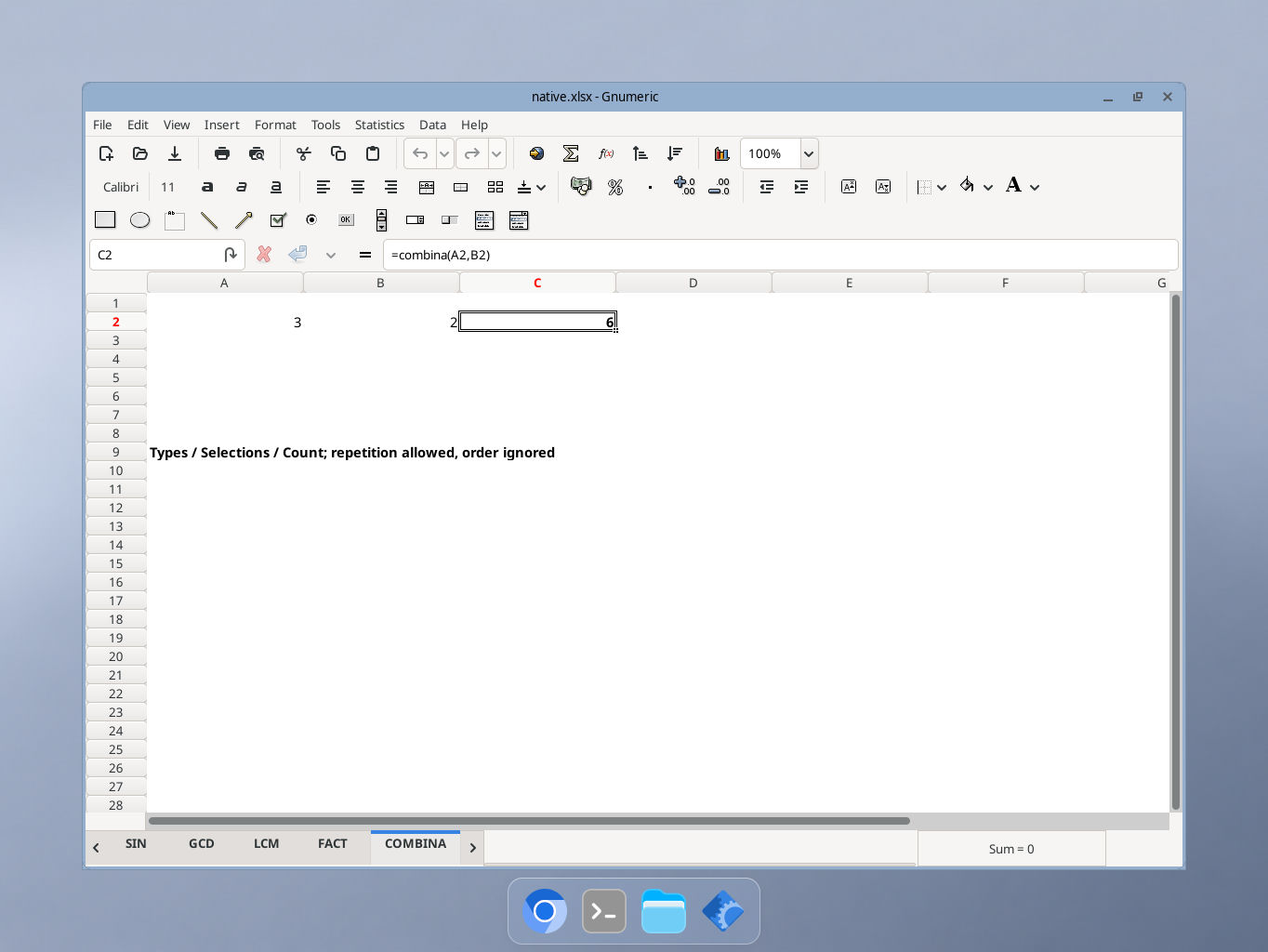
Actual Gnumeric 1.12.57 application, captured 17 October 2026. GUI locale was not independently recorded.