

LOG Function (Gnumeric)
Calculate logarithms in Gnumeric with LOG, optional base 10, valid base ranges and discrete-growth doubling time.
Verification status: Fresh bounded Gnumeric 1.12.57 ssconvert tests; cached 1.12.62 source inspected separately; separate primary-example GUI capture below. How formula examples are checked
Exact syntax and meaning
=LOG(x[,base])
LOG returns the exponent to which a chosen base must be raised to obtain x. The first argument x is required and strictly positive. Base is optional and defaults to 10; if supplied it must be positive and not equal to 1. The brackets in the syntax indicate an optional argument, not characters to type into a formula.
The preserved examples are =LOG(100,10), which returns 2 because 10 squared is 100, and =LOG(8,2), which returns 3 because 2 cubed is 8. =LOG(100) also returns 2, confirming the default base. A base between zero and one is valid: =LOG(0.25,0.5) returns 2 because 0.5 squared is 0.25. =LOG(1) returns zero.
Advanced application: doubling time under discrete growth
For a quantity that multiplies by 1.05 each period, the real-valued number of periods to double is =LOG(2)/LOG(1.05), approximately 14.206699082890. The choice of the common logarithm base cancels in this ratio. If only whole completed periods count, determine the next integer period and verify its compounded amount; the real-valued answer is not itself an integer schedule.
For a worksheet put growth fraction 0.05 in A2 and use =LOG(2)/LOG(1+A2). This derived cell-reference formula expresses the checked literal example. A2 must be positive for a positive finite doubling time. Zero growth makes the denominator zero, and negative growth does not describe doubling through positive elapsed time in this model.
Errors and numerical care
The native fixtures LOG(0), LOG(-1) and LOG(2,1) returned #NUM!. The inspected documentation also excludes nonpositive bases. Do not substitute a negative input by its absolute value unless that is an explicitly intended transformation of the data. Base close to 1 can make a logarithm very sensitive because the denominator in the change-of-base identity is close to zero.
LN is the natural logarithm and LOG defaults to base 10. This distinction matters when reversing EXP; use LN for that inverse. For LibreOffice Calc formulas separators are commonly semicolons, while the Gnumeric examples here use commas; check the receiving application’s locale and syntax when transferring formulas.
Native examples and expected results
=LOG(100,10)→ 2=LOG(8,2)→ 3=LOG(100)→ 2=LOG(0.25,0.5)→ 2=LOG(1)→ 0=LOG(0)→ #NUM!=LOG(-1)→ #NUM!=LOG(2,1)→ #NUM!=LOG(2)/LOG(1.05)→ 14.206699082890461
Availability, portability and evidence
The original introduction and last functioning release are not established. These examples were freshly recalculated in Gnumeric 1.12.57 on 17 October 2026. Retained 1.12.62 source, originally obtained on 13/14 October, was inspected separately; no execution of 1.12.62 is claimed. The desktop fn-math module must be available. Native output cells and formulas were independently read back and compared with Python mathematical identities to absolute/relative tolerance 1e-12. These fixture records are engine verification; a separate primary-example GUI capture appears below.
Ordinary real-number formulas have similar meanings in other spreadsheets, but identical names do not guarantee the same coercion, numerical range or error handling. The earlier comparable LibreOffice Calc 25.2 check is historical cross-program context; it is not evidence of Gnumeric execution. The fresh Gnumeric tests above supersede the earlier no-native-test status for these exact cases.
Related functions
First-party sources
Native application screenshot
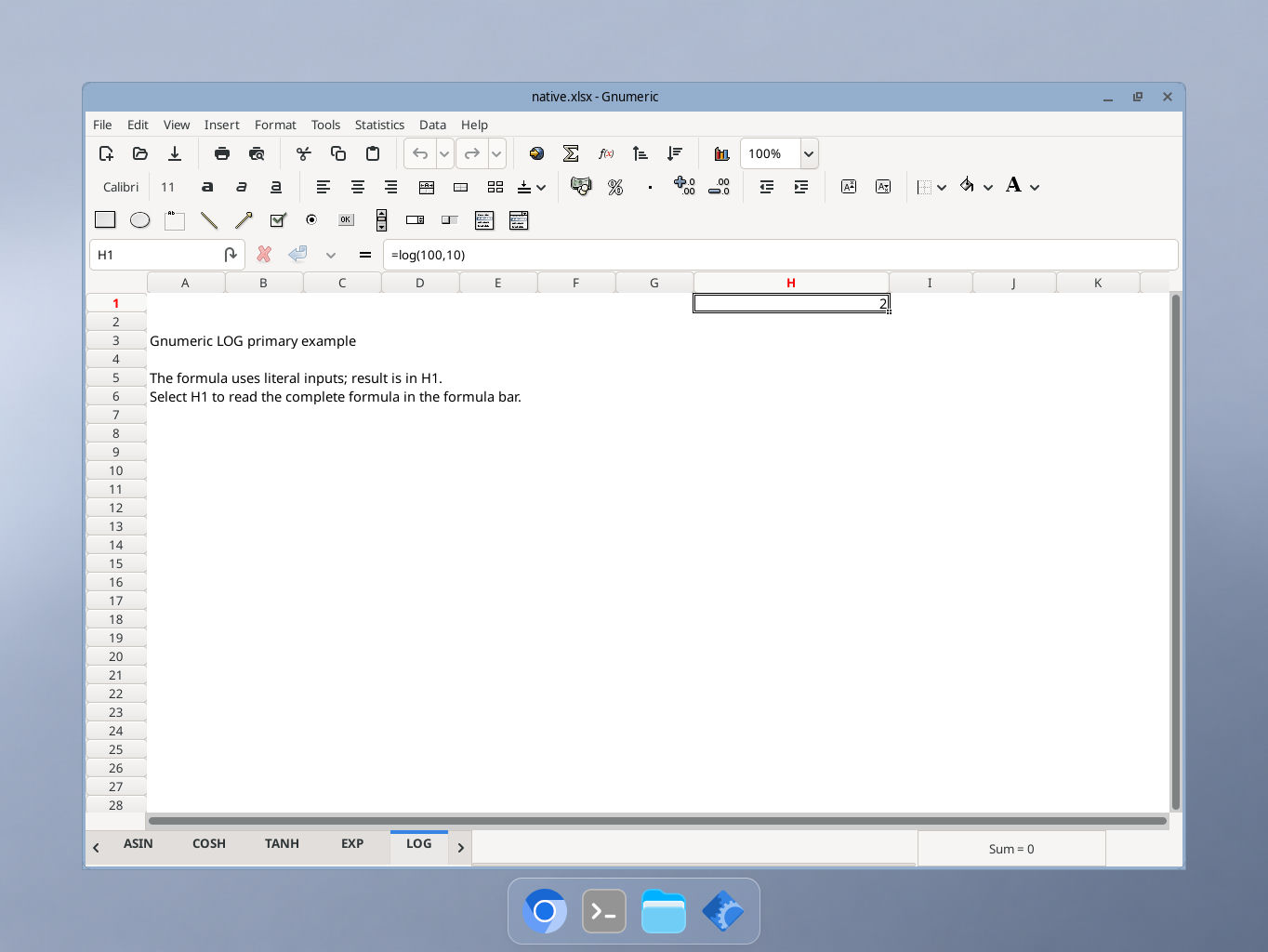
Gnumeric 1.12.57, captured 17 October 2026. The selected H1 cell shows the primary example result, with its formula in the formula bar. The literal inputs are visible in the formula bar. The GUI locale was not independently recorded.