

LOG10 Function (Gnumeric)
Calculate base-ten logarithms in Gnumeric, interpret negative logarithms and diagnose zero or negative inputs.
Verification status: See the evidence and test scope described in this guide. How formula examples are checked
LOG10 gives the exponent to which ten must be raised to obtain x. The input is strictly positive, while the output may be positive, zero or negative. Positive inputs below one have negative logarithms; that is normal rather than an error.
Supply one numerical argument. There is no optional base selector. The callback explicitly rejects x<=0. For physical measurements, use a dimensionless ratio against a suitable reference when interpreting the logarithm; changing the measurement unit changes its numerical value.
Syntax
LOG10(x)
Worked examples
The original =LOG10(1000) returns 3 because 10^3=1000. Put 0.01, 1 and 1000 in A2:A4 and enter =LOG10(A2) in B2, filling down. The outputs are -2, 0 and 3.
LOG10(2) is approximately 0.301029995663981. The native inverse control =10^LOG10(25) returns approximately 25. A difference of one in logarithmic coordinates represents a tenfold ratio of the original values, rather than a one-unit arithmetic difference.
| Formula | Expected output |
|---|---|
=LOG10(1000) |
3 |
=LOG10(1) |
0 |
=LOG10(0.01) |
-2 |
=LOG10(2) |
0.3010299956639812 |
=LOG10(0) |
#NUM! |
=LOG10(-1) |
#NUM! |
=10^LOG10(25) |
25 |
Advanced use
For positive a and b, LOG10(b)-LOG10(a) equals LOG10(b/a) mathematically. A hundredfold change has a logarithmic difference of two. Keep raw values and units alongside the transformed column so relative changes remain interpretable.
A difference of logarithms can avoid forming an extreme ratio directly, but numerical limitations still apply. Exponentiating an average logarithm also does not generally produce the arithmetic mean of the original values. Select the summary that answers the intended question rather than treating transformation as merely formatting.
Errors and troubleshooting
LOG10(0) and LOG10(-1) return #NUM!. Replacing those outputs with zero would represent invalid inputs as the valid logarithm of one. Investigate missing-value conventions and numeric text before applying deliberate cleaning. Small inverse-check rounding differences are possible, and the function does not preserve a measurement’s original uncertainty.
Availability and verification
- Introduced: Documented by 1.12.62; original introduction not established.
- Historical source availability: Supported in Gnumeric 1.12.62, based on the function-specific registration.
- Scope: Desktop; the fn-math function module must be included and enabled.
- Historical check: October 14, 2026. Documentation/source check; no new native test in Gnumeric 1.12.62.
The selected examples and error cases were recalculated with the actual Gnumeric 1.12.57 engine under C.UTF-8 on 17 October 2026. Native workbooks and observed outputs are retained. Historical 1.12.62 registration is a separate source check, not a native runtime test. The selected example below is GUI-verified; retirement and the last functioning release remain unverified.
Related functions
Native application screenshot
The selected cell B2 contains =LOG10(A2) and displays -2. The selected example uses the tutorial inputs described above. Only this selected example is GUI-verified; the other checks retain their stated engine-test scope.
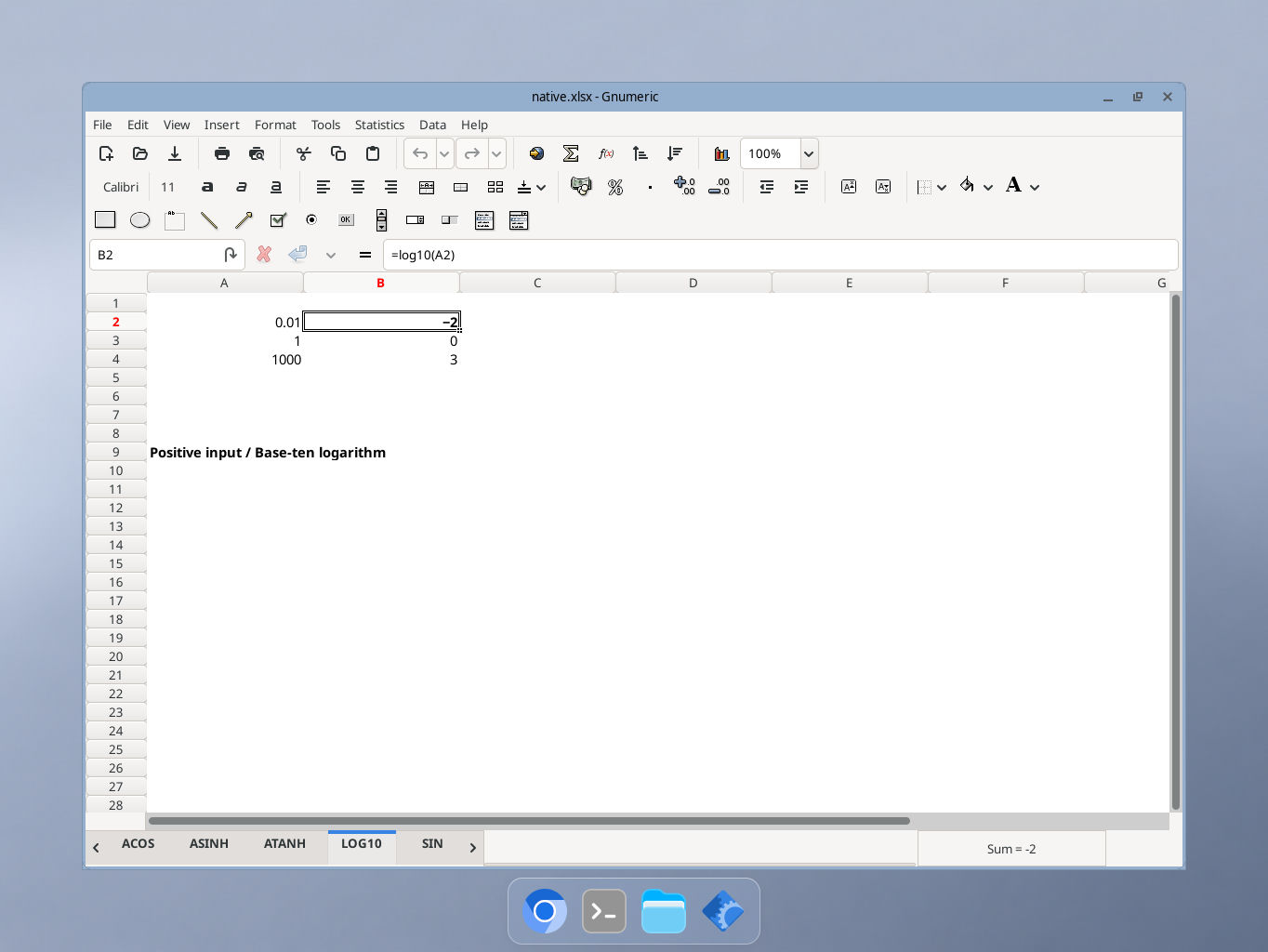
Actual Gnumeric 1.12.57 application, captured 17 October 2026. GUI locale was not independently recorded.