

PROPER Function (Gnumeric)
Apply mechanical word capitalization with Gnumeric PROPER, including lowercasing remaining letters and limitations for names or acronyms.
Verification status: See the evidence and test scope described in this guide. How formula examples are checked
PROPER capitalizes the first alphabetic character of each run of letters and lowercases later letters in that run. It is useful for a first-pass presentation of ordinary words, but it is not a reliable authority for the spelling of people’s names, brands, acronyms, or language-specific title conventions.
Syntax and word boundaries
PROPER(text)
text is the source string. In the 1.12.57 implementation, alphabetic characters continue a word and nonalphabetic characters reset the word state. Punctuation and digits are copied unchanged and cause a following letter to be treated as a new initial.
Original worked example
=PROPER("hello world")
The result is Hello World. The space separates two letter runs, so each begins with an uppercase letter.
Worked examples: rules rather than name knowledge
| Formula | Expected result |
|---|---|
=PROPER("NASA report") |
Nasa Report |
=PROPER("o'NEILL") |
O'Neill |
=PROPER("abc123def") |
Abc123Def |
=PROPER("mCDONALD") |
Mcdonald |
The first example loses the acronym’s all-capitals spelling. The last does not reconstruct McDonald. These are consequences of mechanical character-case rules, not defects in a lookup table of names: no such name knowledge is used.
If A2 contains one two , =PROPER(TRIM(A2)) returns One Two. TRIM handles the spacing before PROPER changes case. Keep the original input in A2 so that the transformation remains reviewable.
Advanced use: a reviewable display column
For an imported contact list or catalogue, calculate a proposed display form in a helper column rather than overwriting canonical names. Review known exceptions and preserve the spelling the person or organization actually uses. A uniform appearance is not worth changing the meaning of an identifier or misnaming someone.
Case-sensitive codes, passwords, paths, and identifiers should not be passed through PROPER merely because they are text. An automatic capitalization change can make them unusable. Even for prose, a language’s title-case conventions can differ from a sequence of per-character uppercase and lowercase conversions.
The implementation uses Unicode character classification and case conversion. This is more general than an ASCII-only rule, but it is not a promise of full linguistic title casing or every multi-character case mapping. Test representative text for the languages and dependency versions in your actual workbook.
Errors and troubleshooting
If an acronym becomes mixed case, that is expected: subsequent letters in a run are lowercased. If a letter after a digit becomes uppercase, the digit ended the previous alphabetic run. If punctuation is retained, remember that PROPER changes case rather than stripping punctuation.
PROPER does not remove repeated whitespace, validate a name, or correct spelling. Use separate, justified cleanup steps and keep the original source available. An upstream formula error also needs to be handled at its source rather than disguised as a capitalization problem.
Availability and version history
- Introduced: Gnumeric 0.19; its official release notes list PROPER among newly implemented functions.
- Historical source evidence: Supported in Gnumeric 1.12.62, based on the function-specific registration.
- Scope: Desktop; the fn-string function module must be included and enabled.
- Historical check: October 14, 2026; the 1.12.62 registration evidence is not a native execution claim for that release.
New verification: The worked cases were recalculated with Gnumeric 1.12.57 under C.UTF-8 on 17 October 2026 and reconciled against its official source. The historical 1.12.62 registration is retained separately; no identical-behavior or native-test claim is made for that newer version. The selected example below is GUI-verified; a last-supported release is not established.
Related functions
Documentation and verification
Native application screenshot
The selected cell B1 contains =PROPER("NASA report") and displays Nasa Report. The screenshot preserves the example input positions described above. Only this selected example is GUI-verified; the other checks retain their stated engine-test scope.
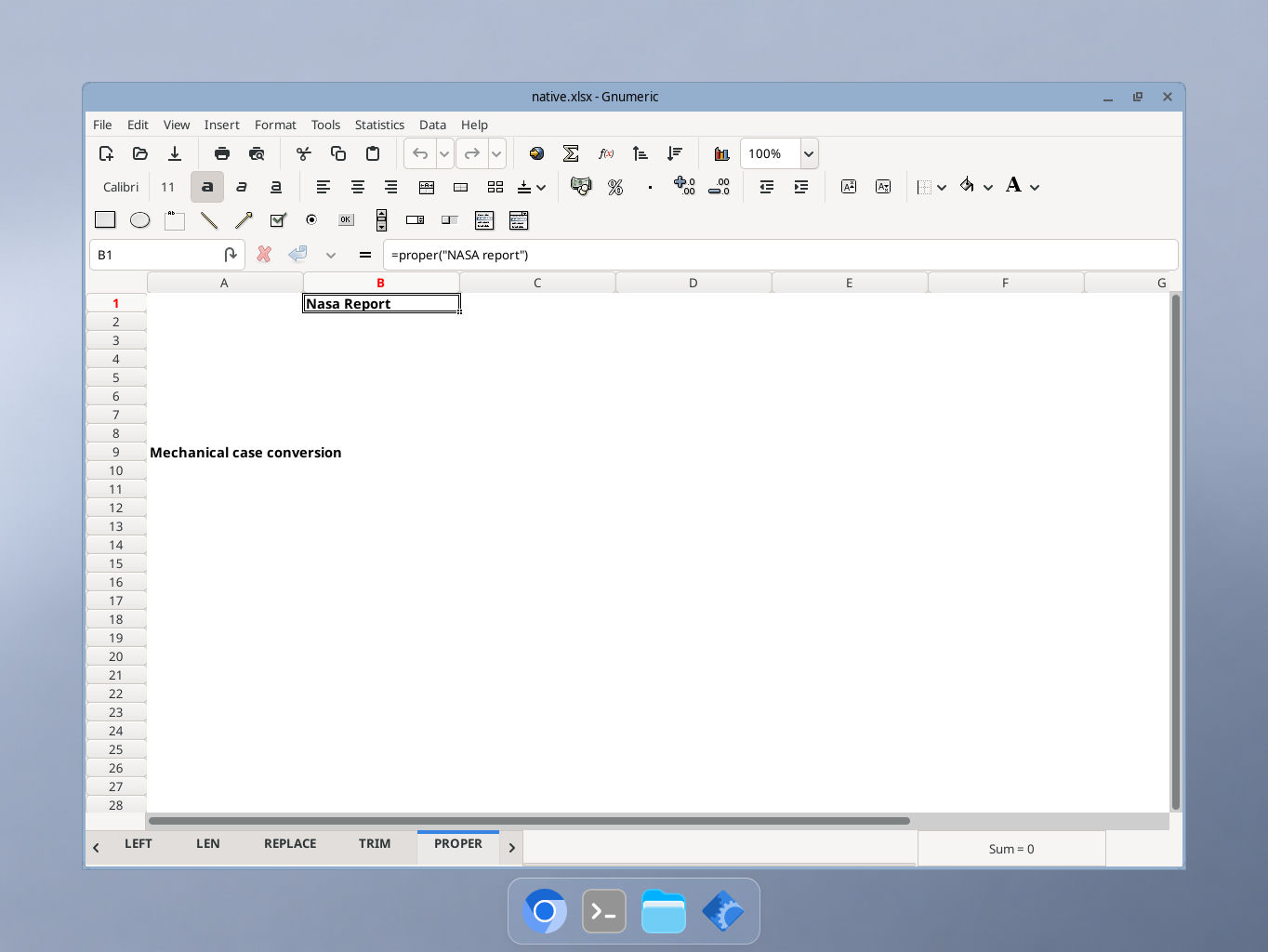
Actual Gnumeric 1.12.57 application, captured 17 October 2026. GUI locale was not independently recorded.