

SQRT Function (Gnumeric)
Calculate the principal nonnegative square root with Gnumeric SQRT, using a reproducible length example and negative-domain error checks.
Verification status: See the evidence and test scope described in this guide. How formula examples are checked
SQRT returns the principal nonnegative square root of a nonnegative number. For example, it returns 9 for 81 because 9 squared equals 81. Although -9 also squares to 81, SQRT does not return both mathematical roots.
Syntax and numerical domain
SQRT(x)
x must be nonnegative. Zero is valid and returns zero; a negative input produces #NUM!. The result is numerical, so it can feed subsequent arithmetic. Use a complex-number function only when complex roots are genuinely part of the problem rather than replacing the sign without justification.
Original worked example and controls
=SQRT(81)
The result is 9. Additional native controls show =SQRT(0) returning 0, =SQRT(-1) returning #NUM!, and =SQRT(2) returning approximately 1.414213562373095. Display settings determine how many of those digits are visible.
Worked worksheet: length from perpendicular components
Put 3 in D1 and 4 in D2. Enter =SQRT(D1^2+D2^2) in another cell. The result is 5 because the squared components total 9+16=25, and the square root of 25 is 5.
This is the Pythagorean calculation for perpendicular components measured in the same units. If D1 and D2 are metres, their squares are square metres and the final result is metres. Mixing metres and centimetres without conversion produces a numerical answer with the wrong physical meaning.
Keep the component cells separate from the result. If either input changes, the formula calculates the new length; typing a literal 5 in the result cell would lose that dependency.
Advanced use: retain precision until the result
A square root of a non-square generally cannot be represented exactly as a finite decimal. Use the stored value in subsequent calculations and round only where the reporting or domain rule requires it. Repeatedly rounding intermediate squared values can make a final length less accurate.
A numerical calculation that should theoretically produce zero can sometimes produce a small negative value through accumulated rounding. Investigate its scale and cause before forcing it to zero. Applying ABS to every negative input changes the mathematical problem and can hide a real invalid radicand.
For an explicit display requirement, use a number format or a deliberate final ROUND operation. The number format changes how many digits appear; it does not change the underlying computed root.
Errors and troubleshooting
#NUM!for a negative argument is the intended real-number domain check. Inspect the expression inside SQRT rather than the root cell’s format.=SQRT("bad")returns#VALUE!in the native test; a label is not a number.- If you expected a negative root, remember that SQRT chooses the nonnegative principal root. A signed solution to an equation needs additional logic from the problem’s constraints.
- Very large squared intermediates can exceed numerical limits before SQRT runs. The small 3–4 example is not an extreme-range robustness certification.
Availability and version history
- Introduced: Original introduction not established in the retained historical review.
- Historical source evidence: Supported in Gnumeric 1.12.62, based on the function-specific registration.
- Scope: Desktop; the fn-math function module must be included and enabled.
- Historical check: October 14, 2026. The retained 1.12.62 registration check is not a native execution claim for that release.
New verification: Official Gnumeric 1.12.57 source and bounded native engine cases were checked on 17 October 2026 under C.UTF-8. This guide’s worked results refer to that release; the historical 1.12.62 registration is retained separately and does not establish identical behavior. The selected example below is GUI-verified; a last-working release is not established.
Related functions
Documentation and verification
Native application screenshot
The selected cell E1 contains =SQRT(D1^2+D2^2) and displays 5. The screenshot preserves the example input positions described above. Only this selected example is GUI-verified; the other checks retain their stated engine-test scope.
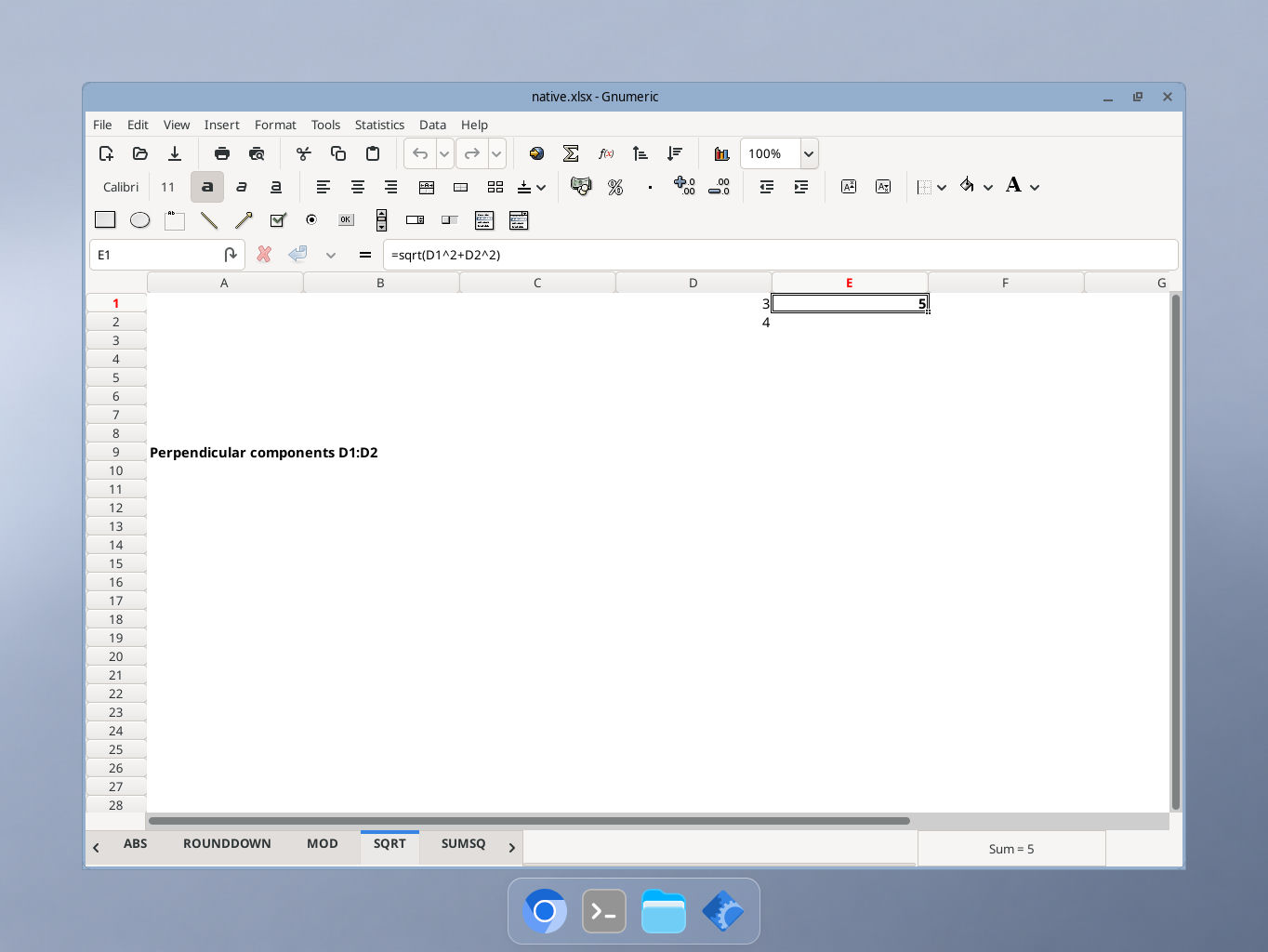
Actual Gnumeric 1.12.57 application, captured 17 October 2026. GUI locale was not independently recorded.